Android Reverse Engineering: Installing and Using Frida with Crackmes/Android/Level_01
This article explains how to install ADB, Python 3, Frida Tools, and Frida Server, then use Python and JavaScript scripts to hook an Android application and bypass a basic root-detection check.
Read in Chinese→0x01 Install ADB on the Computer
Install ADB
We need to interact with the phone from the computer through ADB, so we must install ADB first.
1. Install ADB
Install ADB on Windows:
可以通过安装android sdk
然后就是 /android sdk/platform-tools/adb.exe
Installation command for Mac:
brew cask install android-platform-tools2. Connect the Phone to the Computer with a USB Cable
- Enable USB debugging on the phone.
- This option is generally located under Phone Settings - About - Developer Options - Allow USB Debugging. (The location varies between phones, so look for the USB debugging option yourself.)
3. Run ADB and Enter the Following Command in the Terminal to View Connected Devices
Run the ADB command to view the currently connected devices:
adb devices
If device is displayed, the device has been connected successfully.
0x02 Install Python 3 on the Computer
For Windows, download it from the official website. Search online for installation instructions.
注意:高版本的frida 要配合高版本的python
我的是 pyhton 3.7.9 和 frida 15.0.15
Mac version:
brew install [email protected]0x03 Install Frida Tools on the Computer
This is actually a Python module that must be imported when writing automated hook scripts.
The command is the same on Windows and Mac:
python -m pip install frida-tools0x04 Install Frida Server on the Phone
-
After configuring the computer, the phone also needs to be configured.
- We now need to download Frida Server to the phone.
下载地址:
https://github.com/frida/frida/releases
Many versions are available:
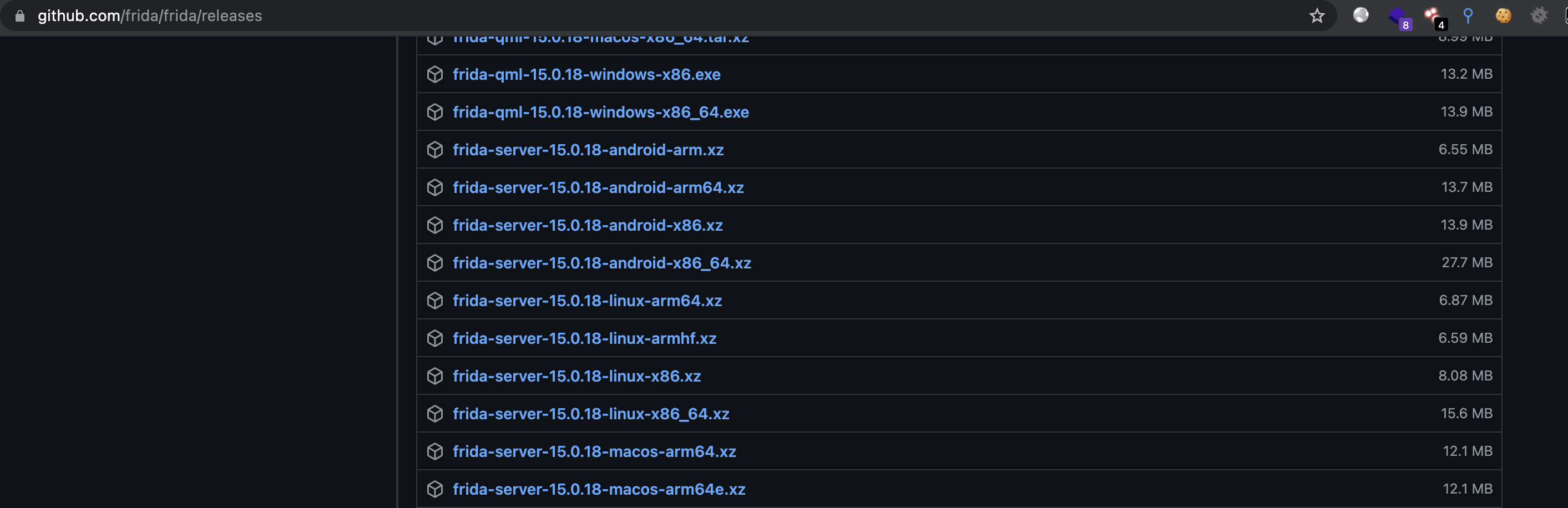
The Android versions are listed below. Download the corresponding version.
frida-server-15.0.18-android-arm.xz             ----真机32位
frida-server-15.0.18-android-arm64.xz           ----真机64位
frida-server-15.0.18-android-x86.xz             ----android模拟器32位
frida-server-15.0.18-android-x86_64.xz ----android模拟器64位 -
After downloading the Frida Server version corresponding to the Android device:
-
Use
adb pushto transfer Frida Server to the Android device.adb push /Users/zy/Desktop/frida-server/frida-server-12.10.4-android-arm /data/local/tmp adb push (本机frida-server地址)(手机要放的地址)

-
Start Frida Server on the phone.
-
This allows the Frida client on the computer to communicate with the Frida server on the phone.
-
Frida Server was placed in
/data/local/tmpabove.Start
adb shellto enter the phone’s shell:#查看adb连接的设备 adb devices #启动adb shell 进入手机的shell中 adb shell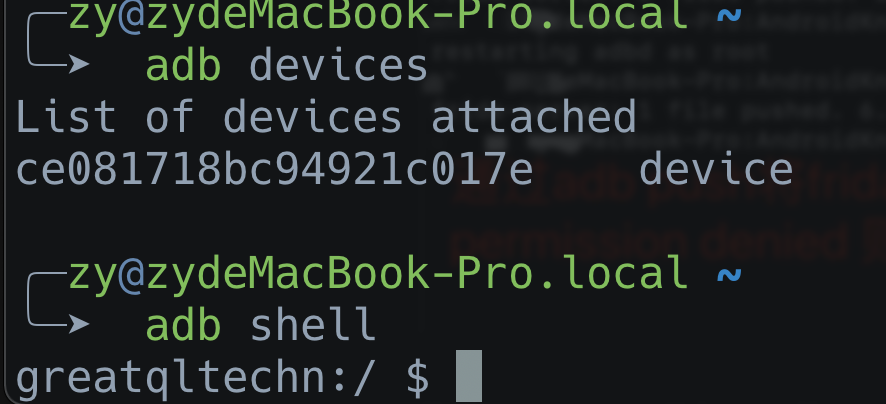
-
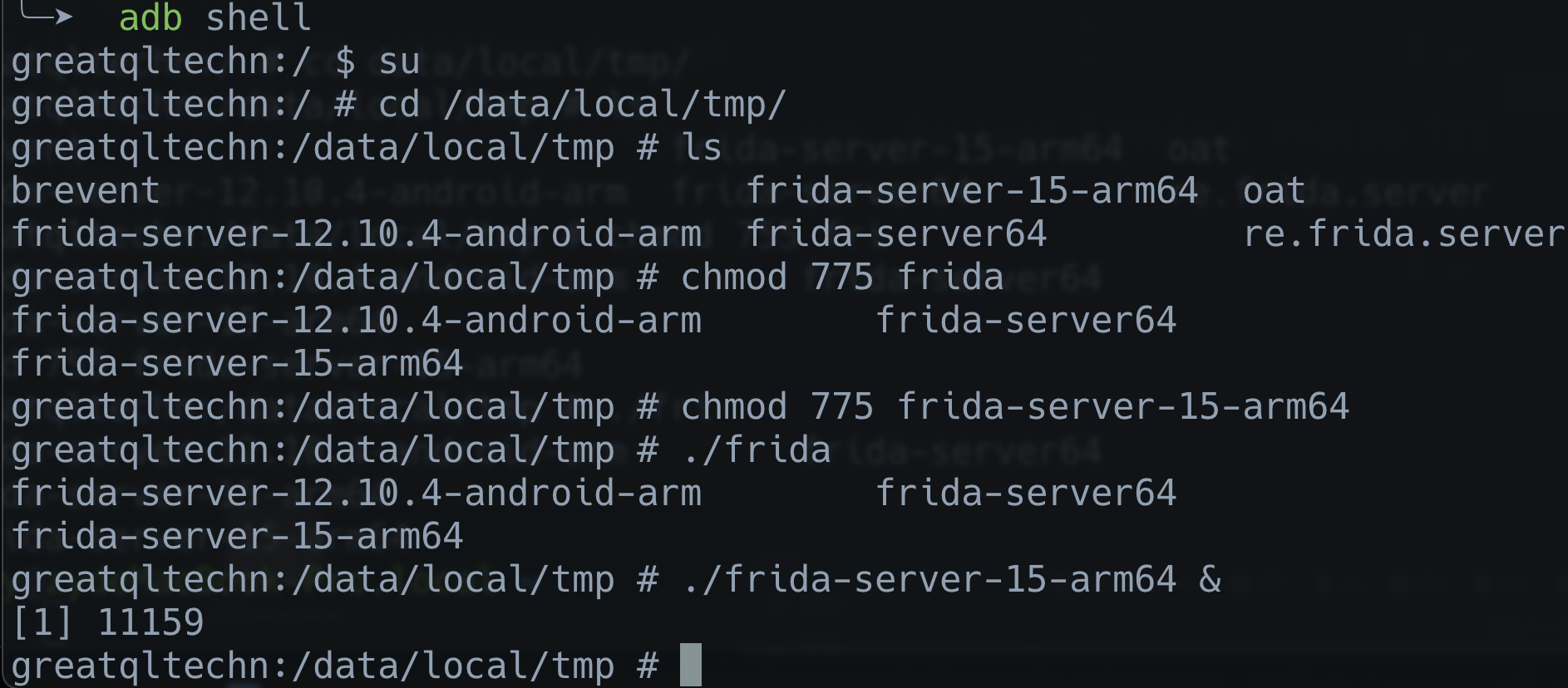
Locate Frida Server, grant it execute permission, and run it.
# 进入手机shell
adb shell
# 找到对应目录
cd /data/local/tmp/
# 给运行权限
chmod 775 frida-server-15-arm64
# 后台持久运行,如果运行一次就直接 ./frida-server-15-arm64
./frida-server-15-arm64 &
The following shows my command:
0x05 Using Frida
Now that Frida has been installed, the next step is to use it.
Note:
After installing Frida Server on the phone, I found that some Frida commands worked while others did not. For example, frida-ps \-U worked, but frida-ps \-R returned an error (Failed to enumerate processes: unable to connect to remote frida-server). I discovered that port forwarding must first be enabled on the client.
adb forward tcp:27042 tcp:27042 Running the command to enable the port resolved the problem.
Frida Tools mainly provides the following commonly used features:
- frida-ls-devices displays device information, mainly including the UDID, connection method, and iOS device name, as shown below.

- frida-ps displays programs running on an iOS device connected via USB.
通常使用frida-ps -Ua  查看正在运行的应用
通常使用frida-ps -Uai 查看已经安装的应用程序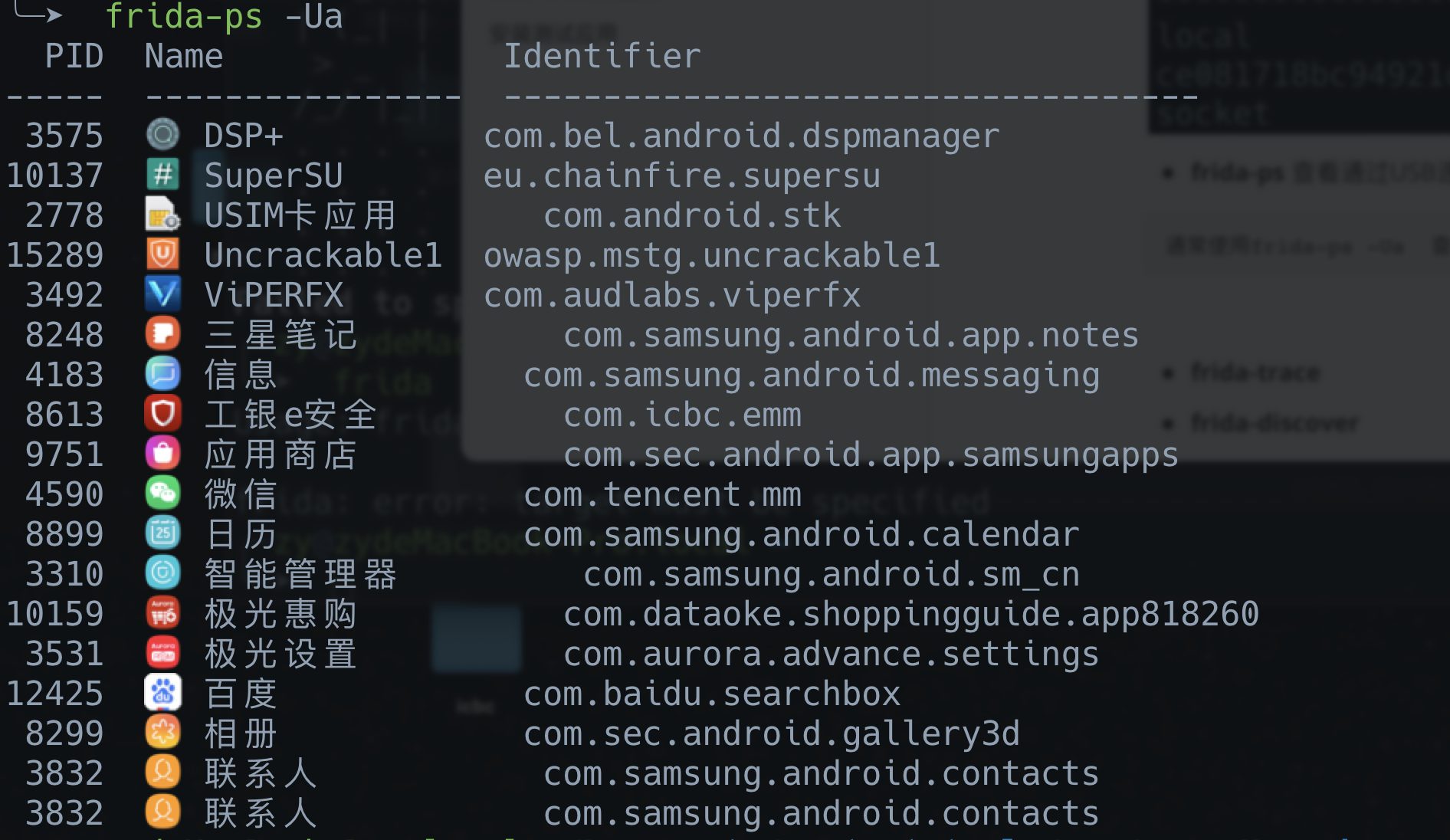
[Failed to save externally linked image. The source site may have hotlink protection enabled. It is recommended that you save the image and upload it directly.(img-GDTyv1if-1631581506681)(https://gitee.com/godzeo/blogimg/raw/master/img/20210825220111.png\)\]
%5C)
- frida-trace
frida-ps -D <UDID> 通过UDID查看设备中应用程序中的pid、进程名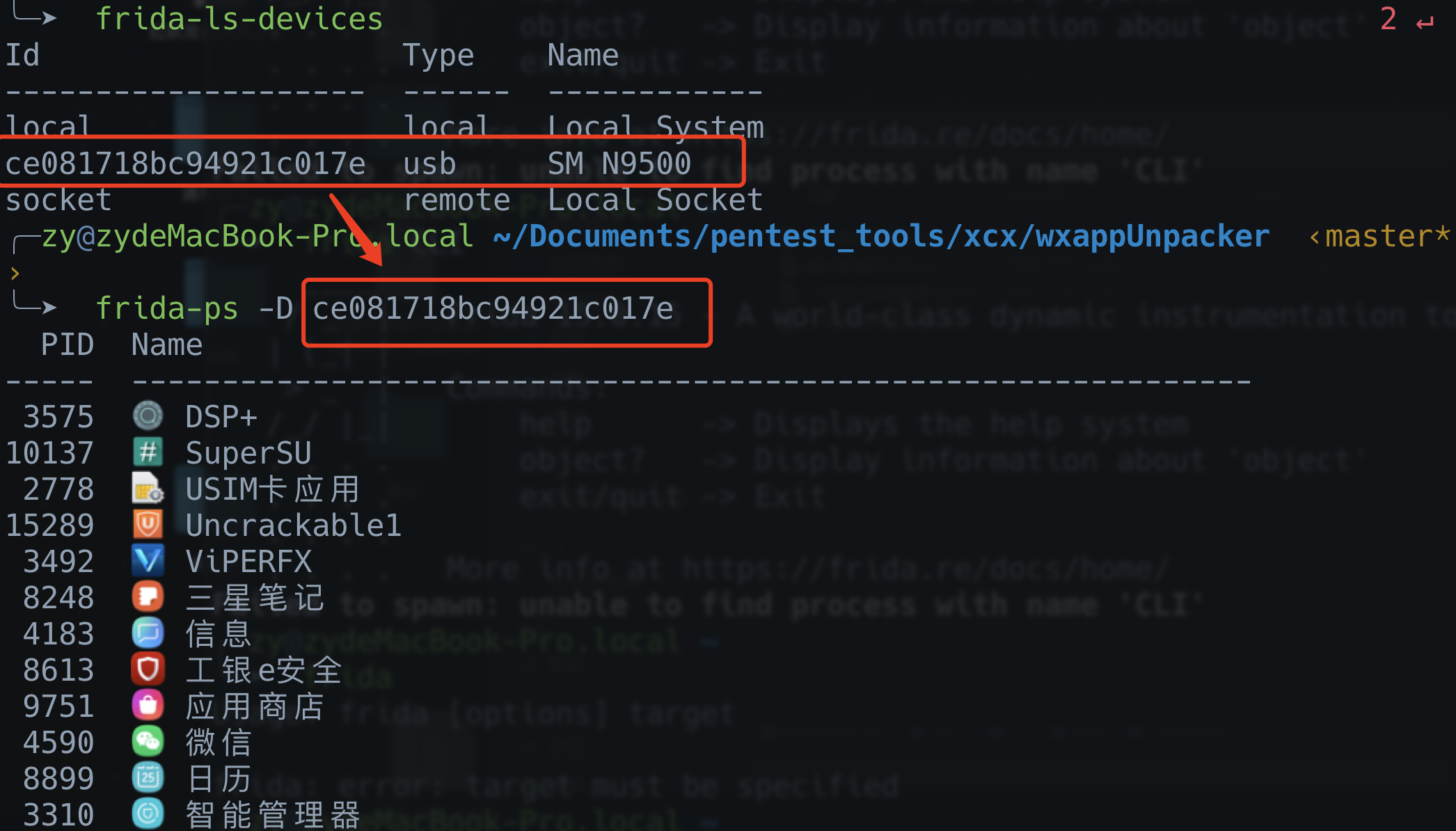
- **frida-kill ** terminates a process on a device.
frida-kill -D <UDID> <pid>0x06 Automate Hooking with Python and JavaScript Scripts
- Frida can also hook applications on Android devices through Python and JavaScript scripts.
- The Python calls and injection script are largely fixed. You only need to change the
bundleIdof the app you want to hook and the path to the JavaScript script.
# author: Zeo
# python: 3.7
# datetime:2021/8/23 6:30 下午
# software: PyCharm

"""
文件说明:通过python及JavaScript脚本自动化来hook
"""
#导入frida模块
import frida, sys
#准备执行的frida javaScript脚本
script = 'Frida-Mobile-Scripts/Android/system_exit_bypass.js'
#准备hook的app的bundleId
bundle = 'owasp.mstg.uncrackable1'

#打开frida脚本,读取frida脚本
f = open(script, "r")
s = f.read()

#连接usb设备 1000表示超时
device = frida.get_usb_device(1000)
#启动指定bundleId的app
pid = device.spawn([bundle])
#附加到app
session = device.attach(pid)
#创建frida javaScript脚本
script = session.create_script(s)
#load脚本到app进程中 这样即注入成功
script.load()
#恢复app运行
device.resume(pid)
#读取打印日志
sys.stdin.read()
0x07 Install the Test Application and Perform Basic Operations
After downloading it, use ADB to install the APK on the phone.
adb install UnCrackable-Level1.apk
Download address:
https://github.com/OWASP/owasp-mstg/tree/master/Crackmes/Android/Level\_01
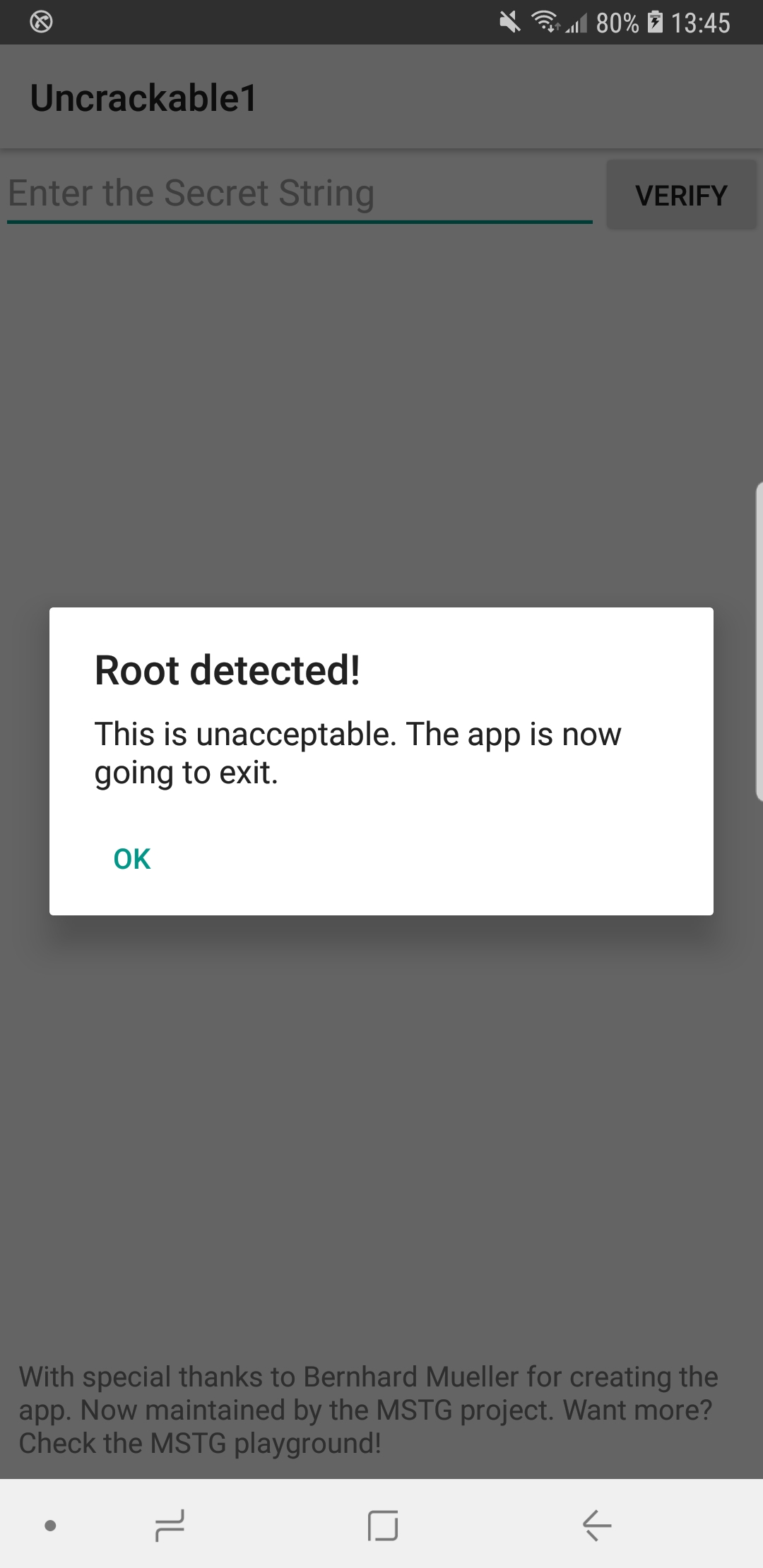
Bypassing a Root Check
1. Decompile and Perform Static Analysis on the App
Commonly used analysis tools include JEB and JADX.
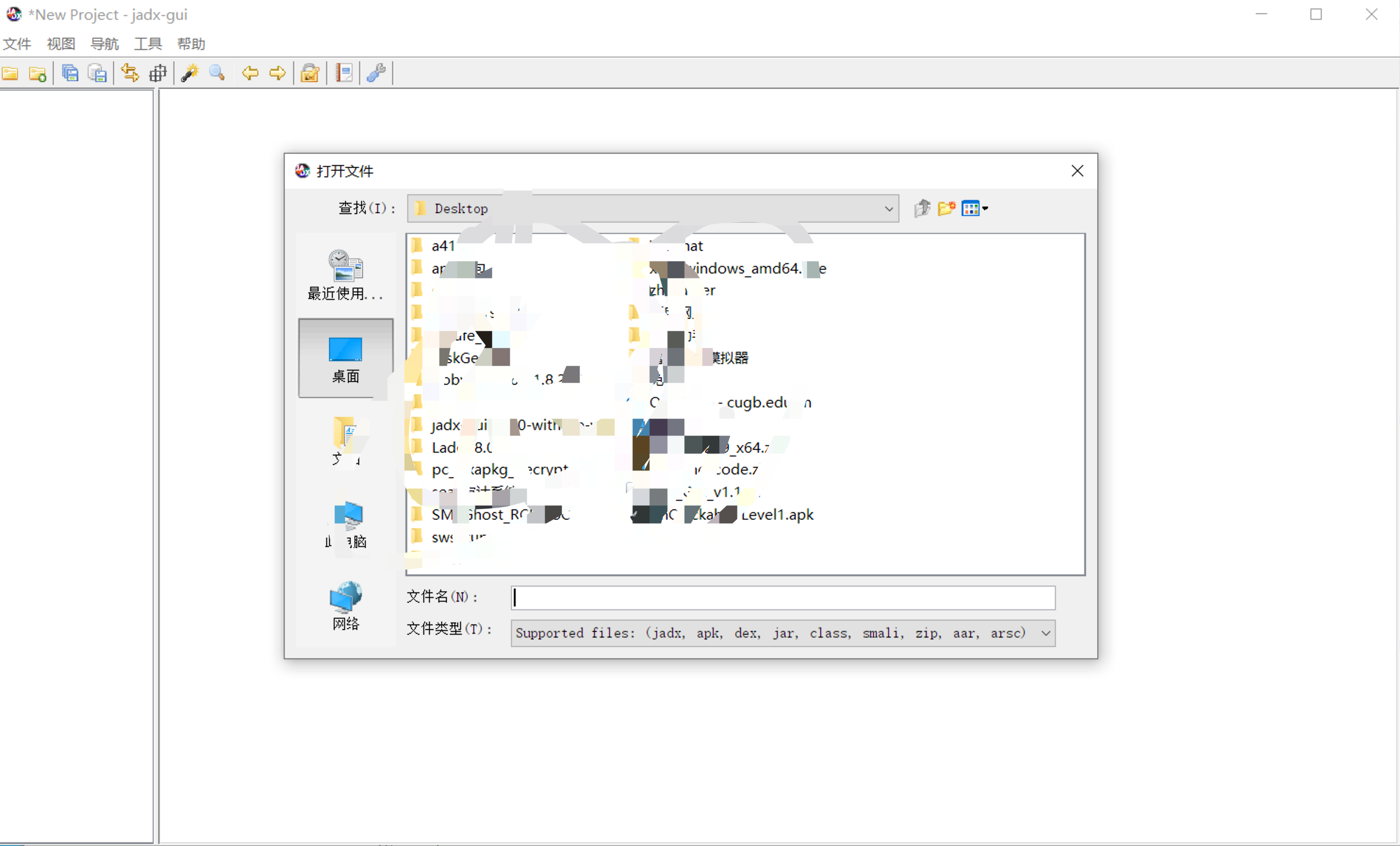
Here, I recommend using JADX for decompilation and analysis.
Open the program, then directly open the APK you want to decompile.
2. Analyze the App’s Function for Detecting Whether the Android Device Is Rooted
Locate the detection function based on the displayed string.
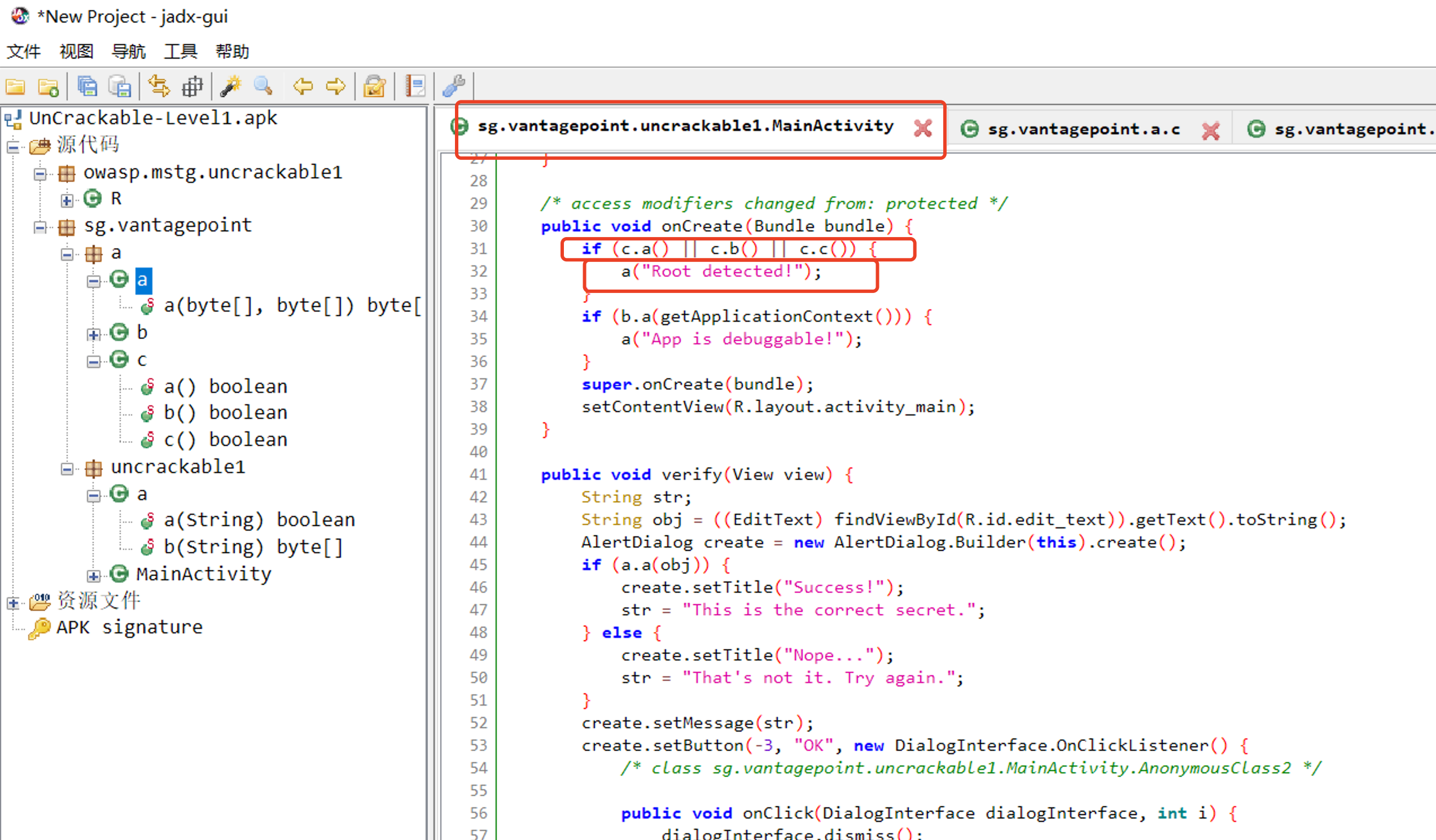
Root detection mainly relies on three functions:
c.a() c.b() c.c() 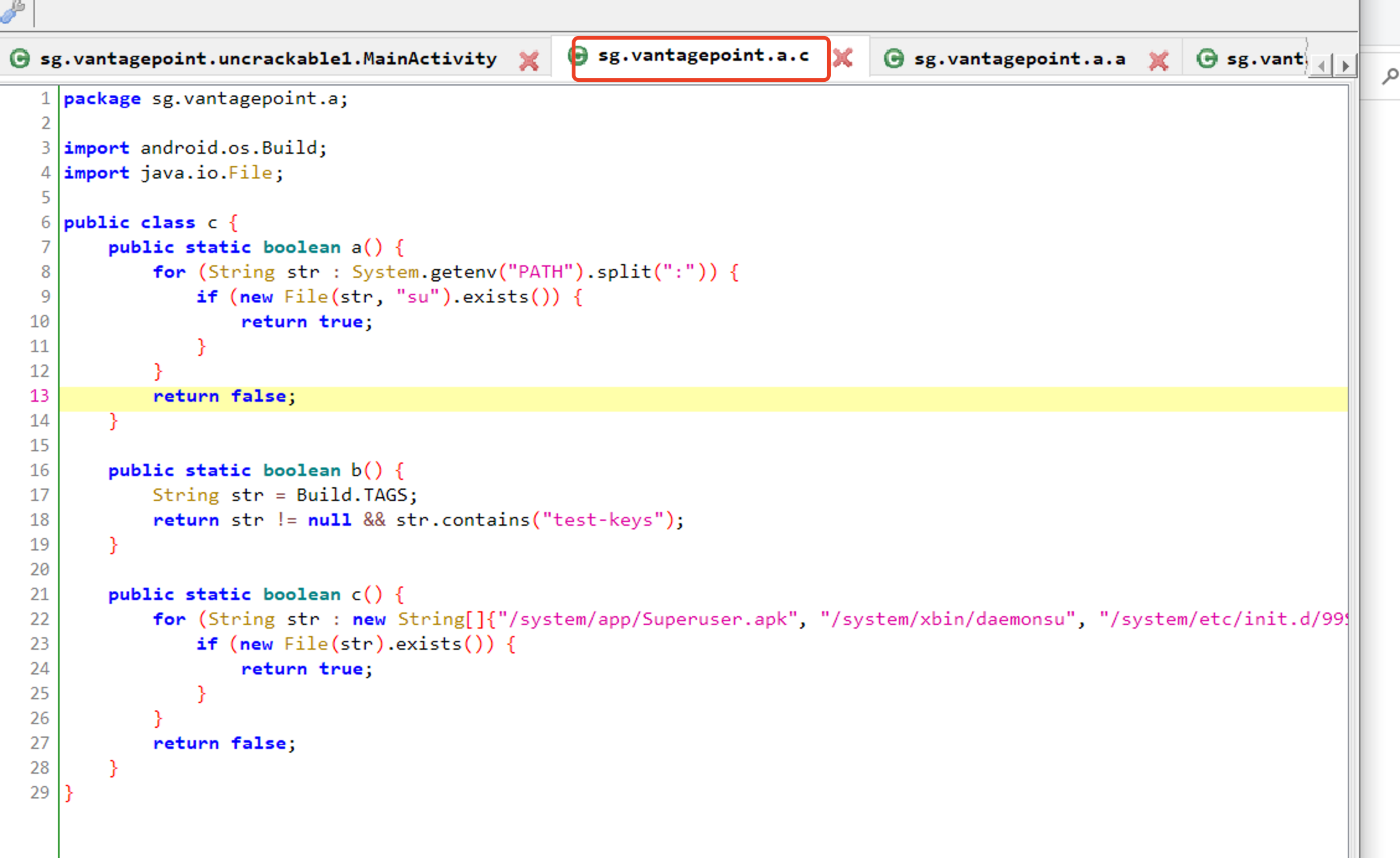
It basically detects root access by checking the PATH environment variable, test-key files, or certain directories or files.
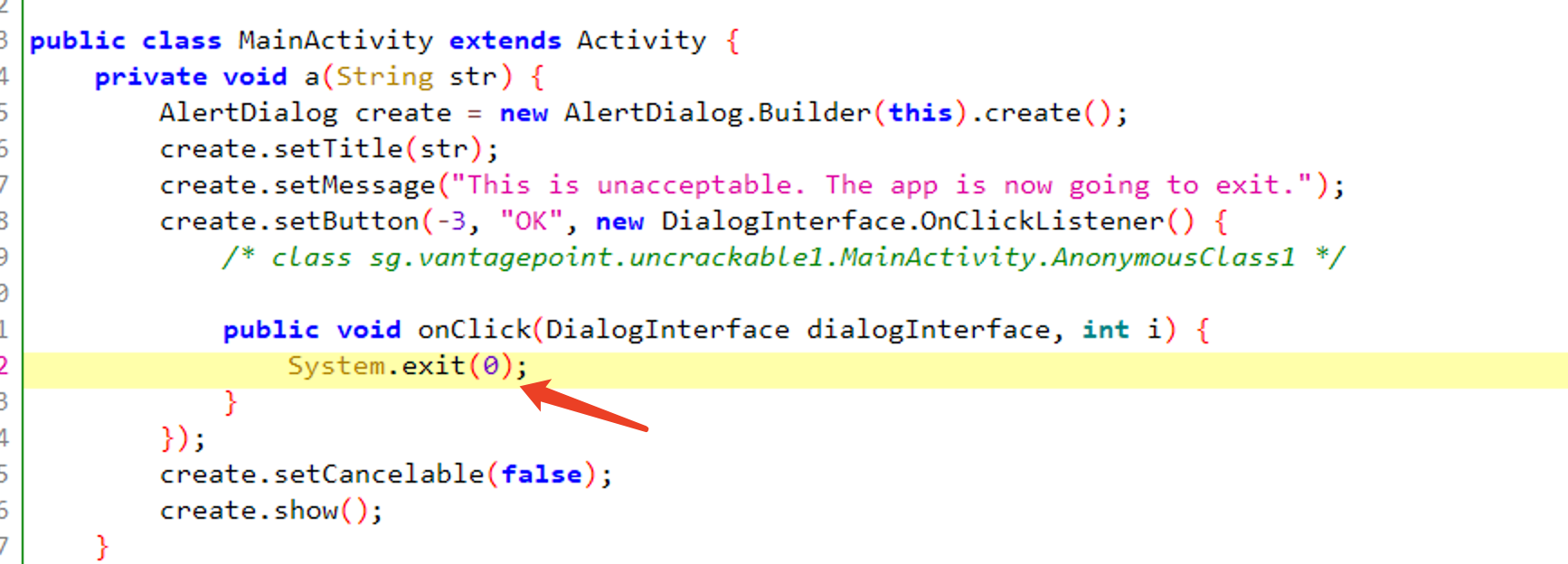
However, it does not need to be this complicated. You can directly hook the System.exit function. Although the app detects that the device is rooted, preventing it from exiting and allowing it to continue running achieves the same result.
3. Write the Hook JavaScript Script
Java.perform(function () {
    const System = Java.use('java.lang.System')

    console.log("--> System.exit() Bypass - Script Loaded")
    System.exit.implementation = function(){
        console.log("System.exit() Bypassed!");
    }
});
After clicking, the exit was successfully bypassed.