Failed to Install uWSGI on CentOS 7
This article documents a uWSGI installation failure on CentOS 7 and explains how to resolve it by using Python 3 or installing the required compilation tools and Python development dependencies.
Read in Chinese→Failed to install uWSGI on CentOS 7
Failure Process
I was using a fresh CentOS installation without performing any other operations.
I followed an online tutorial for deploying uWSGI + Nginx + Django.
@@@@@@@@@@@@@@@@@@@@@@@@@@@@@
Install the Python package manager
easy_install package https://pypi.python.org/pypi/distribute
Installation steps:
> cd ~ wget
> https://pypi.python.org/packages/source/d/distribute/distribute-0.6.49.tar.gz
> tar xf distribute-0.6.49.tar.gz cd distribute-0.6.49 python2.7
> setup.py install easy_install --version pip 包:
> https://pypi.python.org/pypi/pip
I found that pip was not included or installed, so I installed pip using yum.
Then
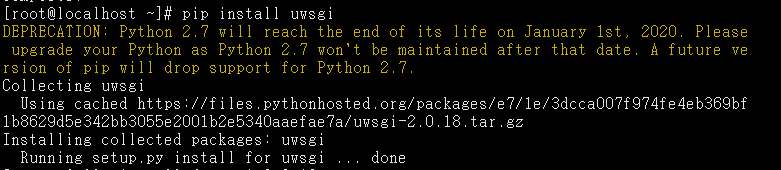
I used pip to install it:
pip install uwsgi
The error persisted and could not be resolved.
Error message:
ERROR: Command “/usr/bin/python2 -u -c ‘import setuptools, tokenize;file=’”’“’/tmp/pip-install-WeDbCr/uwsgi/setup.py’”’“’;f=getattr(tokenize, ‘”’“‘open’”’“’, open)(file);code=f.read().replace(’”’“’\r\n’”’“’, ‘”’“’\n’”’“’);f.close();exec(compile(code, file, ‘”’“‘exec’”’“’))’ install --record /tmp/pip-record-ySrxMo/install-record.txt --single-version-externally-managed --compile” failed with error code 1 in /tmp/pip-install-WeDbCr/uwsgi/
Solutions
- Use Python 3 to install uWSGI.
- When using the Python 2 version included with CentOS, both the “compilation tools” and “python-devel” must be installed.
Commands for the second method
Three steps
- Install the compilation tools
yum install -y gcc* pcre-devel openssl-devel
```Successful result screenshot 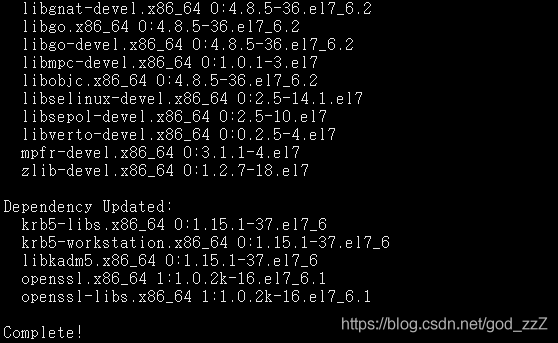
2. Install the Python dependencies```
yum install -y python-devel
```Successful result screenshot
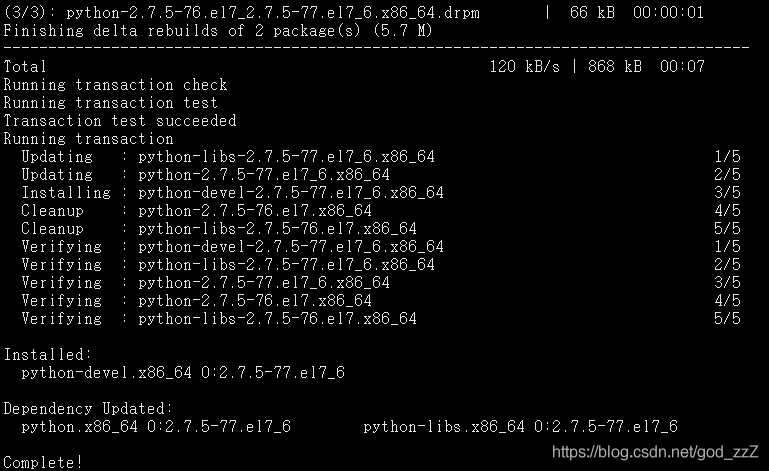
2. Install uWSGI```
pip install uwsgi
```Successful result screenshot