Phishing Guide: Setting Up Gophish and a Mail Server
0x00 Phishing in Red Team/Blue Team Exercises: As traditional web-layer N-day exploitation has become more difficult in large-scale attack-and-defense exercises, more offensive teams have begun incorporating phishing operations. This article introduces conventional email phishing, with effective methods such as IM to be covered later.
Read in Chinese→0x00 Phishing in Red Team/Blue Team Exercises
The reason is that, in large-scale attack-and-defense exercises, achieving an initial foothold through traditional web-layer N-day vulnerabilities has become more difficult. As a result, more and more offensive teams are incorporating phishing operations. This article introduces conventional email phishing; IM is another highly effective approach that will be covered later.
0x01 Setting Up the Gophish Phishing Platform
Gophish is a powerful open-source phishing framework that is very easy to install and run.
GitHub URL: https://github.com/gophish/gophish
1. Download
https://github.com/gophish/gophish/releases
Download the appropriate version.
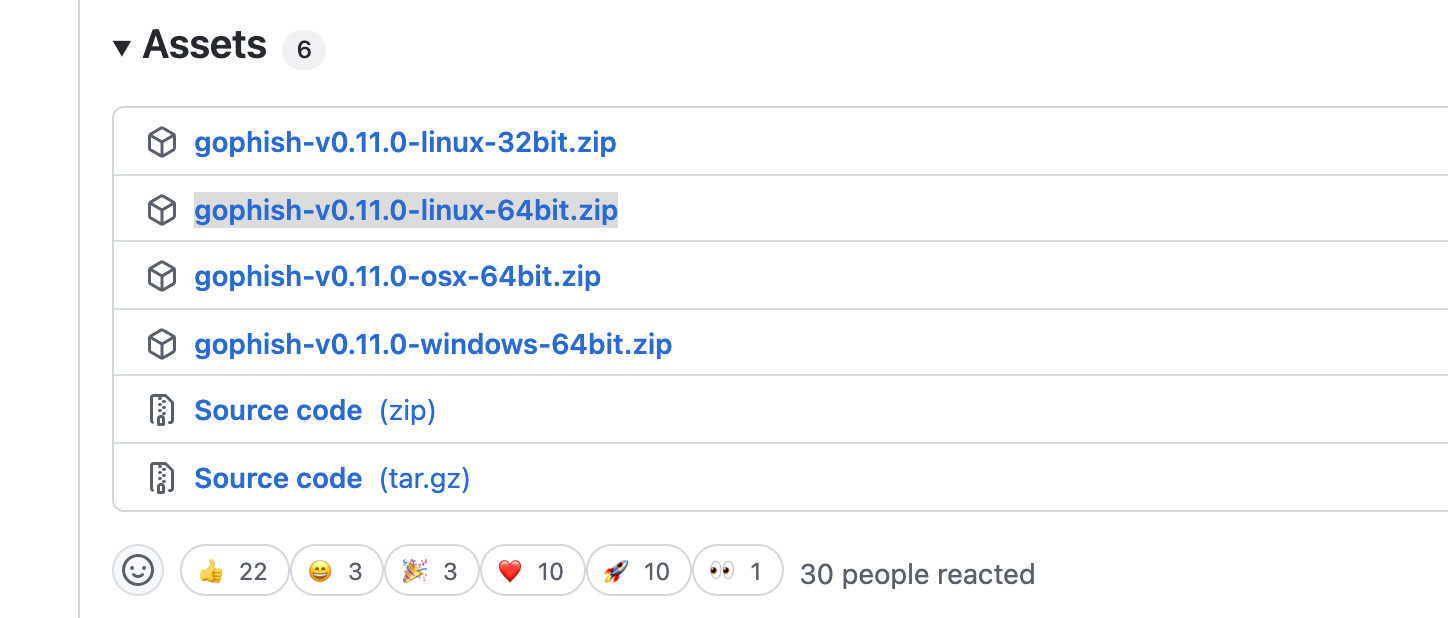
wget https://github.com/gophish/gophish/releases/download/v0.11.0/gophish-v0.11.0-linux-64bit.zip

unzip gophish-v0.11.0-linux-64bit.zip
2. Modify config.json
vim config.json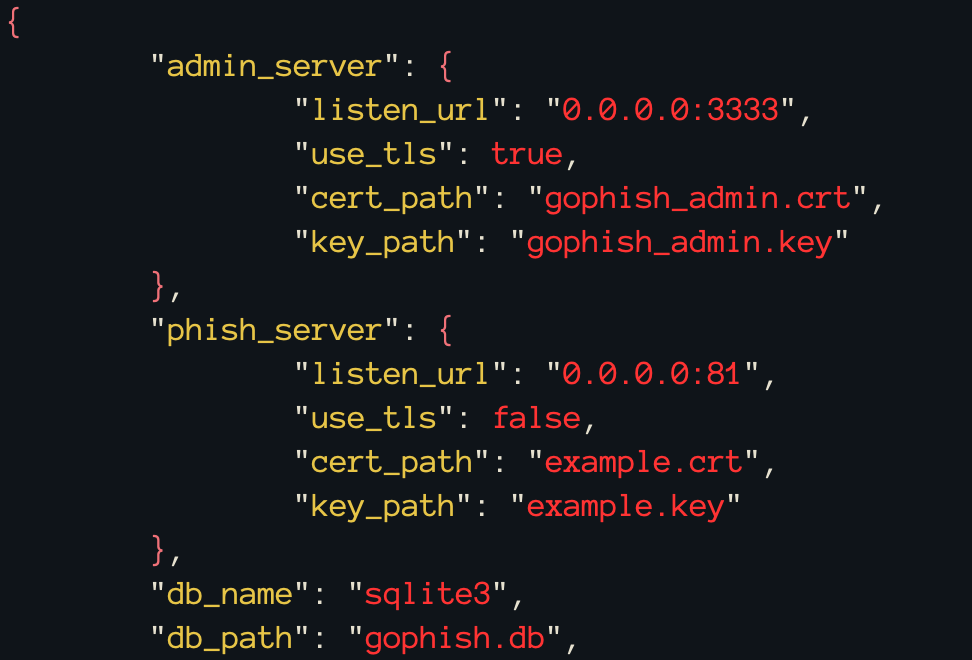
-
For admin_server, change 127.0.0.1 to 0.0.0.0. It must be 0.0.0.0 for direct access from the internet.
-
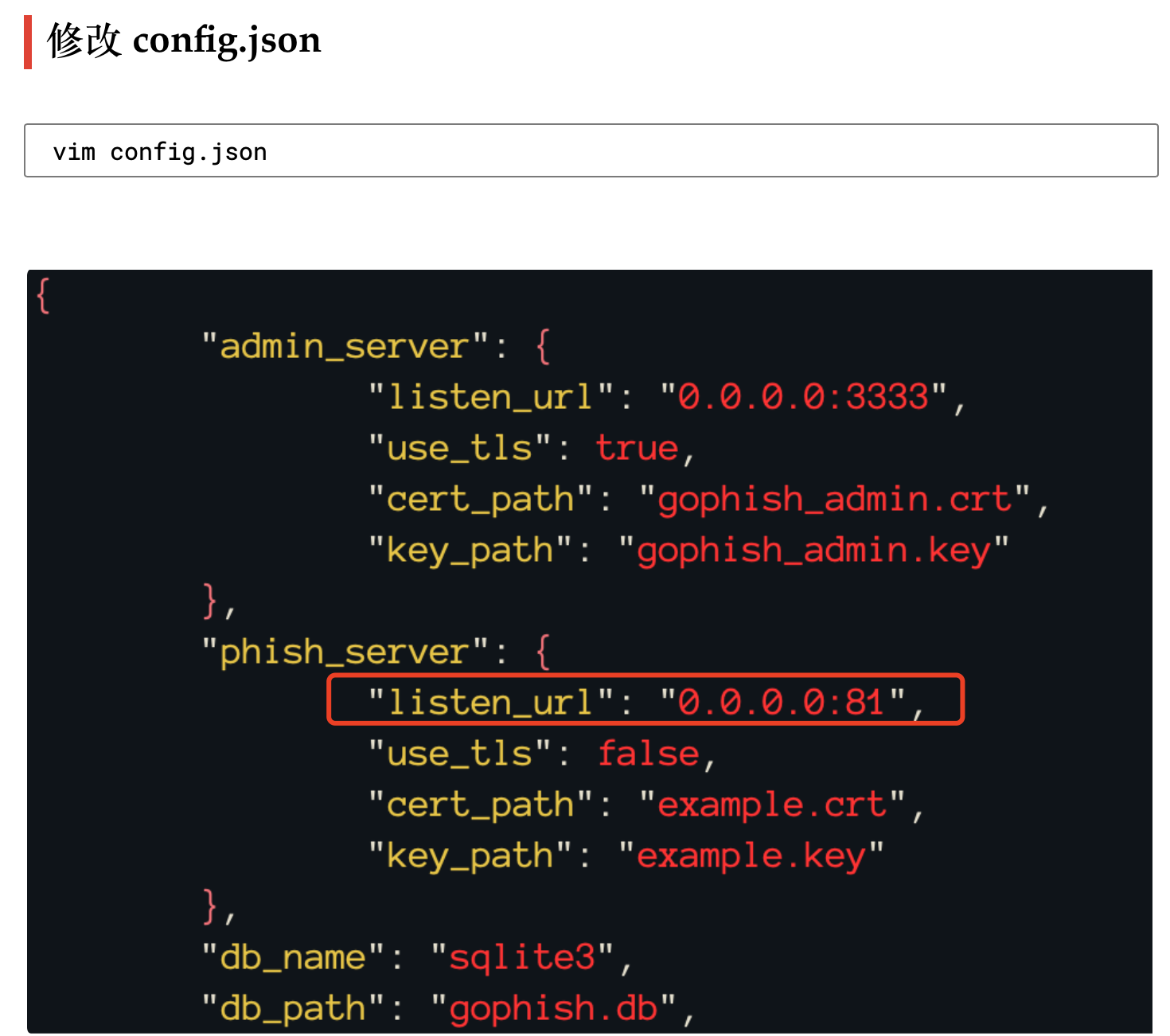
listen_url should also be 0.0.0.0:81. Port 80 was already in use on my system, so I changed it to 81.
3. Run
chmod u+x gophish
./gophish 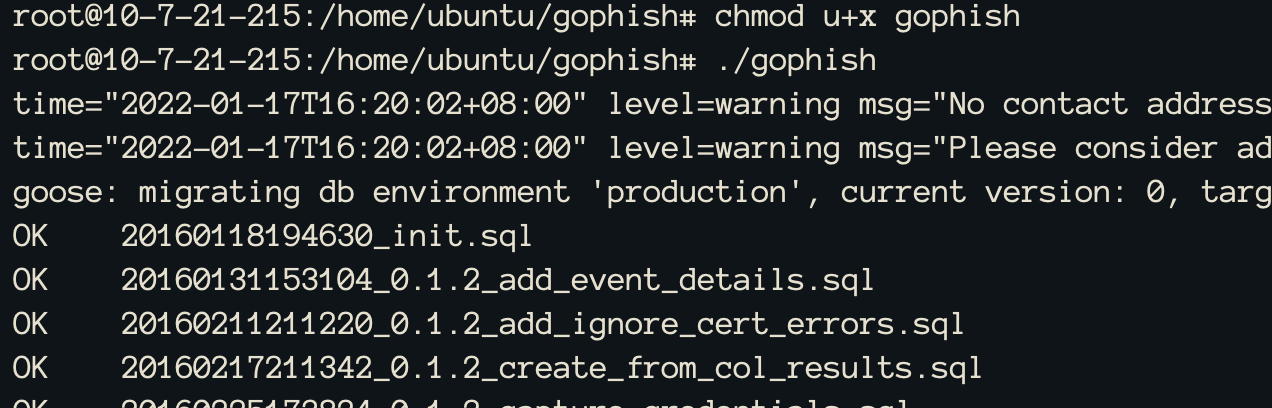
The default admin password is shown at the end; look for it yourself.
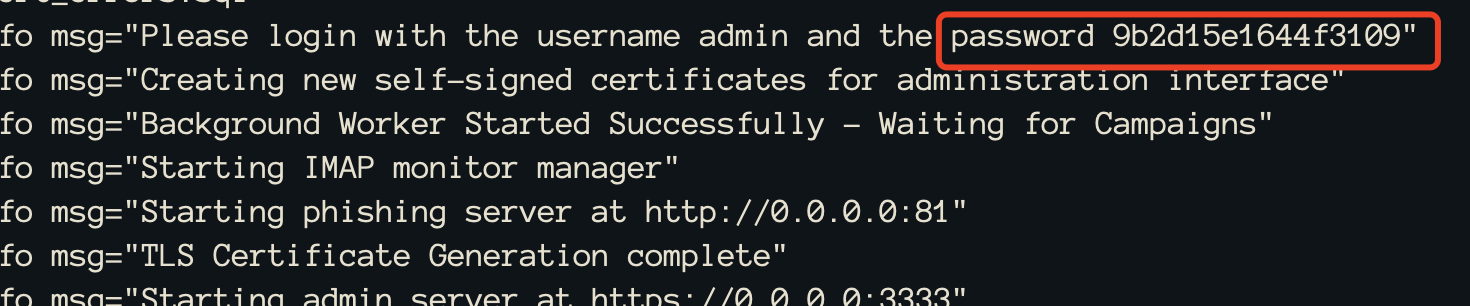
4. Setup Complete
https://VPS-IP:3333/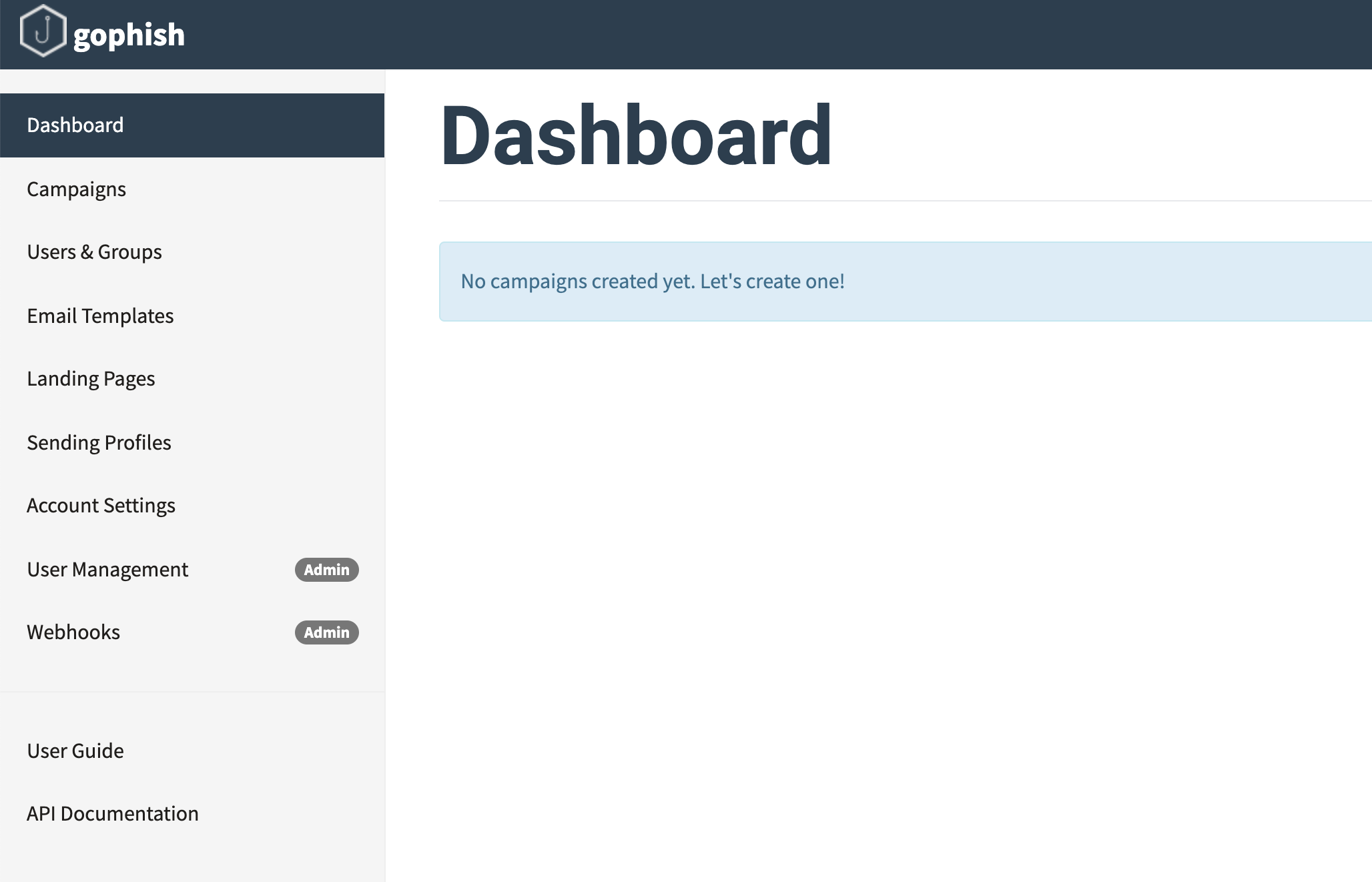
You can also use a public email provider by enabling the relevant service. However, the account may be suspended if you send too many messages, so we will set up our own server instead.
0x02 Purchasing a Domain Name
It is recommended to use an overseas domain name and cloud VPS.
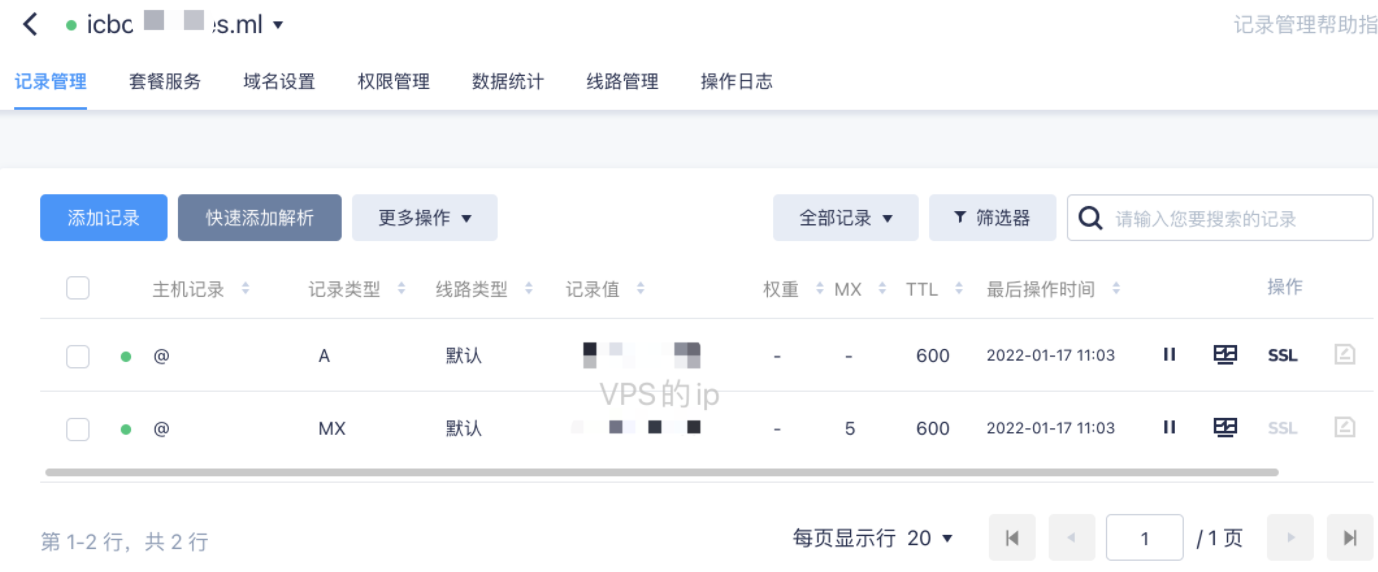
You will need to obtain a lookalike domain and use it as the sender domain for phishing emails. Purchase one yourself.
Add the following two records on the DNS management page for the lookalike domain:
0x03 Setting Up the Mail Server
- A public email provider can also be used, but the account may be suspended if you send too many messages, so we will set up our own server instead.
- Since my VPS has always run Ubuntu, I chose Postfix+mailutils.
(If you use CentOS, EwoMail is a more convenient platform. Follow the official documentation to set it up step by step: http://doc.ewomail.com/docs/ewomail/install)
1. Install Postfix
apt install postfix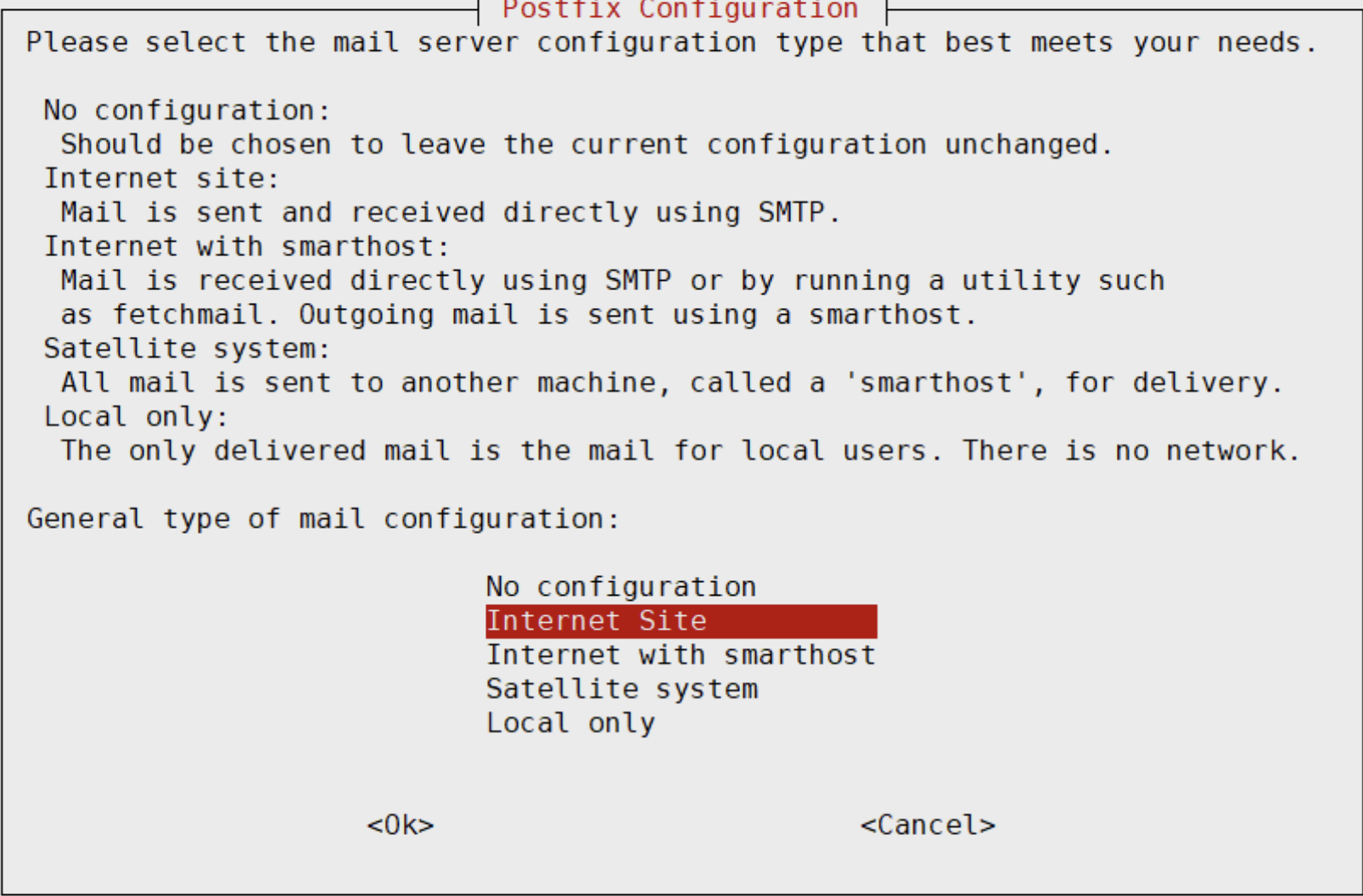
Enter your own domain name without a prefix.
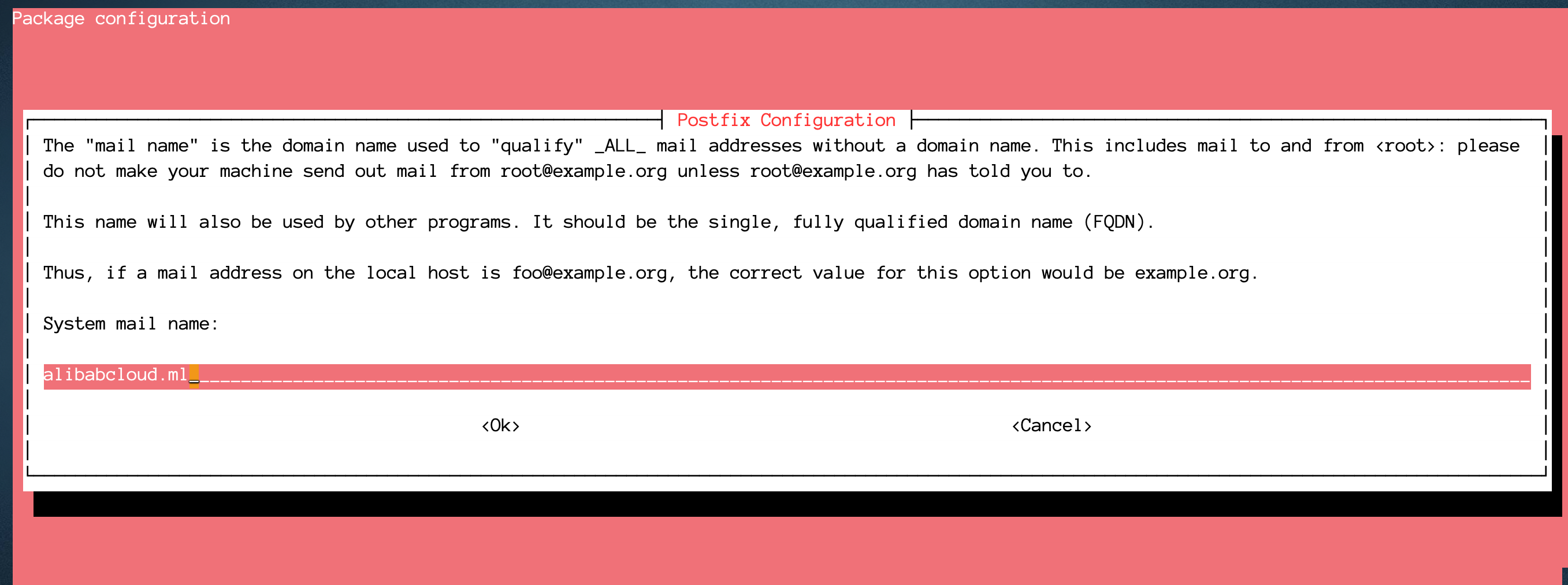
2. Install the mailx Package
apt install mailutils3. Add a Test User
This user will be the user with the same name that sends and receives email later.
useradd -m -s /bin/bash master
passwd master
4. Test Email Delivery
root@10-7-21-215:~# telnet localhost 25
Trying ::1...
Connected to localhost.
Escape character is '^]'.
220 10-7-21-215 ESMTP Postfix (Ubuntu)
ehlo localhost
250-10-7-21-215
250-PIPELINING
250-SIZE 10240000
250-VRFY
250-ETRN
250-STARTTLS
250-ENHANCEDSTATUSCODES
250-8BITMIME
250-DSN
250 SMTPUTF8
mail from:[email protected]
250 2.1.0 Ok
rcpt to:[email protected]
250 2.1.5 Ok
data
354 End data with <CR><LF>.<CR><LF>
Subject:this is test qq mail
qqqq
ssss
.
250 2.0.0 Ok: queued as 09B30C444A
quit
221 2.0.0 Bye
Connection closed by foreign host.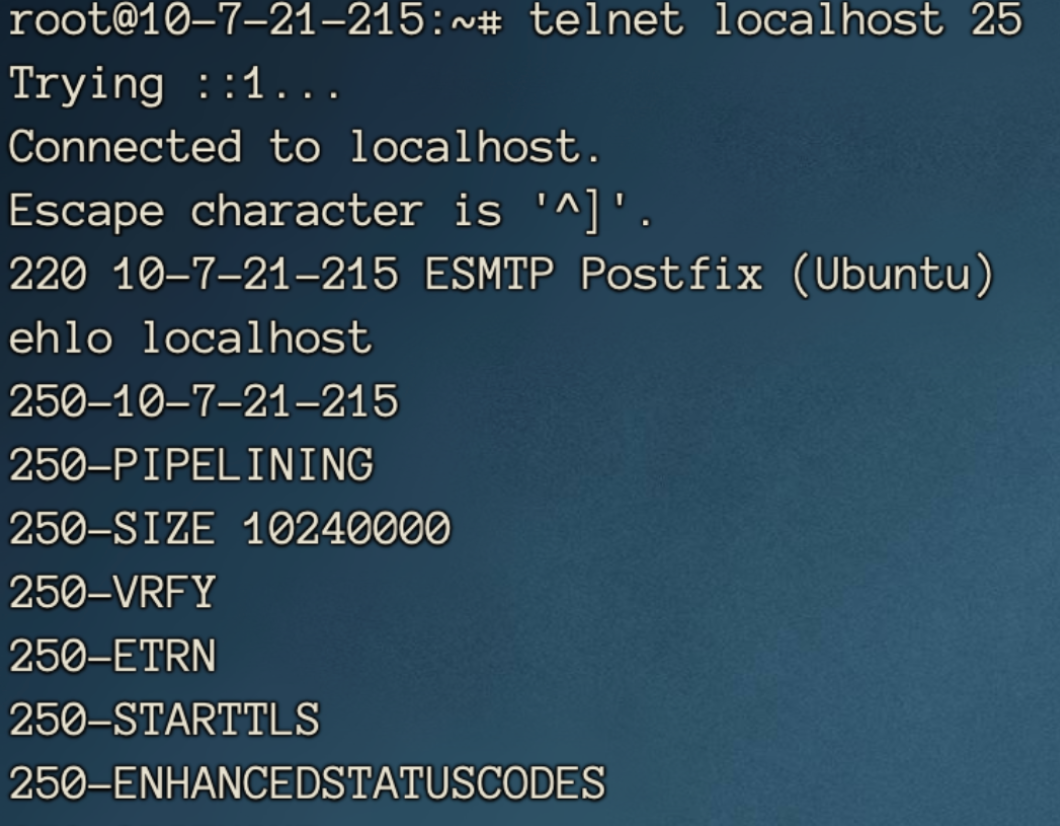
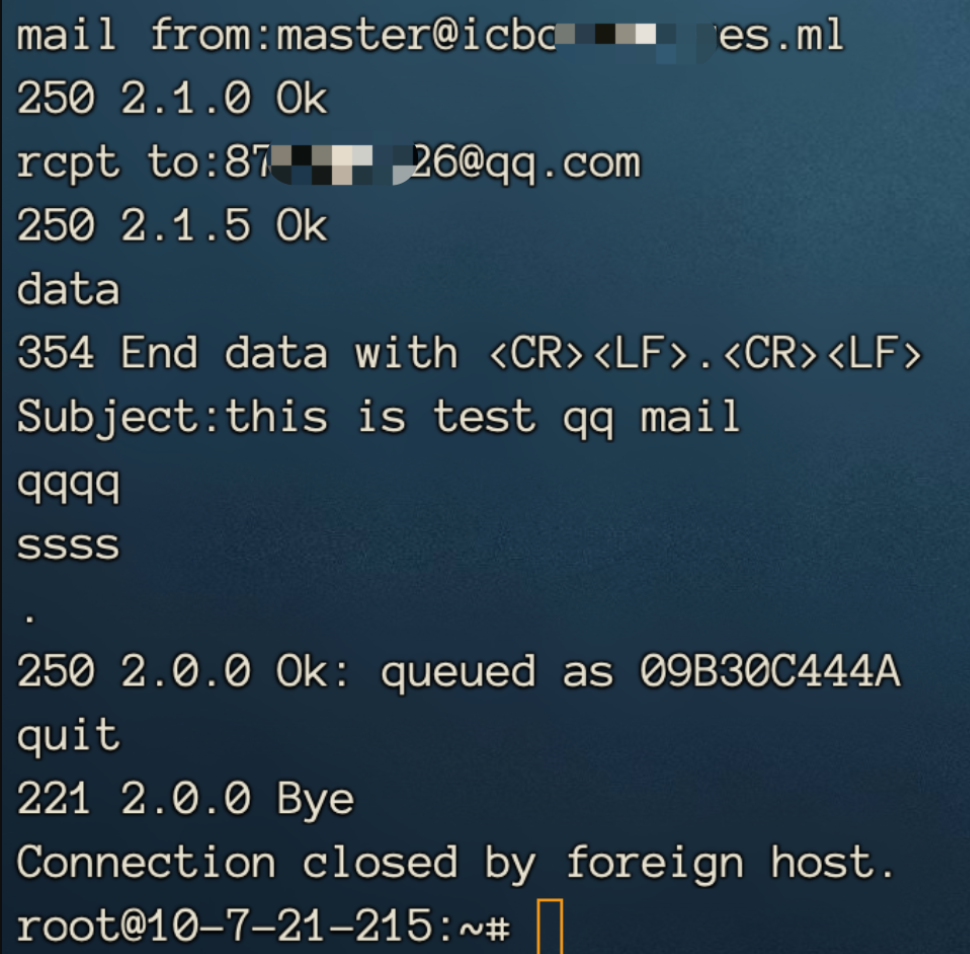
5. Receive the Test Email
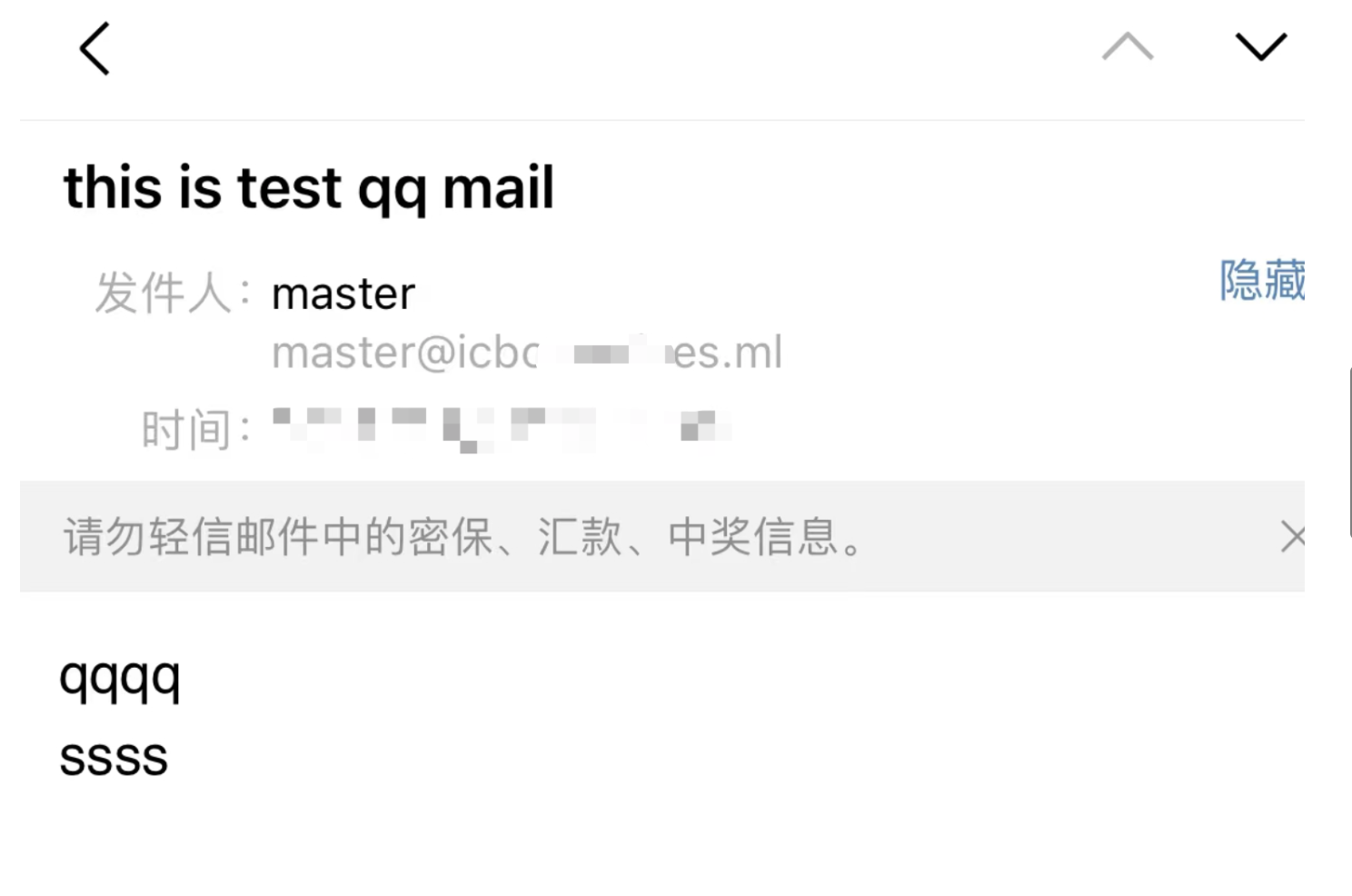
6. Reply to the Email to Verify That Email Can Be Received
Switch users and take a look.
su - master
mail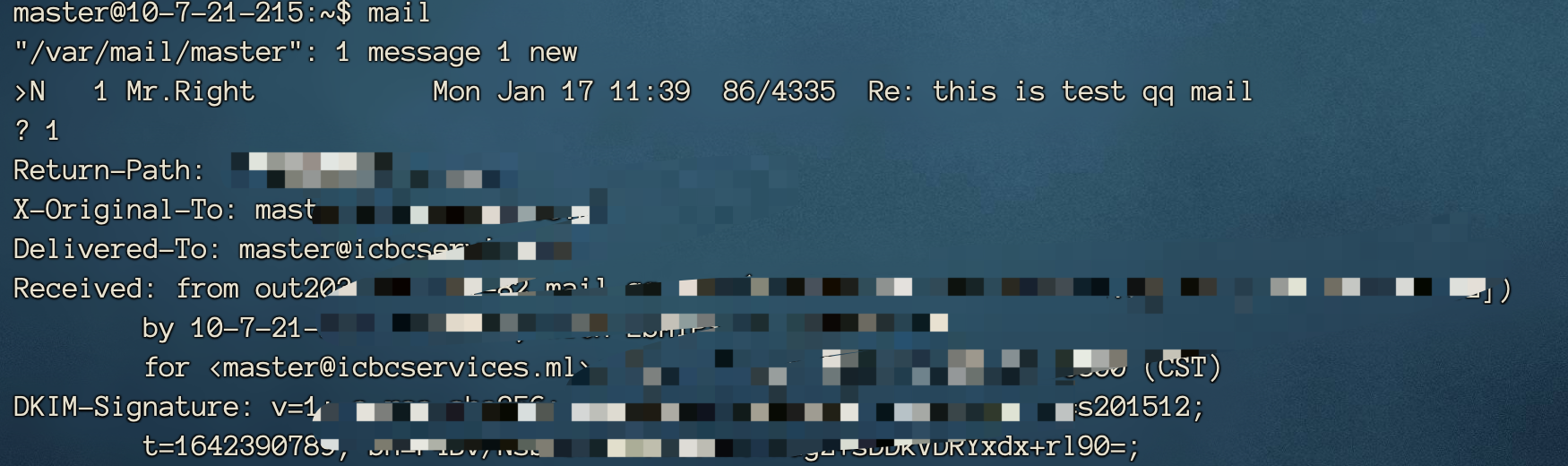
7. Mail Server Done
0x04 Phishing in Practice
Now that the environment has been set up, we can begin the actual phishing exercise.
1. Sending Profiles—Email Configuration
Use the mail server that was just configured on the local host.
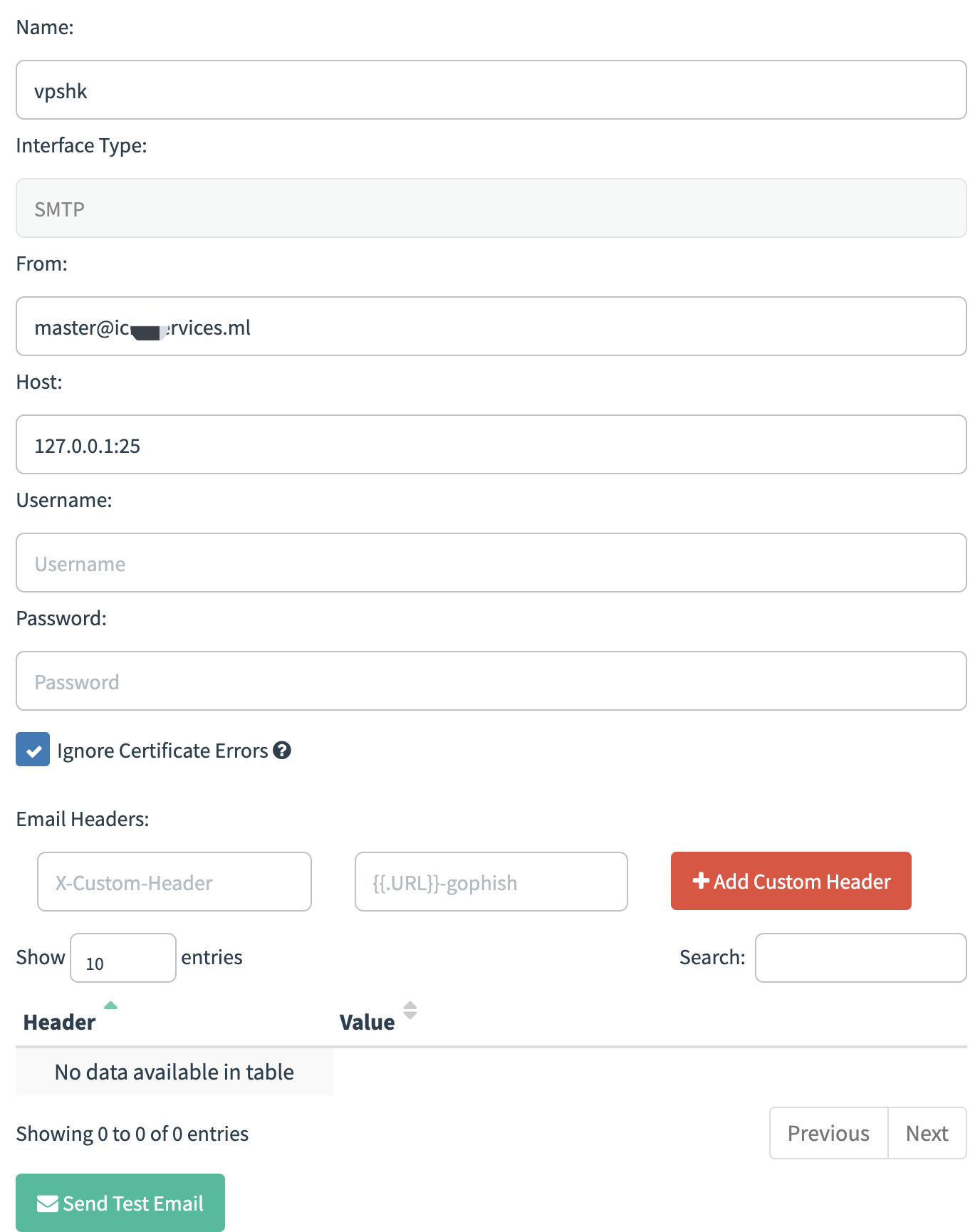
Pay attention to the Host field here:
- Due to regulatory requirements, most domestic cloud providers block port 25 to prevent email abuse. Therefore, you can use port 465 for an SSL-enabled SMTP service.
- This works for me because my VPS is hosted overseas. Adjust the configuration as necessary.
- Since our Gophish server and mail server are hosted on the same VPS, enter 127.0.0.1 here.
Send a Test
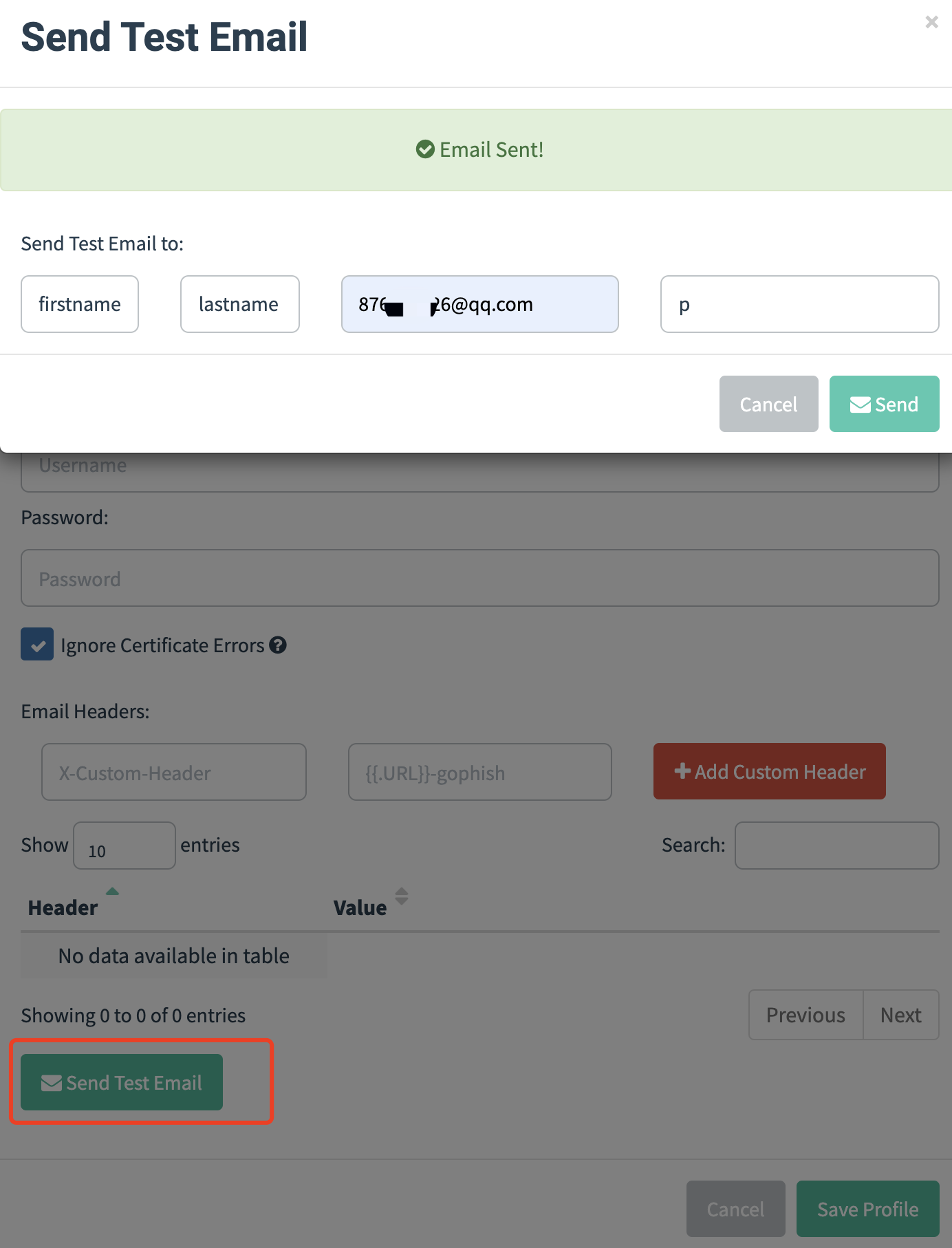
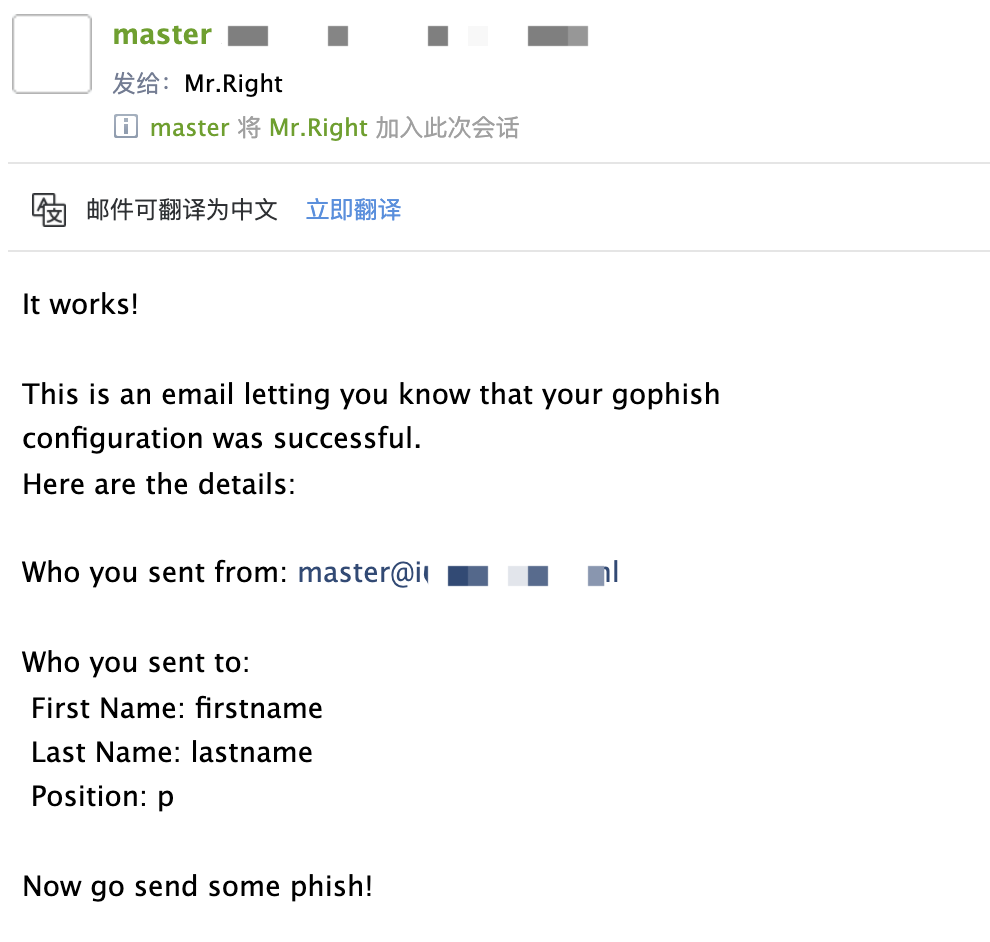
Email Received
2. Email Templates—Phishing Email Templates
The first option is to write one yourself.
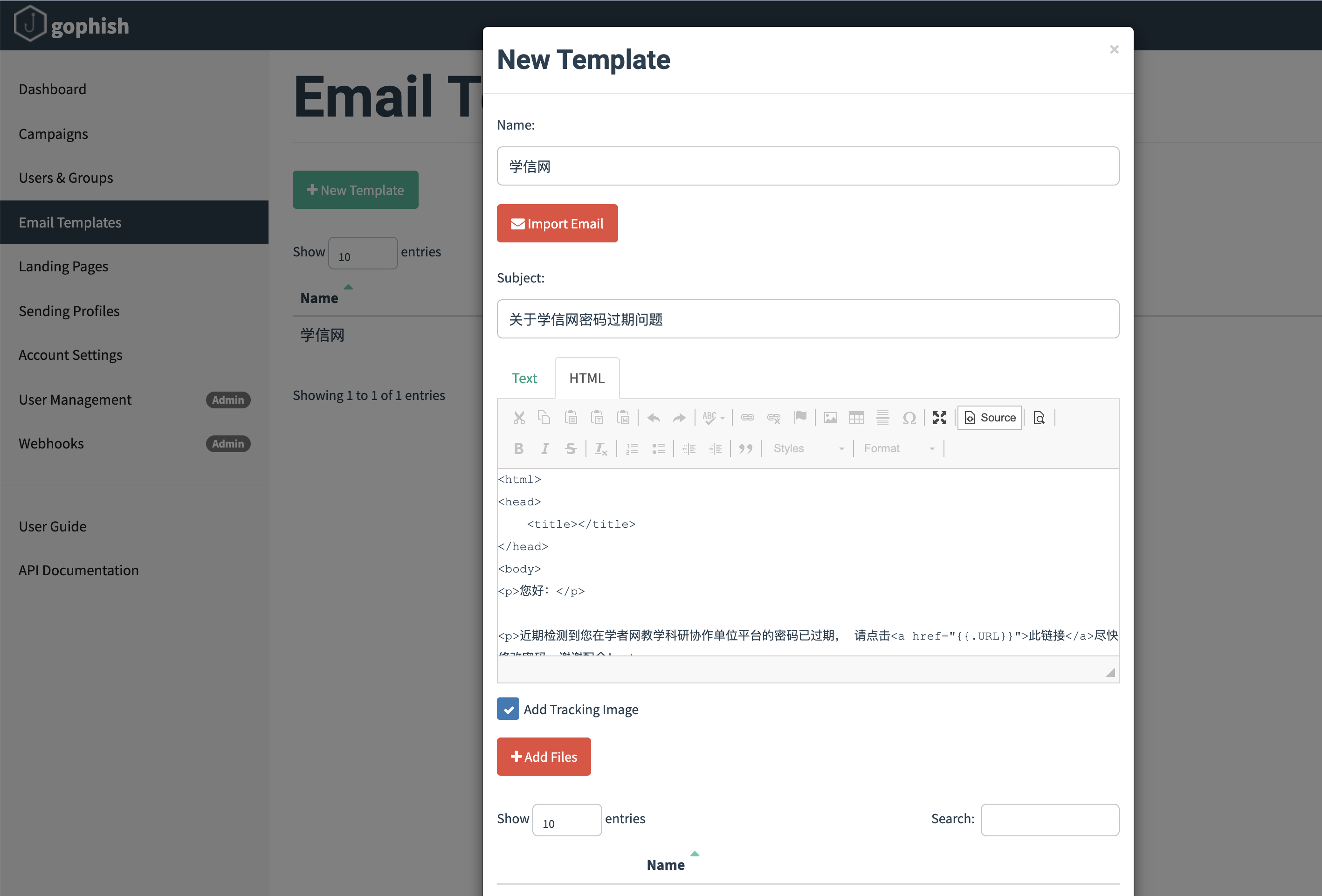
<html>
<head>
	<title></title>
</head>
<body>
<p>您好:</p>

<p>近期检测到您在学者网教学科研协作单位平台的密码已过期, 请点击<a href="{{.URL}}">此链接</a>尽快修改密码,谢谢配合!</p>
{{.Tracker}}</body>

<p>请不要直接回复本邮件。</p>
<p>学信网</p>
</html>
The second option is to import an existing email.
First, export the original email in EML format.
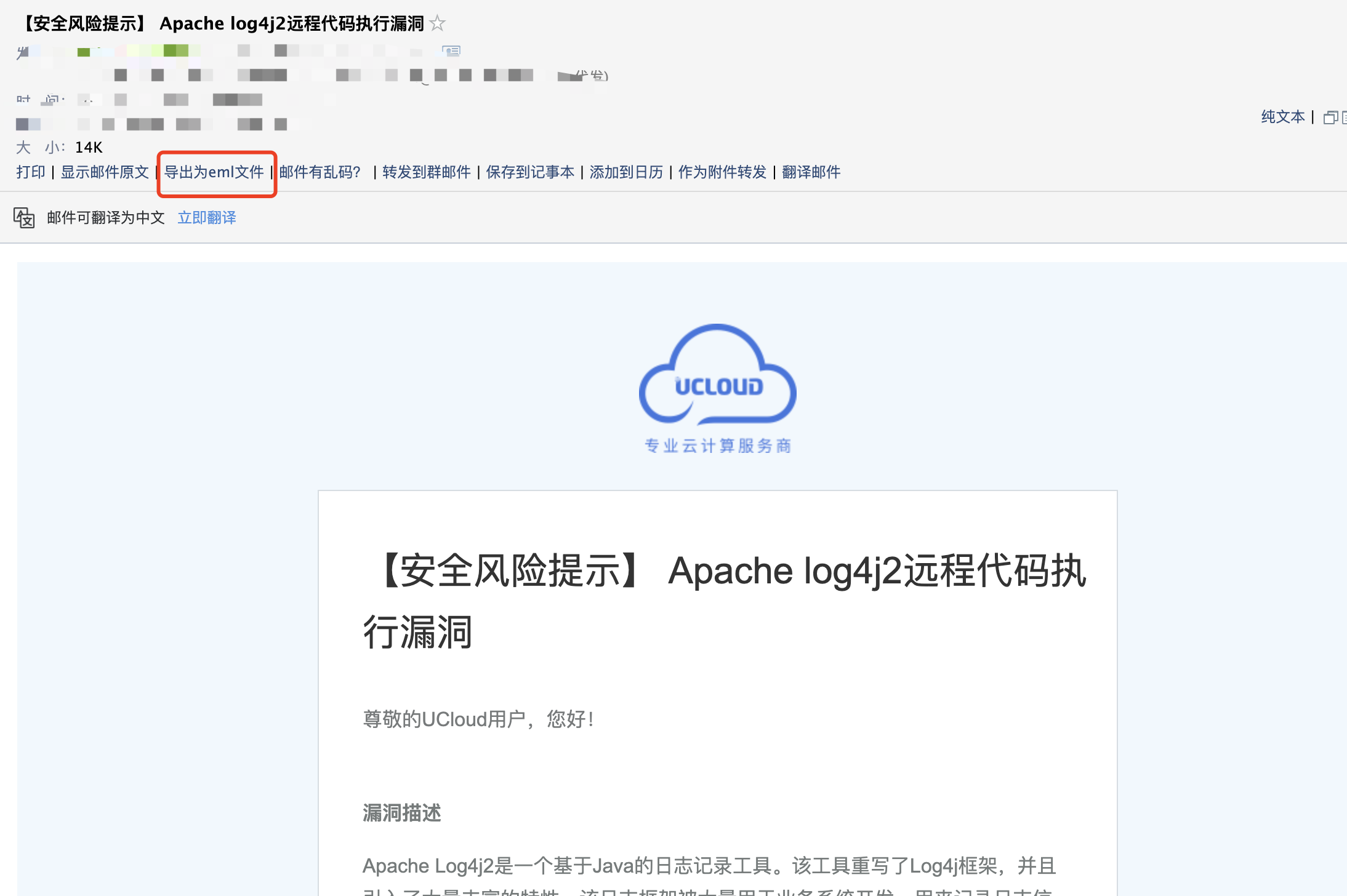
Then simply import it.
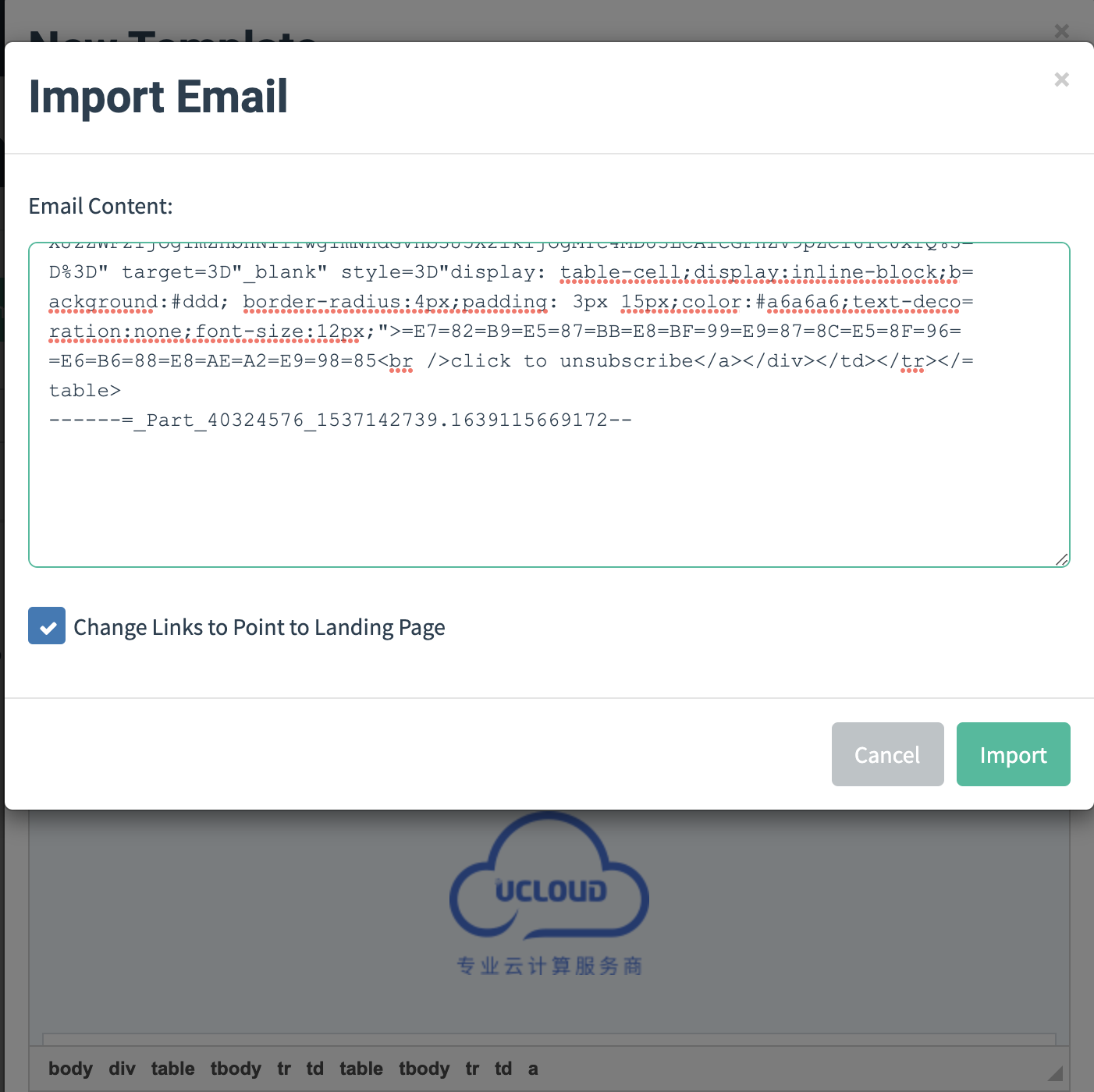
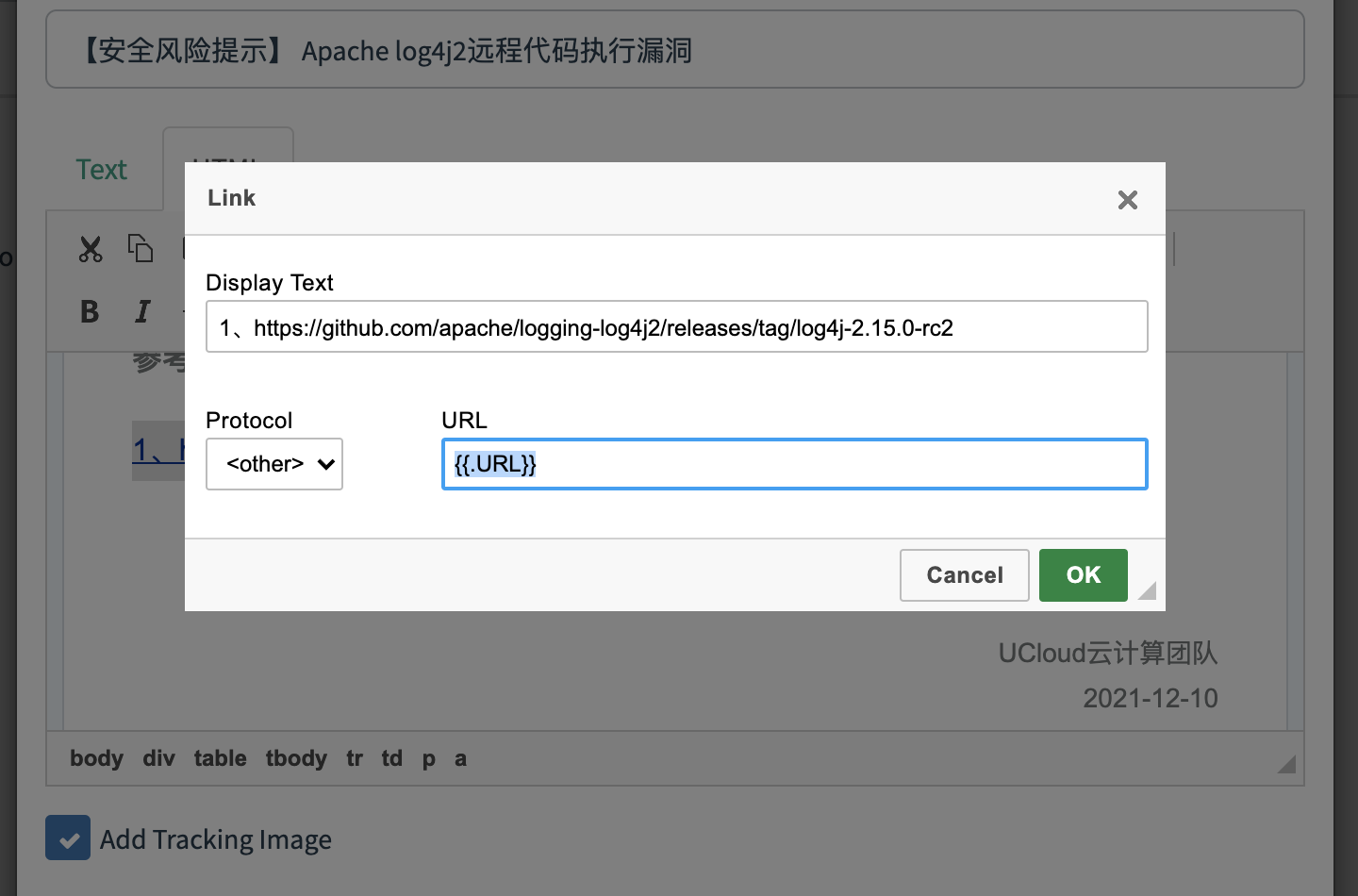
Add the URL tag to the hyperlink section, and finally configure the phishing page.
3. Landing Pages—Creating a Fake Phishing Page
After configuring the phishing email, you can use the Landing Pages module to create a new phishing website page.
-
You can write the HTML file manually here.
-
You can clone a website directly.
I used the second option:
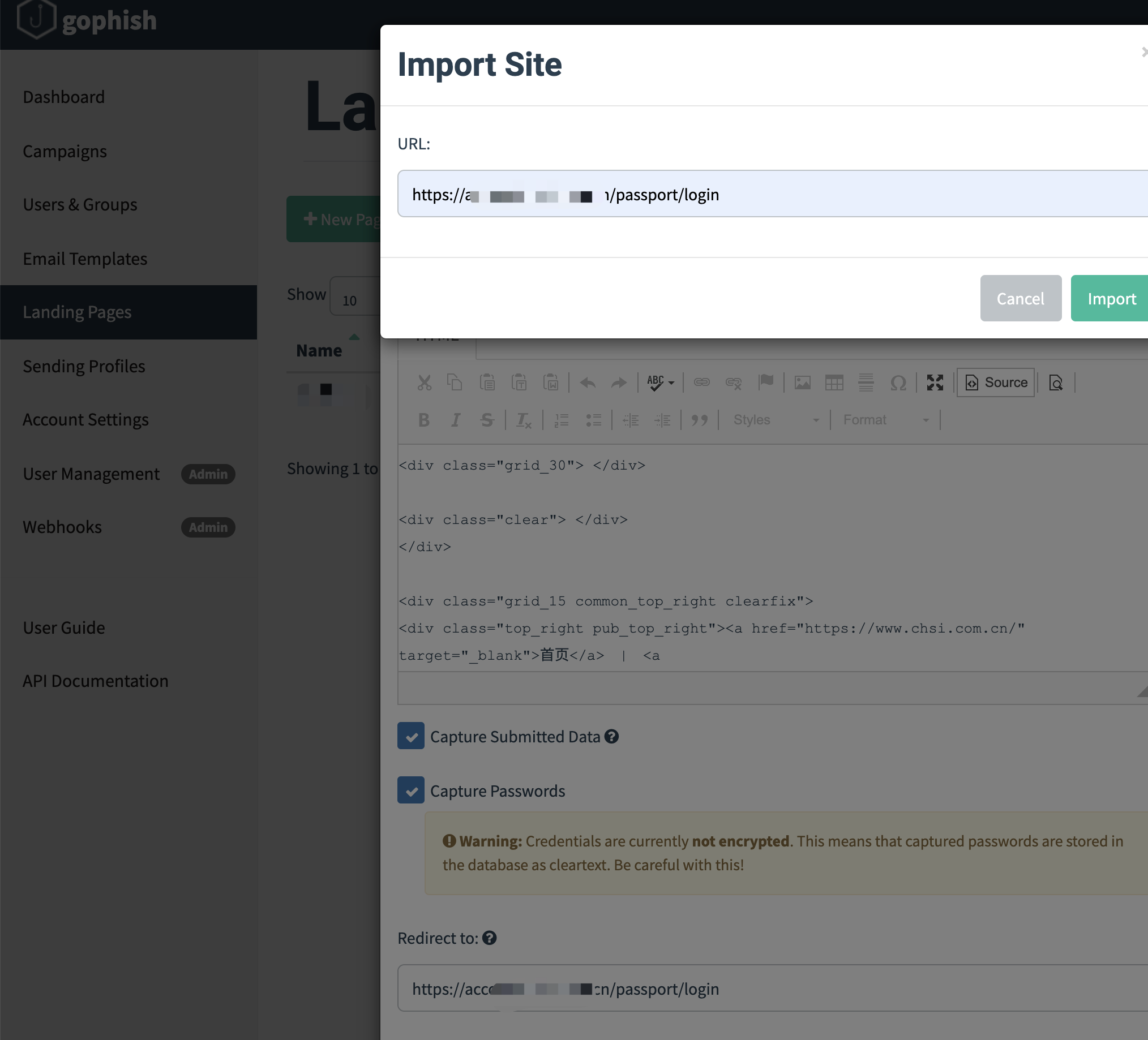
The options include:
- Capture Submitted Data and Capture Passwords record the account credentials and passwords entered by victims.
- For Redirect to, enter the real URL of the page so that victims are automatically redirected to the legitimate website after clicking the submit button.
4. Users& Groups—Email Users and Groups
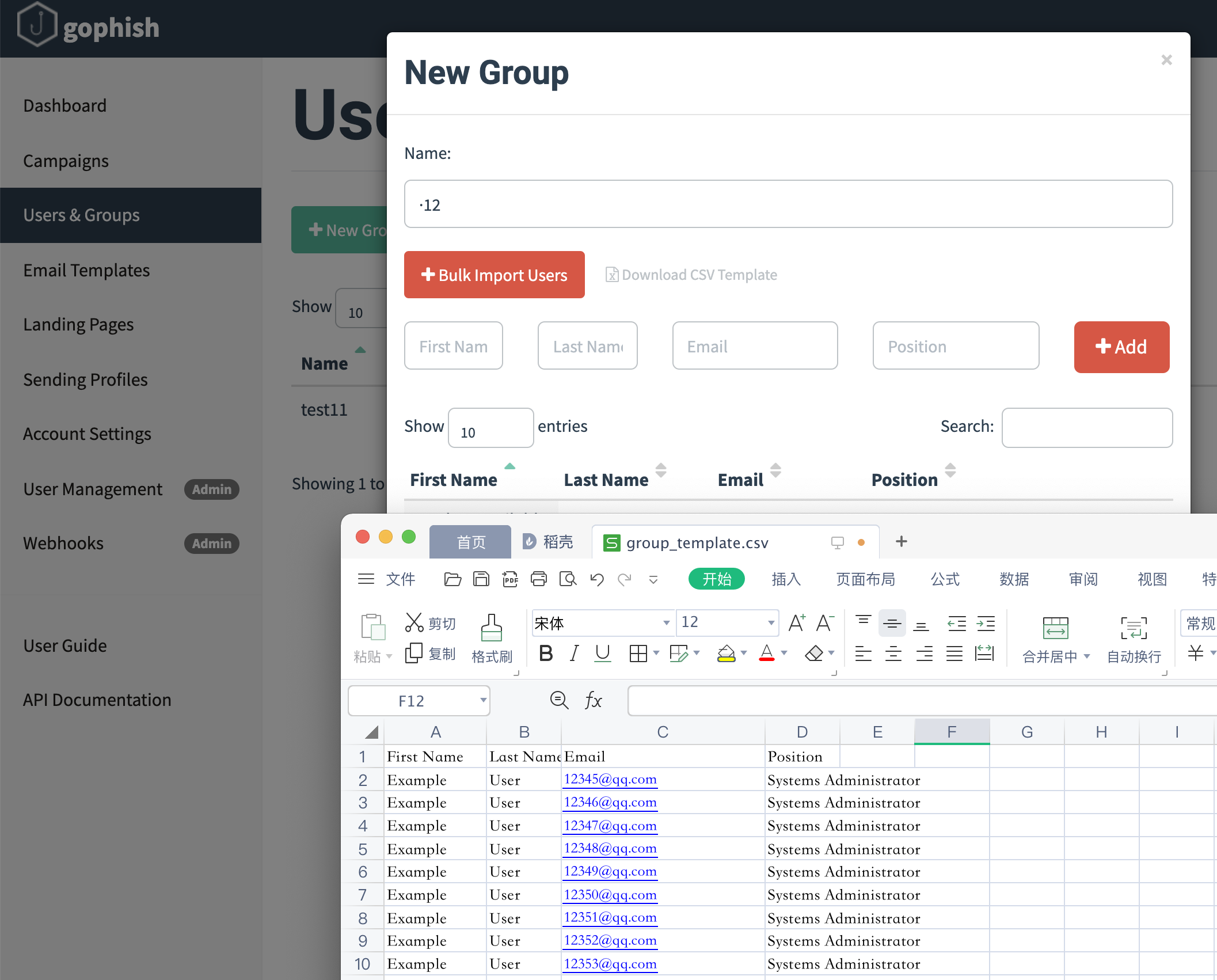
You can now proceed to the next configuration step and specify the email addresses to be targeted by the phishing campaign.
Use the template for bulk import. Email addresses can be added in bulk using a CSV file.
(Click Download CSV TEmplate to obtain the template format)
5. Campaigns—Phishing Test
Configure Campaigns by entering the Name, selecting the phishing email template, selecting the phishing website template, entering the phishing website URL, entering the sender email address, and selecting the victim email group.
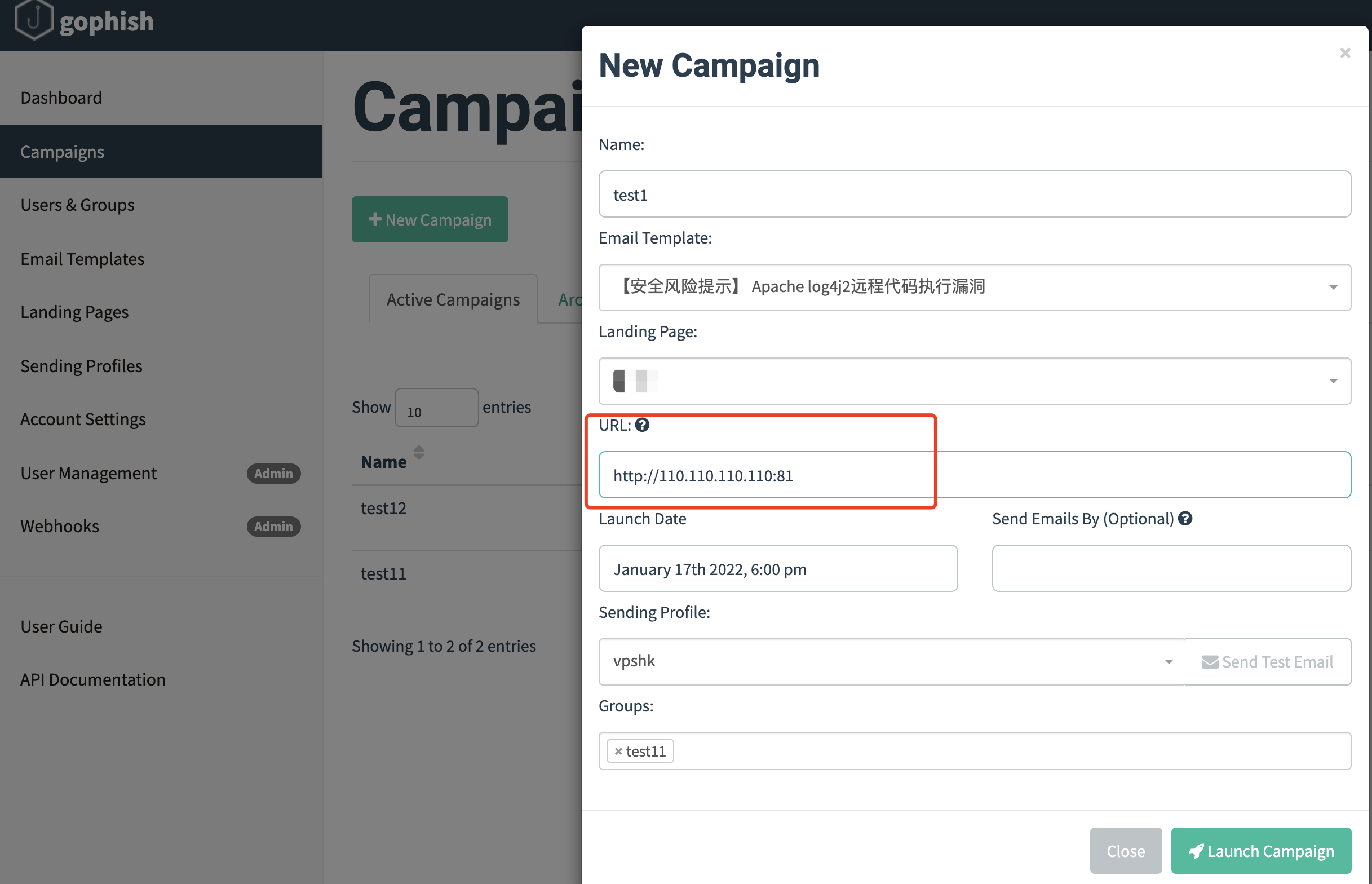
Note that this URL is the one configured for Gophish on the VPS at the beginning.
That is, http://vps-ip:81
6. View the Results
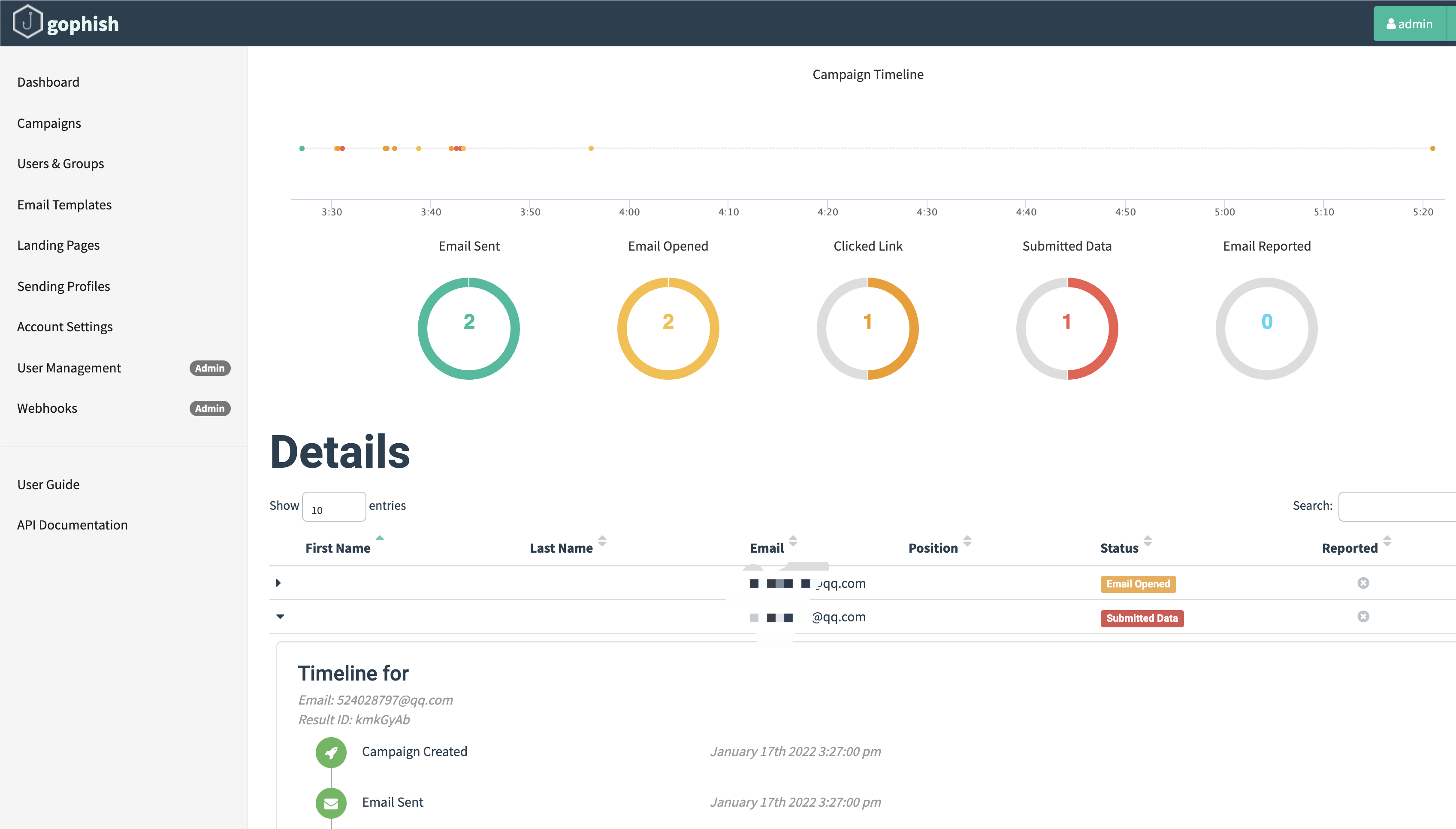
Statistics for all tasks are available here.
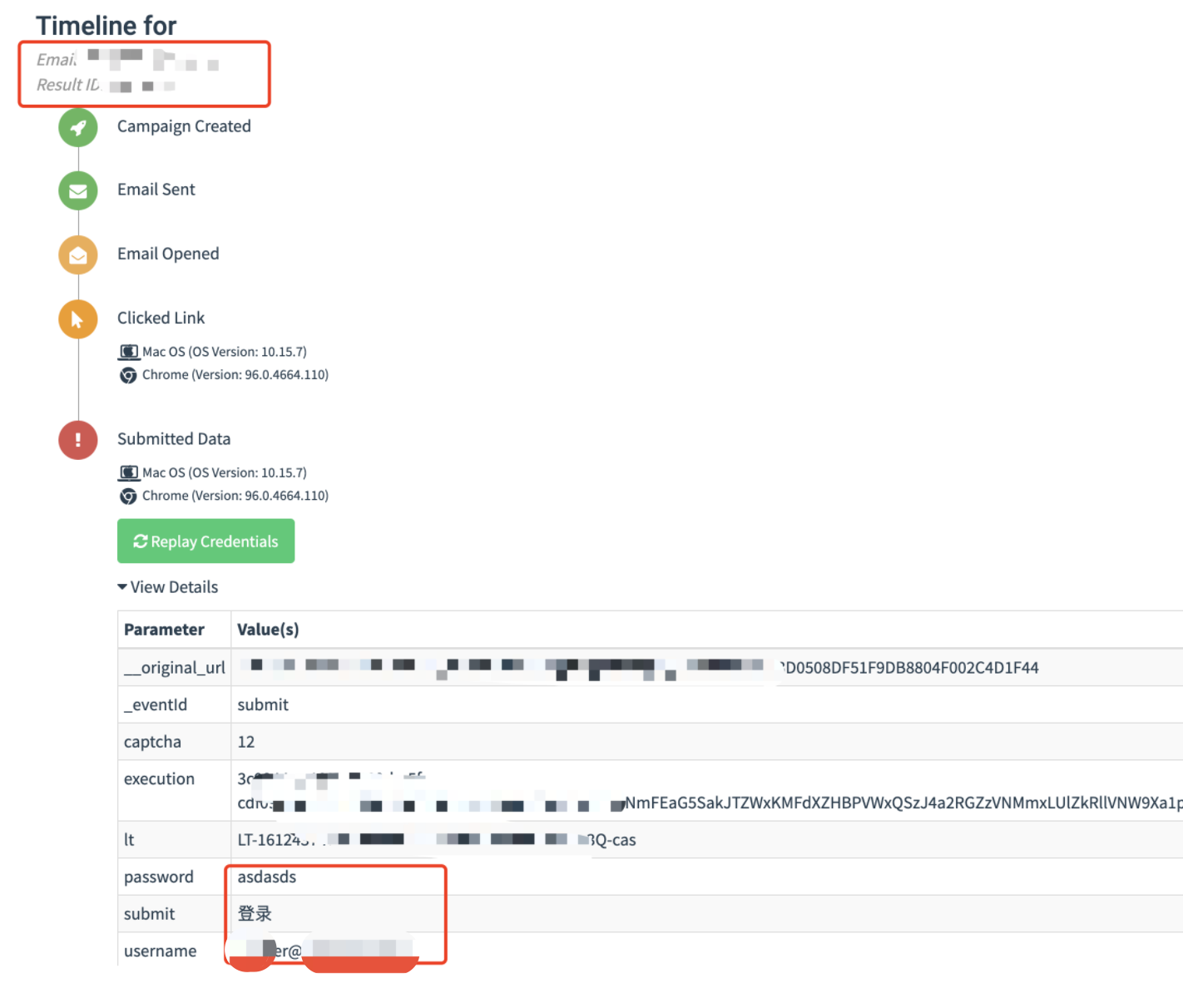
7. Open the Details
You can view successfully delivered emails, opened emails, clicked links, and submitted data.
0x05 Summary
This article only covers setting up the infrastructure for email phishing and its basic usage. There are still many other key topics, including antivirus evasion for Trojans, phishing pretexts, email address collection, and so on… Phishing through IM is also highly effective and will be discussed later.