Environment Setup2 min read
Quickly Set Up an Oracle Service with Docker and Import a DMP File
Notes on quickly setting up an Oracle database with Docker and importing a DMP database backup file for code auditing.
Read in Chinese→Quickly Set Up an Oracle Service with Docker and Import a DMP File
While auditing code, I encountered an Oracle database, so I documented how to quickly set it up and import a DMP database backup file.
0x01 Prerequisites
- macOS
- Docker
0x02 Set Up the Oracle Service
- Pull the Oracle image
docker pull registry.cn-hangzhou.aliyuncs.com/helowin/oracle_11g- Run the image
docker run -p 1521:1521 --name oracle_11g --restart=always -v /Users/zy/Desktop/logs:/home/oracle/app/oracle/oradata/mydata registry.cn-hangzhou.aliyuncs.com/helowin/oracle_11g-v /Users/zy/Desktop/logs:/home/oracle/app/oracle/oradata/mydata
前面/Users/zy/Desktop/logs 是物理机器的路径
/home/oracle/app/oracle/oradata/mydata 是docker里面的路径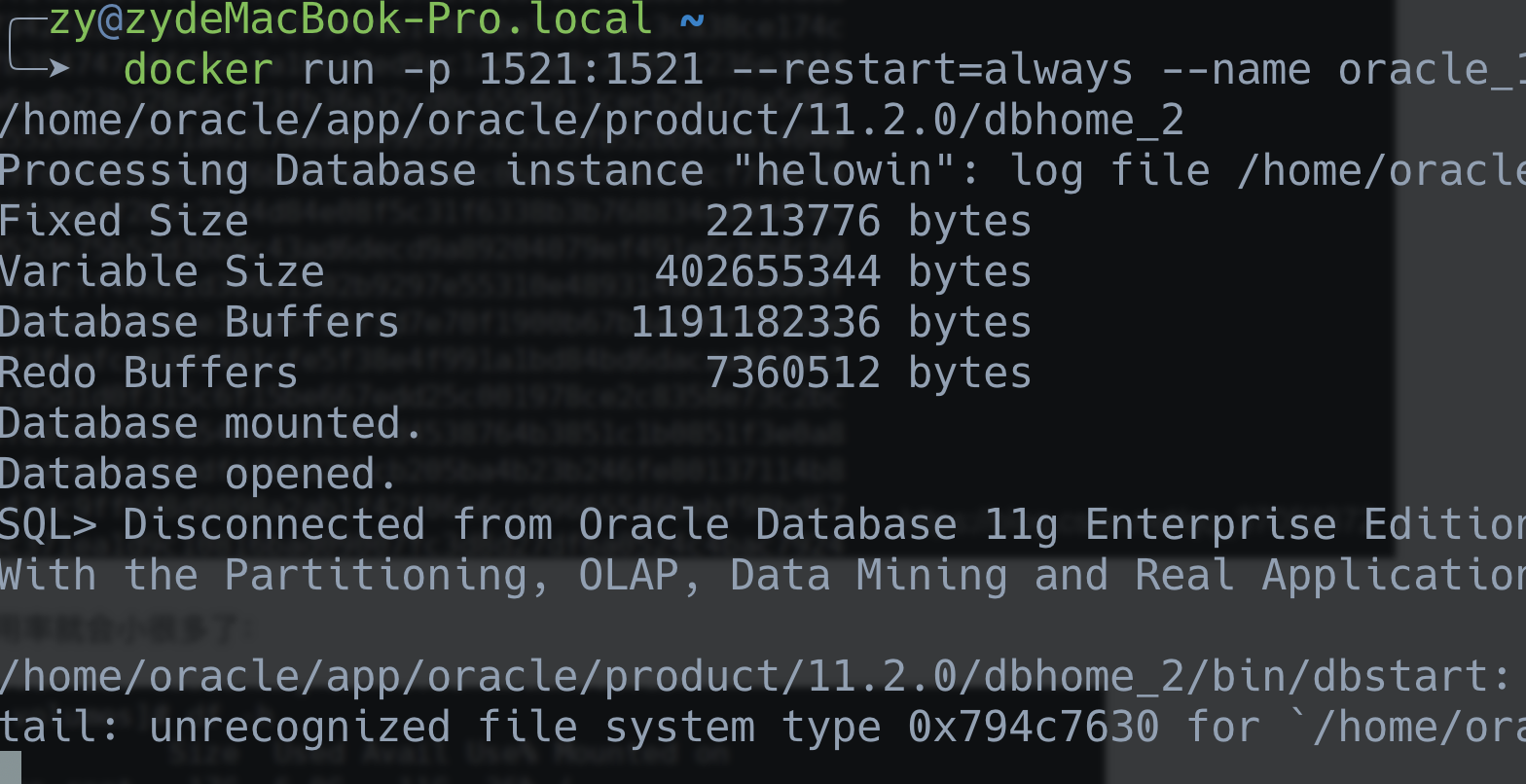
- Enter the container and configure the user information
docker exec -it oracle_11g bash- Switch to the root user. Password: helowin
[oracle@8a494f051f36 /]$ su
Password:
[root@8a494f051f36 /]#- Configure the Oracle environment variables
vi /etc/profileAdd the following at the end:
export ORACLE_HOME=/home/oracle/app/oracle/product/11.2.0/dbhome_2
export ORACLE_SID=helowin
export PATH=$ORACLE_HOME/bin:$PATH
Reload the configuration
source /etc/profileCreate a symbolic link for sqlplus
ln -s $ORACLE_HOME/bin/sqlplus /usr/binSwitch to the oracle user
[root@8a494f051f36 /]# exit
exit
[oracle@8a494f051f36 /]$
Reload the configuration (if the command cannot be found, reload the configuration a few more times)
source /etc/profileLog in to sqlplus
sqlplus / as sysdba Change the passwords for the sys and system users
alter user system identified by 123456;
alter user sys identified by 123456;
ALTER PROFILE DEFAULT LIMIT PASSWORD_LIFE_TIME UNLIMITED;
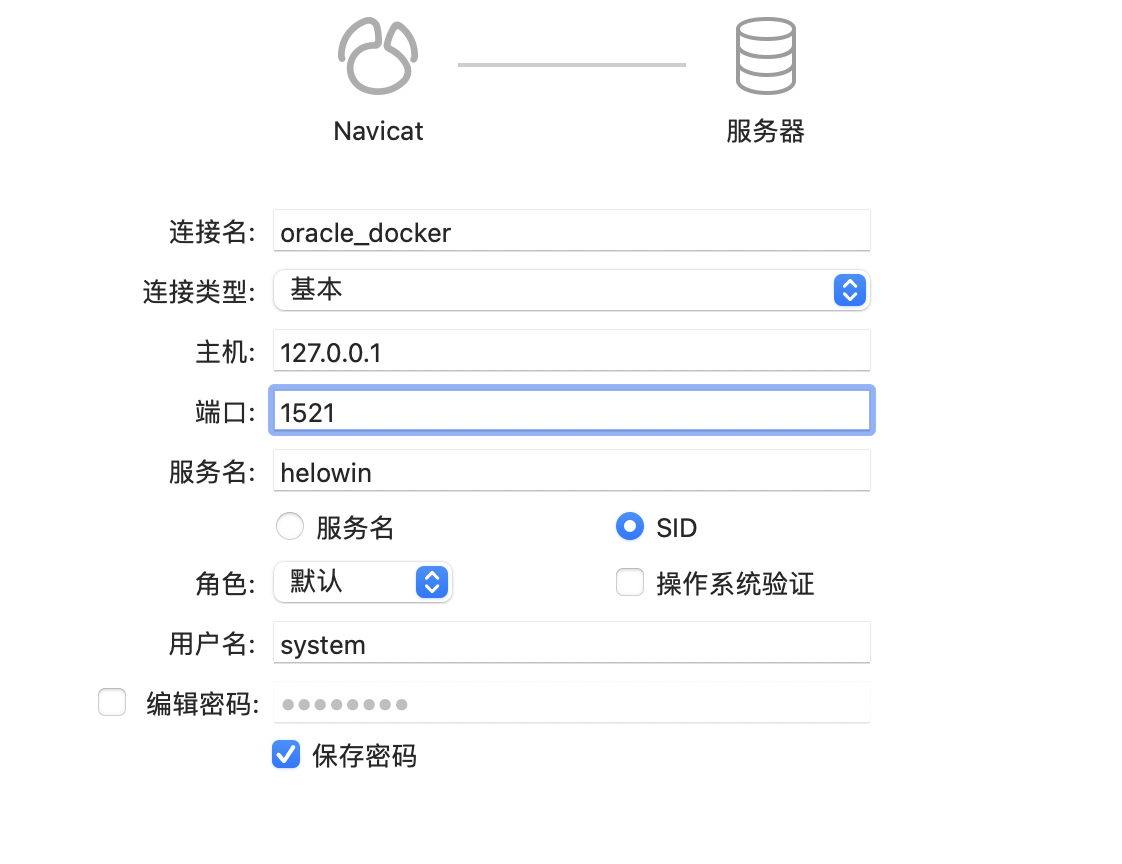
Connection configuration
// Create a user and grant permissions
//创建用户
create user test identified by 123456;
//用户授权
grant connect, resource,dba to test;
Test the login
[oracle@8a494f051f36 /]$ sqlplus

SQL*Plus: Release 11.2.0.1.0 Production on Thu Mar 4 17:03:17 2021

Copyright (c) 1982, 2009, Oracle.  All rights reserved.

Enter user-name: test
Enter password:

Connected to:
Oracle Database 11g Enterprise Edition Release 11.2.0.1.0 - 64bit Production
With the Partitioning, OLAP, Data Mining and Real Application Testing options

SQL>
0x03 Copy the Database File
Copy the uc.dmp file from the host into the container
docker cp /Users/zy/Desktop/dbtemp.dmp oracle_11g:/homeChange the permissions
[root@8a494f051f36 home]# chmod 777 temp.dmpRestore the database
imp test/123456 file=/home/dbtemp.dmp ignore=y full=yimp //是oracle自带的导入工具
test/123456 //使用的用户名密码
file=/home/dbtemp.dmp //备份文件路径
ignore=y full=y //模式