Installation Notes for the Latest Linux Version of AWVS, v_190325161
Since the previous installation tutorial on 52 was deleted, I recorded the process again for future use in my own Ubuntu 2019 and Xshell environment.
Read in Chinese→Since the previous installation tutorial on 52 was deleted,
I decided to document it again myself
for future use.
This is also my own environment -—I am using Ubuntu 2019 and Xshell.
Download address: https://download.csdn.net/download/god\_zzz/11238215
It contains three files: an installation package, a crack file, and installation instructions.
**
Start the Installation
**
- Install the required dependencies (update the package sources first if you encounter any problems)
root@kali:~# sudo apt-get install libxdamage1 libgtk-3-0 libasound2 libnss3 libxss1 \-y
Reading package lists… Done Building dependency tree Reading state information… Done libxss1
is already the newest version (1:1.2.3-1). libxss1 has been set to manually installed. The following additional packages will be installed: libasound2-data
libgtk-3-common libxdamage-dev Suggested packages: alsa-utils The following packages will be upgraded:
libasound2 libasound2-data libgtk-3-0 libgtk-3-common libnss3
libxdamage-dev libxdamage1 7 packages upgraded, 0 newly installed, 0 to remove, and 1115
packages not upgraded. … … …Processing triggers for libc-bin (2.28-2) …
Step 2: Transfer the Files
- Transfer the files
r
root@kali:/home# ls
root@kali:/home# rz 我用的Xshell直接传
root@kali:/home# ls
```acunetix\_trial.sh AWVS12-Linux.zip Linux\_Awvs Installation Instructions.txt patch\_awvs
-
**\> Change the files’ permissions\@\@\@\@\@\@\@\@\@**```
root@kali:/home# chmod u+x *
root@kali:/home# ls
```acunetix\_trial.sh AWVS12-Linux.zip Linux\_Awvs Installation Instructions.txt patch\_awvs(all green and executable)
**\- Start the Installation**
- Enter the username and password during installation```
root@kali:/home# ./acunetix_trial.sh
```> Enter user information interactively:
>
> 1. Agree to the license agreement: yes
> 2. Enter the hostname:
> 3. Enter the administrator email address: xxx\@xxx.com, which is the username
> 4. Enter the password: \!Q2w3e4r
- After installation, visit:
<https://ip:13443/> Of course, use your Kali IP address
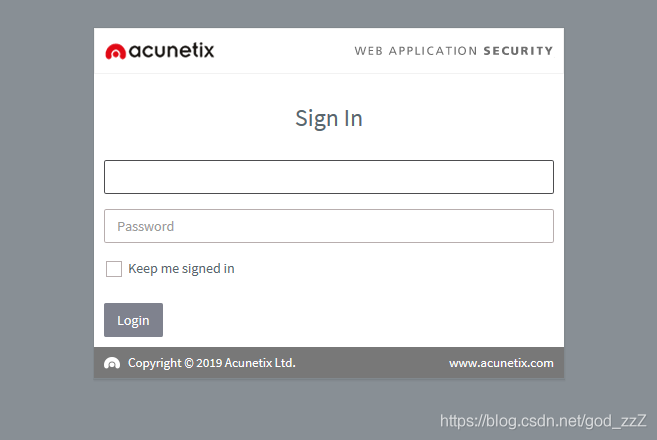
- Install the crack file
-```
##拷贝 patch_awvs 到后面得安装目录
root@Nessus: cp patch_awvs /home/acunetix/.acunetix_trial/v_190325161/scanner/
## 找到安装目录里面去
root@Nessus:cd /home/acunetix/.acunetix_trial/v_190325161/scanner
## 必须在里面运行
root@Nessus:/home/acunetix/.acunetix_trial/v_190325161/scanner# ./patch_awvs ![Insert image description here](/images/20190612185624234.png Installation successful
Check whether activation was successful:
After logging in, click “Administrator->Profile->License” in the upper-right corner. If you see 99999, activation was successful.
Disable update checks:
After logging in, go to Settings->ProductUpgrades in the lower-left corner and change it to “Do not automaticaly check for update[Not Recommanded]”