llama.cpp: Deploying Quantized Models on a Local CPU for Ultra-Low-Spec LLaMA Inference
This article explains how to use llama.cpp to quantize and deploy the LLaMA model locally for CPU inference, including running it on a Mac with an M1 Pro chip.
Read in Chinese→0x00 Background
Not long ago, Meta released its open-source large language model, LLaMA,
which was subsequently “leaked” by internet users, complete with a magnet download link.
However, those without top-tier graphics cards could only watch from the sidelines.
Then Georgi Gerganov open-sourced a project called llama.cpp:
ggerganov/llama.cpp: Port of Facebook’s LLaMA model in C/C++ (github.com)
What makes this project so impressive is that it can run LLaMA models without a GPU.
This significantly reduces the cost of using the models. This article demonstrates how I got the model running on my Mac M1 Pro.
llama.cpp: A Method for Model Quantization and Local CPU Deployment
This article describes the detailed steps for using the llama.cpp tool to quantize a deep learning model and deploy it on a local CPU.
The specific steps are explained below:
ç
0x01 Step 1: Environment Setup
- A recent version of Python 3.10
pip install protobuf==3.20.0
pip install transformers  最新版
pip installsentencepiece (0.1.97测试通过)
pip install peft  (0.2.0测试通过)
pip install git+https://github.com/huggingface/transformers
pip install sentencepiece
pip install peft-
Ensure that the machine has enough memory to load the complete model. The 7B model requires 13–15 GB.
-
Download the original LLaMA model weights and the tokenizer.model file.
For download instructions, refer to this [PR]https://github.com/facebookresearch/llama/pull/73/files
The directory structure inside the archive is as follows, using LLaMA-7B as an example:
chinese_llama_lora_7b/
  - adapter_config.json		# LoRA权重配置文件
  - adapter_model.bin		# LoRA权重文件
  - special_tokens_map.json	# special_tokens_map文件
  - tokenizer_config.json	# tokenizer配置文件
  - tokenizer.model		# tokenizer文件
Step 2: Convert the Original LLaMA Model to HF Format
Use the convert_llama_weights_to_hf.py script provided by transformers
to convert the original LLaMA model to Hugging Face format.
Place the original LLaMA tokenizer.model in the directory specified by --input_dir, and place the remaining files under ${input_dir}/${model_size}. After running the following command, the converted HF-format weights will be stored in --output_dir.
python src/transformers/models/llama/convert_llama_weights_to_hf.py \
    --input_dir path_to_original_llama_root_dir \
    --model_size 7B \
    --output_dir path_to_original_llama_hf_dir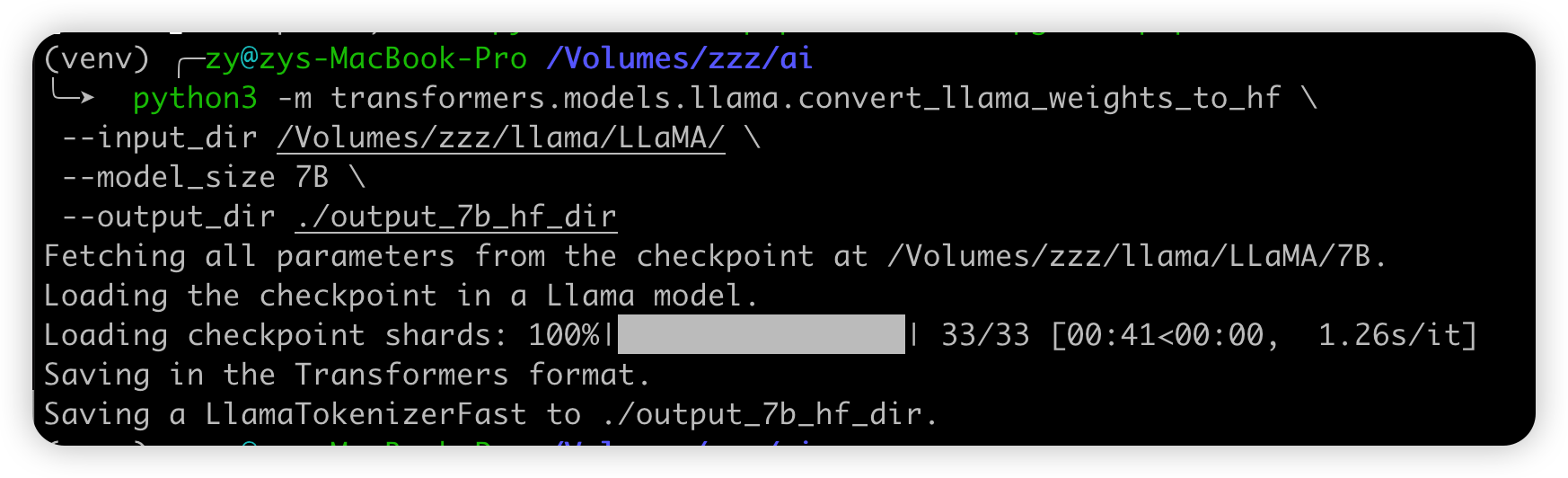
Step 2: Merge the LoRA Weights to Generate Full Model Weights
Use the scripts/merge_llama_with_chinese_lora.py script from ymcui/Chinese-LLaMA-Alpaca at v2.0 (github.com)
to extend the Chinese vocabulary of the original LLaMA model in HF format and merge it with the LoRA weights, generating the full model weights consolidated.*.pth—it is recommended that you verify the generated model’s SHA256 value—and the configuration file params.json. Run the following command:
There are two options:
- Output PyTorch-format weights—a
.pthfile—using themerge_llama_with_chinese_lora.pyscript- Use llama.cpp for quantization and deployment
- Output Hugging Face-format weights—a
.binfile—using themerge_llama_with_chinese_lora_to_hf.pyscript, courtesy of @sgsdxzy- Use Transformers for inference
- Use text-generation-webui to build an interface
Both scripts use the same parameters and differ only in their output file formats. The following example generates PyTorch-format weights and explains the corresponding parameter settings.
python scripts/merge_llama_with_chinese_lora.py \
    --base_model path_to_original_llama_hf_dir \
    --lora_model path_to_chinese_llama_or_alpaca_lora \
    --output_dir path_to_output_dir
Parameter descriptions:

I used a model directly from the Model Hub here. Because it was small, I simply downloaded and used it—I was too lazy to download it locally.
--base_model: Directory containing the HF-format LLaMA model weights and configuration files generated in Step 1--lora_model: Directory containing the LoRA model you want to merge. You can also use a model name from the Model Hub:ziqingyang/chinese-alpaca-lora-7borziqingyang/chinese-llama-lora-7b--output_dir: Specifies the directory in which to save the full model weights; the default is./- Optional:
--offload_dir: Users with limited memory must specify an offload cache path
Step 3: Quick Local Deployment with llama.cpp
Deploy the large model locally on your own computer using CPU inference.
Download the llama.cpp tool from https://github.com/ggerganov/llama.cpp
macOS and Linux are recommended. Windows appears to have a bug.
Before running it, make sure that:
- The model quantization process must load the entire unquantized model into memory. Ensure that sufficient memory is available—the 7B version requires more than 13 GB.
- When loading a Q4-quantized model, such as the 7B version, ensure that the machine has more than 4–6 GB of available memory, depending on the context length.
- The system should have the
makebuild tools, which are included with macOS/Linux, orcmake, which must be installed separately on Windows. - Python 3.9 or 3.10 is recommended for building and running the llama.cpp tool, because
sentencepiecedoes not yet support Python 3.11.
1. Download and Build llama.cpp
Run the following commands to build the llama.cpp project and generate the ./main and ./quantize binary files.
git clone https://github.com/ggerganov/llama.cpp && cd llama.cpp && make2. Generate a Quantized Model
From the merged model—if you chose to generate a model in .pth format—place the tokenizer.model file generated in the final step into the xx-models directory. Place the model file consolidated.*.pth and configuration file params.json into the xx-models/7B directory.
Note that the LLaMA and Alpaca tokenizer.model files cannot be used interchangeably.
The directory structure should look similar to this:
   - 7B/
     - consolidated.00.pth
     - params.json
   - tokenizer.model
Convert the .pth model weights above to ggml FP16 format. The generated file path will be xx-models/7B/ggml-model-f16.bin.
python3 ./llama.cpp/convert-pth-to-ggml.py ./xx_model/7B/ 1
Next, perform Q4 quantization on the FP16 model. The generated quantized model file path will be zh-models/7B/ggml-model-q4_0.bin.
./quantize ./xx-models/7B/ggml-model-f16.bin ./xx-models/7B/ggml-model-q4_0.bin 2
3. Load and Start the Model
Run the ./main binary file and use the -m command to specify the Q4-quantized model. A ggml-FP16 model can also be loaded. The following is an example of the decoding parameters:
./main -m xx-models/7B/ggml-model-q4_0.bin --color -f prompts/alpaca.txt -ins -c 2048 --temp 0.2 -n 256 --repeat_penalty 1.3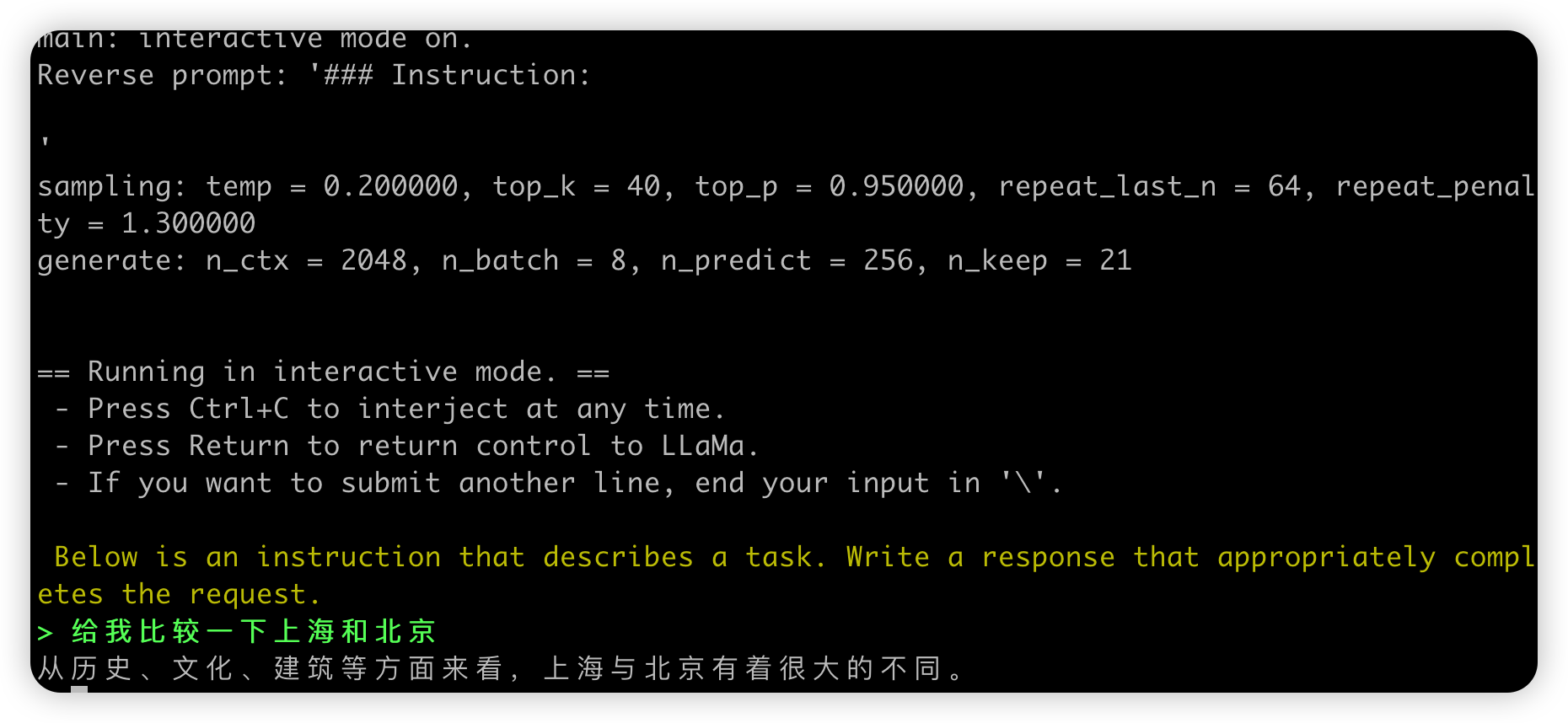
Enter your prompt after the > prompt. Use command+c to interrupt the output. For multiline input, use \ at the end of each line. To view help and parameter descriptions, run the ./main -h command.
重要参数说明:
-ins 启动类ChatGPT的对话交流模式
-f 指定prompt模板,alpaca模型请加载prompts/alpaca.txt
-c 控制上下文的长度,值越大越能参考更长的对话历史
-n 控制回复生成的最大长度
--repeat_penalty 控制生成回复中对重复文本的惩罚力度
--temp 温度系数,值越低回复的随机性越小,反之越大
--top_p, top_k 控制采样的相关参数