Pitfalls When XDebug Fails to Work in phpStudy
Common reasons XDebug fails to work in phpStudy include incorrect paths, incompatible extension versions, and incomplete configuration, followed by the correct process for enabling it.
Read in Chinese→1. Reasons Why Enabling XDebug Has No Effect
1. Incorrect path
The zend\_extension path in the php.ini file is incorrect, such as using the wrong slash direction or specifying the wrong path.
2. php_debug extension version mismatch
The 32-bit or 64-bit php_debug extension does not match the installed PHP version
For example, if PHP 7.2 is installed but the downloaded php_debug version is for PHP 7.1, debugging will fail to start.
Make sure the NTS/TS build of the downloaded php_debug extension matches the installed PHP build
In a typical integrated environment, **PHP的架构都是**32位的(x86)****,, while your computer is 64-bit (x64), 以PHP的环境架构为准. For example, my PHP installation was 32-bit and my computer was running 64-bit Windows 10. I downloaded the 64-bit extension directly from the Xdebug official website, which caused the extension to fail to load.
3. Incomplete configuration file
The required configuration is provided below.
2. Detailed Process for Enabling XDebug
The versions must match
1、Use the phpinfo function to view the PHP version information. Pay attention to the following:
 are non-thread-safe versions (NTS).
Builds without (TS) are non-thread-safe versions (NTS).
Builds without (TS) are non-thread-safe versions (NTS).
函数配置的,默认值为0
xdebug.profiler_enable = 1
;性能分析文件的命名规则,默认值为cachegrind.out.%p
xdebug.profiler_output_name = “cachegrind.out.%t.%p”
xdebug.remote_enable = 1
;用于zend studio远程调试的应用层通信协议
xdebug.remote_handler = “dbgp”
xdebug.idekey = PHPSTORM
xdebug.remote_host = “127.0.0.1”
xdebug.remote_port = 9000
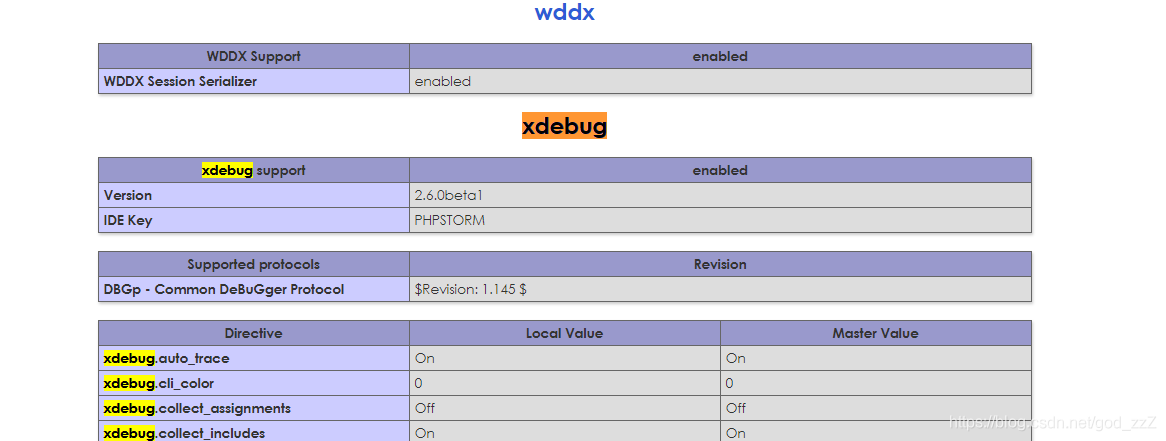
Check phpinfo to confirm that XDebug has been enabled successfully.