Environment Setup3 min read
Downloading, Installing, and Using ZGrab on Linux (Kali)
A tutorial covering how to download, install, configure, and use ZGrab on Linux, including scanning IP addresses and retrieving web page source code.
Read in Chinese→Download, Installation, and Usage
Introduction
ZGrab is an application-layer scanner based on ZMap’s stateless scanning. It supports custom packets and associations between IP addresses and domains. It can be used for rapid fingerprinting, brute-force attacks, and similar scenarios.
GitHub URL for the latest version: https://github.com/zmap/zgrab2
Install ZGrab
A Go environment is required
I installed Go in a Linux environment.
wget https://studygolang.com/dl/golang/go1.12.7.linux-amd64.tar.gz
tar -C /usr/local -xzf go1.12.7.linux-amd64.tar.gz
//配置环境变量
vim /etc/profile
//在最后追加变量
PATH=$PATH:/usr/local/go/bin
GOPATH=/usr/local/go/bin/
source /etc/profile
You can also add temporary environment variables.
export PATH=$PATH:/usr/local/go/bin
export GOPATH=/usr/local/go/bin/
Install ZGrab
- Standard installation
go get github.com/zmap/zgrab2
cd $GOPATH/src/github.com/zmap/zgrab2
make
```- However, you will generally encounter the following error:
- cannot find package “golang.org/x/crypto/curve25519
- Solution:
- https://blog.csdn.net/god\_zzZ/article/details/102622092 You can read this article of mine.
- After resolving the issue, run the installation again.
- A successful installation looks like this:
-

# Usage
**Start**```javascript
cd /usr/local/go/bin/src/github.com/zmap/zgrab2
./zgrab2 --help
```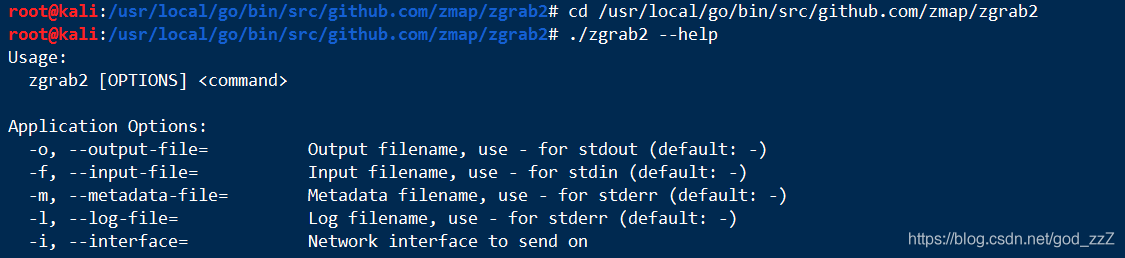
> Command usage:
>
> zgrab2 \[options\] \<command>
>
> Application options:
>
> \-o, \--output-file= Output filename; use \- for stdout (default: \-)
>
> \-f, \--input-file= Input filename; use \- for stdin (default: \-)
>
> \-m, \--metadata-file= Metadata filename; use \- for stderr (default: \-)
>
> \-l, \--log-file= Log filename; use \- for stderr (default: \-)
>
> \-i, \--interface= Network interface to send from
>
> \-s, \--senders= Number of sender goroutines to use (default: 1000\)
>
> –debug Include debug fields in the output.
>
> –gomaxprocs= Set GOMAXPROCS (default: 0)
>
> –connections-per-host= Number of connections to make to each host (results in more output) (default: 1)
>
> –read-limit-per-host= Maximum total number of kilobytes to read from a single host (96 KB by default) (default: 96)
>
> –prometheus= Address for the Prometheus server (for example, localhost:8080). Prometheus is disabled if this is empty.
>
> > Available commands:
>
> bacnet bacnet
>
> banner Banner
>
> dnp3 dnp3
>
> fox fox
>
> ftp FTP
>
> http HTTP Banner Grab
>
> imap imap
>
> ipp ipp
>
> modbus modbus
>
> mongodb mongodb
>
> mssql MSSQL
>
> multiple Multiple module actions
>
> mysql MySQL
>
> ntp NTP
>
> oracle oracle
>
> pop3 pop3
>
> postgres Postgres
>
> redis redis
>
> siemens siemens
>
> smb smb
>
> smtp smtp
>
> ssh SSH Banner Grab
>
> telnet telnet
>
> tls TLS Banner Grab
IP addresses worldwide can also be found here:
http://www.ipdeny.com/ipblocks/data/countries/cn.zone```javascript
wget http://www.ipdeny.com/ipblocks/data/countries/cn.zone Scan for IP addresses with port 80 open
zmap -w cn.zone -p 80 -B 100M -o 80.res #扫描出80端口的IPRetrieve the source code of the web pages at these IP addresses
./zgrab2 -input-file=cn.res --output-file=hk.txt --senders=1000 http Filter the results after the scan is complete
cat hk.txt | grep “keyword”