Repost: Handling Gitee Image Hosting External-Link Issues
After discovering that Gitee had restricted external links and the blog’s images could no longer load, the image repository was cloned, uploaded to Qiniu Cloud, and the Markdown image URLs were replaced.
Read in Chinese→Preparing Qiniu Image Hosting
I got up in the middle of the night and discovered that Gitee image hosting had restricted external links, leaving the blog inaccessible. I was completely dumbfounded.
[

All the images on the blog had become impossible to load.
[
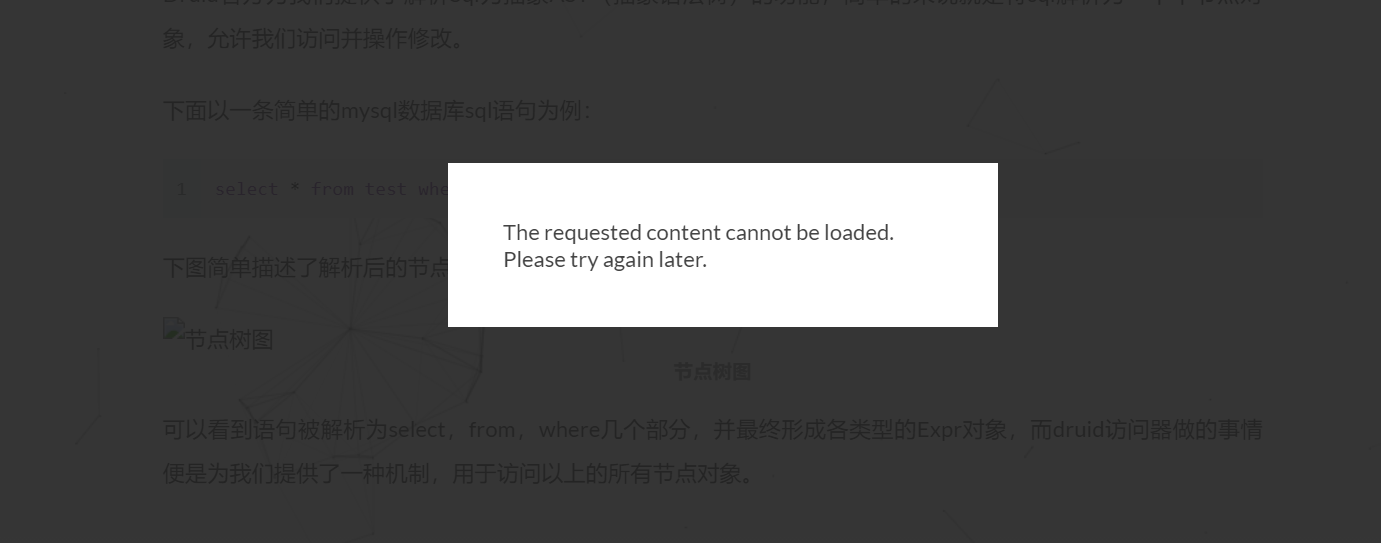
After trying several image-hosting platforms, I found that Qiniu Cloud does not modify filenames when files are uploaded (SM.MS does), so I decided to clone the repository, upload it to Qiniu Cloud, and then update the image URLs.
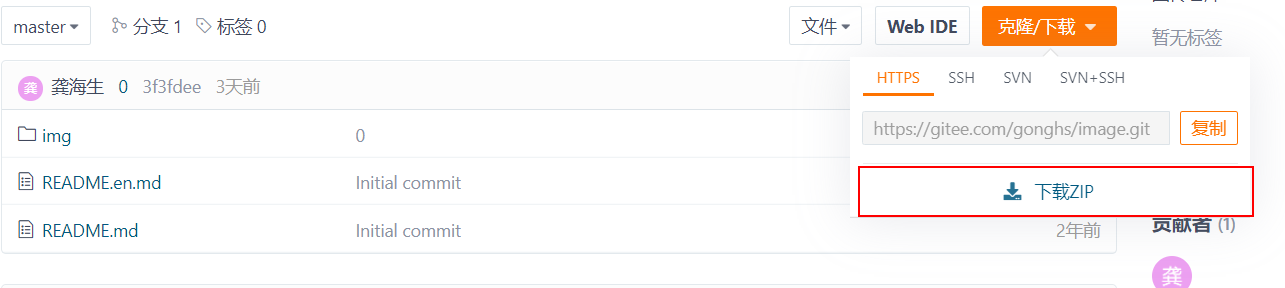
Cloning the Repository
Simply locate the image-hosting repository, package it, and download it.
[
Preparing Qiniu Image Hosting
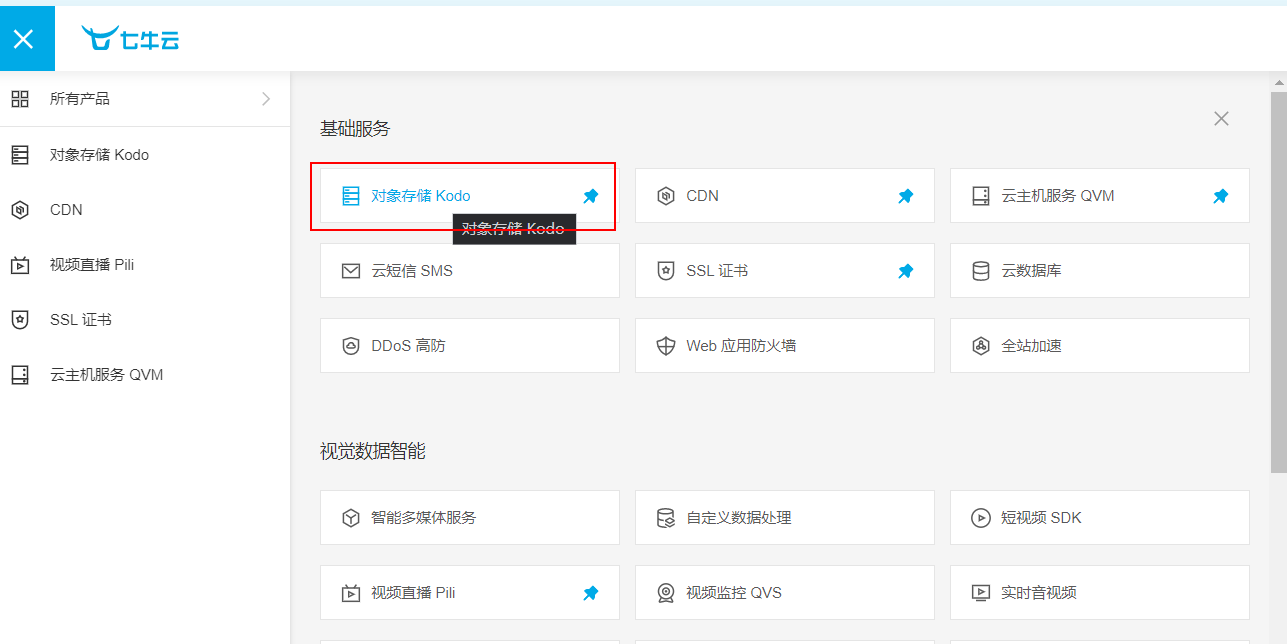
I’ll skip the Qiniu Cloud registration process. We’ll use Qiniu Cloud’s Object Storage service.
[
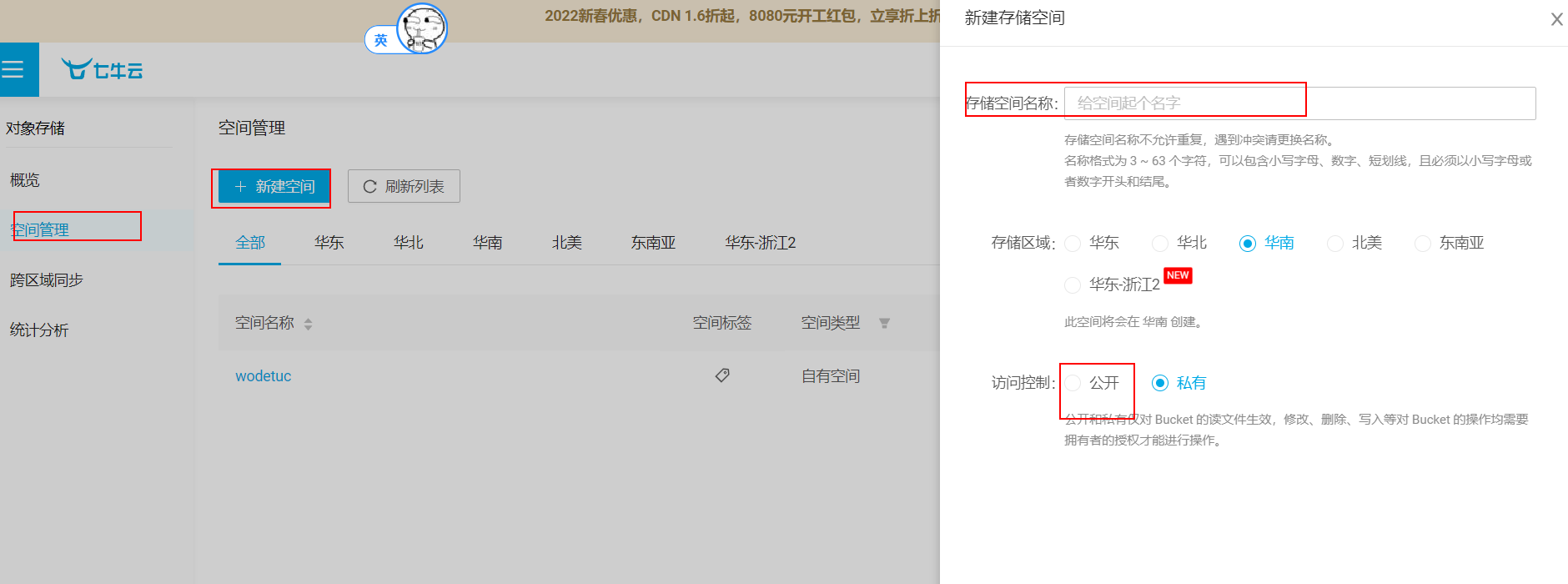
Create a new bucket under Bucket Management and set it to public.
[
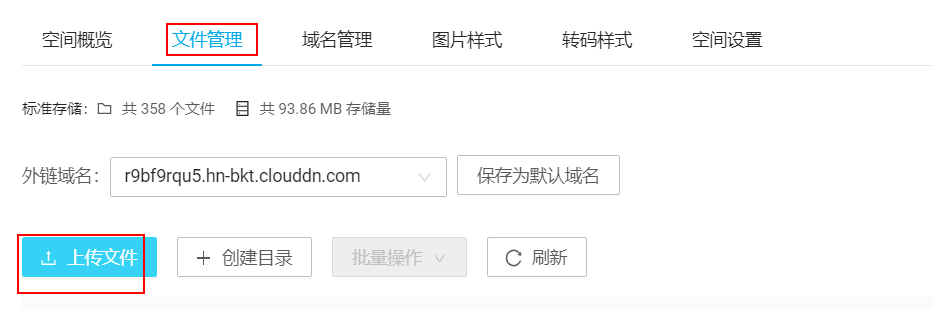
Once it has been created, refresh the page, open the bucket, switch to File Management, click Upload Files, and select all the images in the cloned repository.
[
[
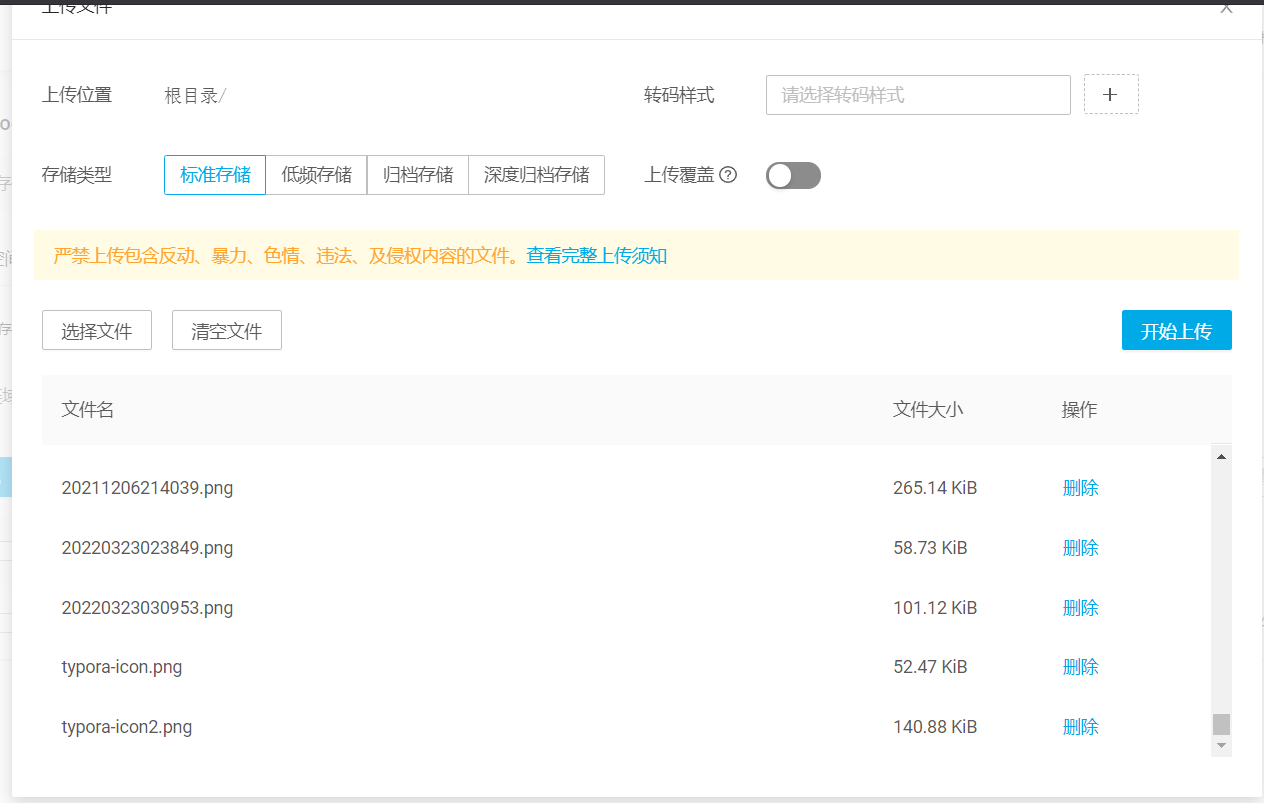
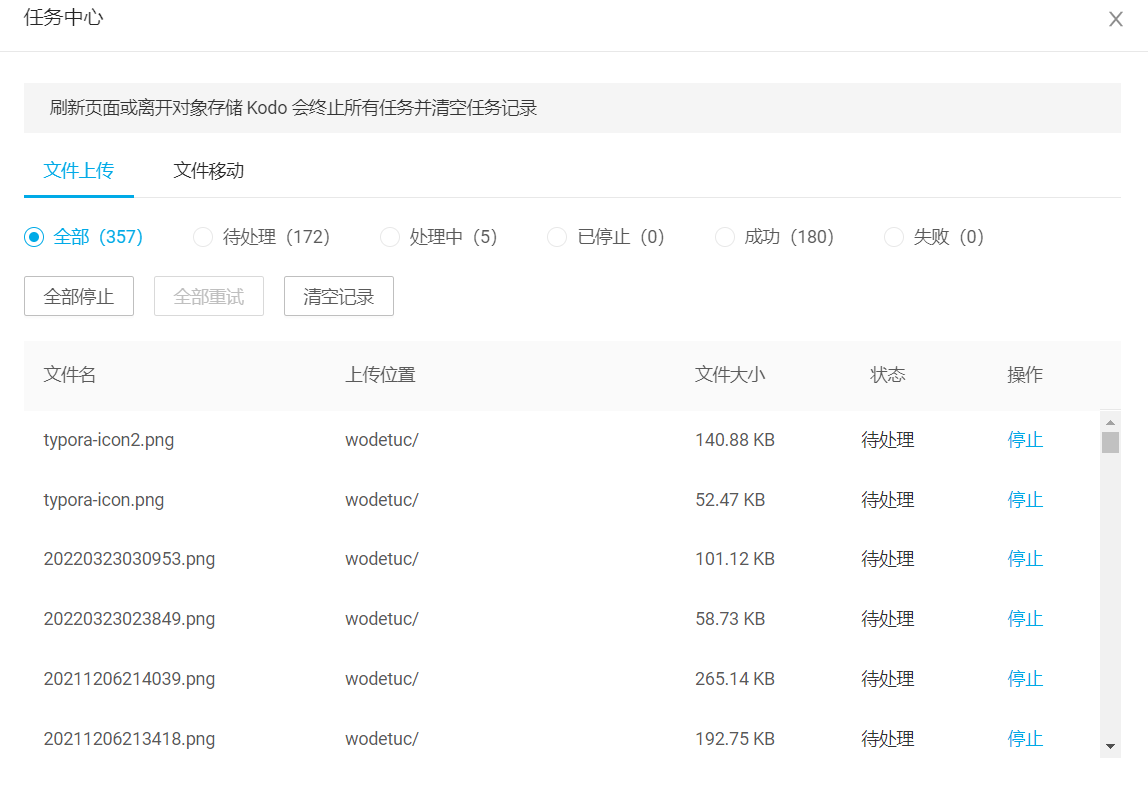
After clicking Start Upload, you can open the Task Center on the right to view the upload progress.
[
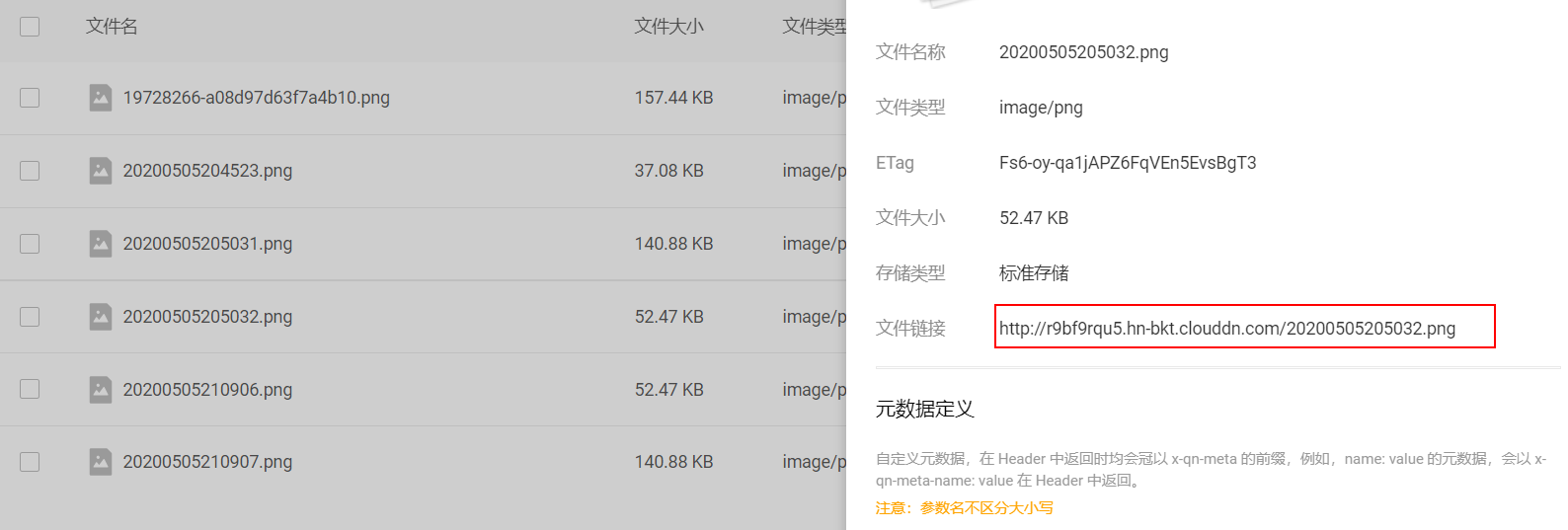
Once the upload is complete, refresh the page and click File Details to view the file URL.
[
Replacing File URLs
Next comes the tense and exciting process of replacing the Markdown links.
You can write code to read the files and perform the replacements. I used an IDE here for a simple text replacement. Just replace the original Gitee prefix with Qiniu’s CDN URL.
[
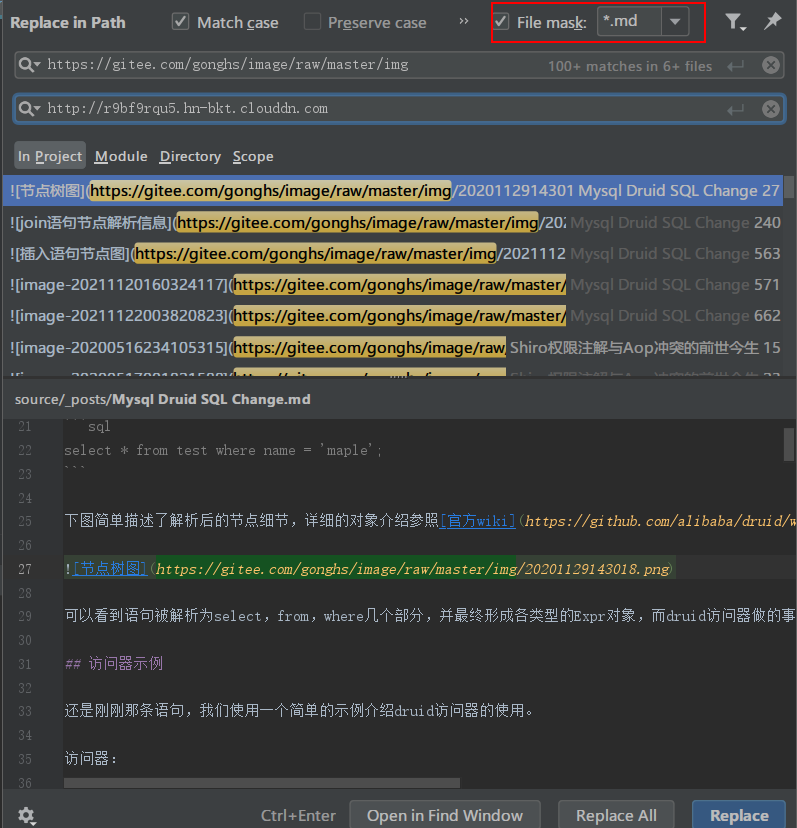
After completing the replacements, deploy and push the changes in one go. Everything is back to normal now, and I can finally rest easy.
[
[Back to Normal](
Author: maple
Article URL: http://www.ice-maple.com/2022/03/26/Gitee Pic Host Crash/
Copyright Notice: Unless otherwise stated, all articles on this blog are licensed under the BY-NC-SA license. Please credit the source when reposting!